Kitchen Display System Benefits — UAE Restaurant Guide 2026
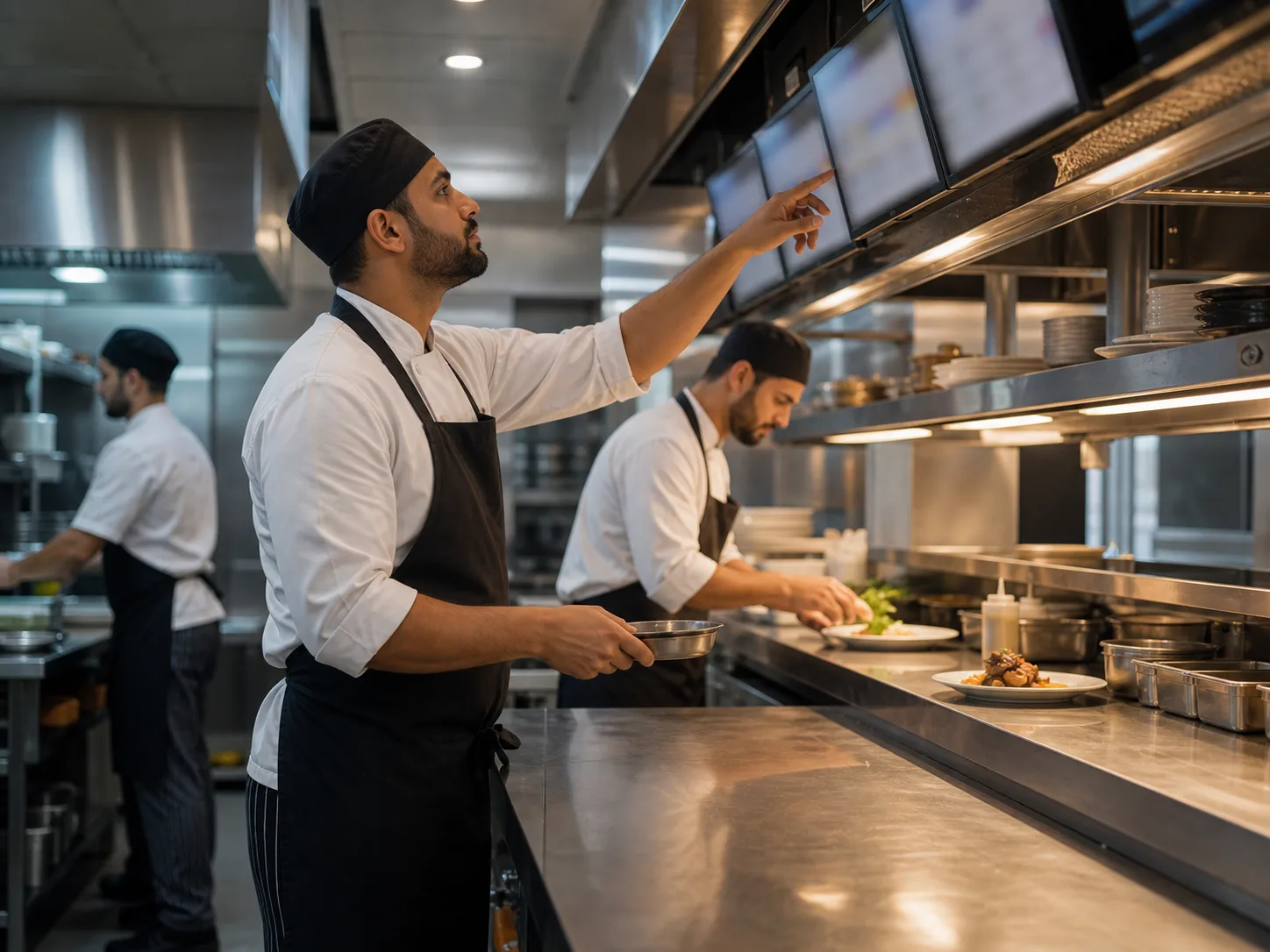
A kitchen display system (KDS) replaces paper tickets and aggregator tablets with a single digital screen that times every order, routes items to the right station, and surfaces bottlenecks in real time. For UAE kitchens — where delivery is forecast to grow at 18.65% CAGR and 75% of mobile delivery orders flow through aggregators — paper at the pass has run out of runway.
The case for a KDS used to read as a luxury argument: "nicer than paper, useful if you can afford it." That stopped being true around the time delivery crossed a quarter of UAE order volume and operators started running three or four aggregator tablets next to the POS. This guide explains what a KDS actually does, why the UAE delivery and compliance backdrop makes 2026 the year to commit, what the two-screen model looks like in practice, and what to look for in a system if you're shortlisting one for a UAE kitchen.
In this guide
What a kitchen display system actually is
A KDS is a screen — usually a tablet or a wall-mounted monitor — that displays incoming orders as live cards. Each card carries the order time, the items, modifiers, special instructions, the table or channel, and a countdown timer. When a cook finishes an item, they "bump" it (tap the screen or press a bump-bar button) and the card updates everywhere it appears.
The mechanical difference from a paper or printed-ticket setup is small. The operational difference is large. A paper ticket has no timer. A printed chit doesn't know whether the chef on the next station has already started the side dish. A delivery aggregator's tablet doesn't talk to the POS. A KDS does all three: every active order is timed; every station knows what the others are doing; every channel — dine-in, takeaway, Talabat, Deliveroo, Careem, Keeta — funnels into the same prioritized queue.
The industry rule of thumb published by RestaurantOwner is that casual-dining dishes should be cooked within roughly seven minutes and plated within ten. Fine dining sits higher because of complexity. A kitchen that doesn't measure these numbers — and most paper-ticket kitchens don't — can't tell you whether it's hitting the benchmark or missing it by four minutes per ticket.
Why UAE kitchens are hitting the wall on paper
Three structural shifts have made the UAE operational environment unforgiving to paper-ticket kitchens.
Delivery is the fastest-growing channel, and it concentrates in three hours. The UAE foodservice profit sector reached AED 74.9 billion in 2024, and dine-in still held a 55.05% share through 2025 — but delivery is forecast to grow at an 18.65% CAGR, the most dynamic channel in the market according to GlobalData. The online food-delivery slice alone was worth USD 720.7 million in 2024 and is projected to hit USD 1.8 billion by 2033 per IMARC Group. Mobile orders crossed 80% of total delivery in the UAE by the end of 2025, with peak volume concentrated between 8pm and 11pm per Khaleej Times coverage of Redseer data. That's three hours when every kitchen on the same street is taking the same pressure.
Aggregators dominate the delivery flow. Roughly 75% of UAE mobile-delivery orders are processed through aggregators — Talabat is the volume leader, with Deliveroo, Careem, and Keeta making up the rest of the four-platform landscape UAE operators actually face. Most kitchens sit on two or three of them at once. Without a KDS that consolidates them, that's two or three extra tablets dinging at the pass while the kitchen tries to track which order goes out next.
Compliance has moved digital. Dubai Municipality's Food Code 2.0 mandates digital record-keeping for temperature checks, equipment verification, and exceptions. In 2024 the Municipality launched DMChecked as the successor to FoodWatch Connect — a cloud-based compliance platform where inspections, hygiene logs, and corrective actions are recorded on mobile devices. A kitchen still printing paper chits is the only paper artefact left in an otherwise-digital compliance environment. That's not a regulatory violation, but it is a signal of operational maturity that inspectors and franchisors notice.
What changes when you switch to a KDS
The promise of a KDS isn't "the kitchen runs faster." It's that the kitchen runs visibly — every cook, every expo, every owner can see the same picture of what's happening and what's slipping. Four things change in practice.
1. The timer replaces mental math. Every order card carries a colour-coded header — green while it's within target, yellow as it approaches the threshold, red when it's overdue. Thresholds are configurable per station (a QSR grill might use 5/10/15 minutes; a fine-dining pasta station might use 12/20/30). The chef no longer reads timestamps and calculates ages; the screen does it. Sound and visual alerts fire when cards turn red.
2. Station routing replaces verbal calls. Each menu item is tagged to a station during setup — steaks to grill, salads to cold, desserts to pastry, cocktails to bar. When an order arrives, each item appears only on the correct station's screen. The expo screen shows the full order with per-station completion checkmarks. There is no verbal call to make, which matters when the kitchen is loud enough that nobody hears them anyway.
3. All channels appear in one queue. Dine-in orders from the POS, takeaway orders from the waiter app, Talabat orders, Deliveroo orders, Careem orders, Keeta orders, and direct-website orders all funnel into the same prioritized list, each card labelled with its channel. The "four tablets at the pass" problem disappears.
4. Speed becomes measurable. Every order is tracked from screen appearance to bump. Reports show average prep time by hour, by day, by station, and by item category. The grill that "feels slow on Fridays" turns out to be averaging 14 minutes versus 6 on the cold station — which is the bottleneck data you needed to add a cook or simplify the menu. Roy, Spiliotopoulou and de Vries' 2022 review in Production and Operations Management places this kind of kitchen-level analytics squarely in the category of emerging operations practice — what a KDS provides as a byproduct, restaurants used to run dedicated time-and-motion studies to capture.
Dispatch vs Station — the two-screen model
The most useful KDS architecture in a multi-section kitchen is a two-screen split: a Dispatch screen for the expeditor and a Station screen for each prep section. The two layers do different jobs.
| Dispatch KDS | Station KDS |
|---|---|
| Shows every active order in full | Shows only items routed to one station |
| Per-station completion checkmarks | One item, one cook, one bump |
| Controls course fires (fire mains, fire desserts) | Receives the next course when expo fires it |
| Manages priority orders, VIP tables, rush flags | Sees priority markers on items as they arrive |
| Operated by the expeditor or head chef | Operated by the cook on station |
When a cook bumps an item on a Station screen, the Dispatch screen updates the same instant. When all stations have bumped their parts of an order, the expo bumps the complete order for service or delivery handoff. Stations focus on cooking; the expo focuses on coordination. The verbal-call workflow ("two ribeyes mid-rare, grill!") becomes a visual workflow that survives a noisy Friday-night service.
For a small café or single-station QSR, you don't need two layers — one screen is fine. The model scales up: a full-service restaurant might run one Dispatch screen plus four or five Station screens; a central kitchen feeding multiple delivery-only brands often runs ten or more.
What to look for in a KDS for a UAE kitchen
Most KDS vendors talk about the same headline features — timers, routing, bump bars. The differences that matter for a UAE operator are downstream. A practical shortlist:
Aggregator coverage. Native integration with Talabat, Deliveroo, Careem, and Keeta. "We can build it" is not the same as "it works on day one." Ask for a live demo of an order coming in from each platform.
Arabic and English on the same screen. UAE kitchen teams are multilingual; the prep cook on cold may read Arabic more comfortably than the grill chef. A KDS that only supports one language picks losers in your own kitchen. Look for per-screen language configuration with simultaneous-display support for modifiers and special instructions.
Two screen types, not one. A KDS that only offers a single all-purpose screen forces the expo and the grill to look at the same view, which defeats the point of station routing. The Dispatch / Station split should be a configuration option per screen.
Configurable timer thresholds per station. Different stations have different prep speeds. A grill at 8-minute target and a pastry station at 20-minute target should be configurable independently — not locked to one kitchen-wide threshold.
Course-fire support if you do full service. Multi-course service collapses without a way to hold mains until the table is ready. A KDS that fires every course immediately is a QSR tool wearing a fine-dining label.
Kitchen-speed analytics, exportable. Average prep time by hour, station, and category — with the ability to compare periods. Without this, you cannot tell whether the new line cook is faster than the old one, or whether last Friday's service was actually slow.
Any-device hardware policy. Web-based, runs on iPads, Android tablets, or commercial monitors. Avoid vendors that lock you into proprietary screens — if pricing changes or the vendor exits the market, you keep your hardware.
Hybrid print support. Even with screens, some kitchens want a backup paper chit at the bar or pastry station. A KDS that can also drive thermal printers per station — with customizable receipt templates — gives you the option without forcing it.
POS integration depth. The KDS needs to receive order modifications, voids, quantity changes, and additions in real time. Ask what happens when a waiter voids an item mid-prep. The honest answer should involve a visual flash on the affected station, not "you call the kitchen on the phone."
Common mistakes when adopting a KDS
Three patterns show up repeatedly in UAE rollouts:
Skipping the station map. The single biggest setup task is tagging every menu item to the right station — including items that touch two stations (a steak salad: grill tags the steak, cold tags the rest). Operators who rush this step end up with items appearing on the wrong screens and the kitchen verbally calling anyway, which defeats the rollout. Budget a half-day with the head chef before go-live, not after.
Leaving the thresholds at vendor defaults. The default 5/10/15 colour thresholds are tuned for a generic QSR. If you're a 14-minute pasta restaurant, the screen will glow red all night and the team will start ignoring the alerts. Calibrate per station based on actual prep times before turning sound on.
Treating the KDS as the POS-replacement project. A KDS replaces kitchen workflow, not front-of-house. The two are linked — you need a POS and a waiter app that talk to the KDS — but trying to launch all three at once produces a six-month implementation. Start with KDS on top of an existing POS via integration if possible, then deepen.
Before rolling out across every station, run a Dispatch screen at the pass with paper still printing as a backup. Once the expo team is comfortable, replace the printer at one station (usually grill or cold) with a Station KDS. Build outwards from there. Two-week pilot per station is enough to surface routing edge cases without putting the whole service at risk.
Frequently asked questions
What is a kitchen display system?
A digital screen that replaces paper kitchen tickets or printed chits. Orders from the POS, waiter app, and delivery aggregators appear as live cards with countdown timers. Items route automatically to the station that prepares them. The expeditor screen shows the full order; each station screen shows only its items. When a cook bumps an item, every other screen updates in real time.
Do UAE restaurants really need a KDS, or are paper tickets fine?
Paper still works in a small dine-in-only operation with one cuisine and one channel. It stops working the moment delivery becomes a meaningful share of orders. UAE delivery is forecast to grow at a 18.65% CAGR per GlobalData, and roughly 75% of mobile delivery orders flow through aggregators. A kitchen running paper plus three or four aggregator tablets at the pass loses time on every order during the 8–11pm peak window.
What is the difference between Dispatch KDS and Station KDS?
Dispatch KDS is the expeditor's screen — every active order in full, with per-station completion tracking and course-fire controls. Station KDS is what each prep section sees — only the items routed to that station. When a cook bumps on Station KDS, the Dispatch screen updates instantly. The two screens together remove the need to verbally call items across the line.
Can a KDS show orders from Talabat, Deliveroo, and Careem?
A well-integrated KDS does. HoreX KDS pulls aggregator orders from Talabat, Deliveroo, Careem, and Keeta through the POS and displays them on the kitchen screens automatically — no extra tablets at the pass. Each card is labelled with its channel so the kitchen sees at a glance whether an order is dine-in, takeaway, or which aggregator it came from.
What should a UAE-specific KDS support that a generic one might not?
Three things. Native integration with Talabat, Deliveroo, Careem, and Keeta — the four platforms most UAE operators sit on. Arabic and English display on the same screen, configurable per station. And alignment with Dubai Municipality's digital direction under Food Code 2.0 and DMChecked — kitchens already running a digital order flow are closer to digitizing the rest of their compliance records.
What hardware do I need to run a KDS?
Any device with a web browser. iPads, Android tablets, or wall-mounted commercial monitors all work. For a busy professional kitchen, a 15–22 inch high-brightness monitor with a touchscreen or a USB bump bar is typical. For a small café, a single tablet is fine. HoreX KDS doesn't require proprietary hardware, so you avoid vendor lock-in on the screens.
Sources
- GlobalData — United Arab Emirates: The Future of Foodservice to 2029 — UAE foodservice market size, dine-in vs delivery split, channel CAGR.
- IMARC Group — UAE Online Food Delivery Market 2024–2033 — UAE delivery market valuation and 10.2% CAGR.
- Khaleej Times — UAE online food delivery market likely to expand at 10.2% a year — aggregator share, mobile-order penetration, 8–11pm peak window (Redseer data).
- Dubai Municipality — Food Code 2.0 — digital record-keeping requirements for food establishments.
- Dubai Municipality — DMChecked compliance platform — successor to FoodWatch Connect, cloud-based inspection and hygiene record system.
- Roy, Spiliotopoulou & de Vries (2022) — Restaurant analytics: Emerging practice and research opportunities — academic framing of kitchen-operations analytics (Production and Operations Management).
- RestaurantOwner — Kitchen Ticket Time Analysis Form — industry benchmark for casual-dining prep and plate times.