


Catering management from quotation to event completion.

Prepare the offer, plan the portions and follow the client’s balance. Connect the event to its menu, invoice and ingredient use.

01 / THE AGREEMENT

Offers & invoices

Keep the menu, service and price in the same document.

02 / THE PREPARATION

Portions & ingredients

Work out what the kitchen needs for the planned output.

03 / THE SCHEDULE

Events & payments

Follow service dates alongside the client’s balance.

Explore the setup

01 / QUOTATIONS

Put the menu, guests and service into one offer.

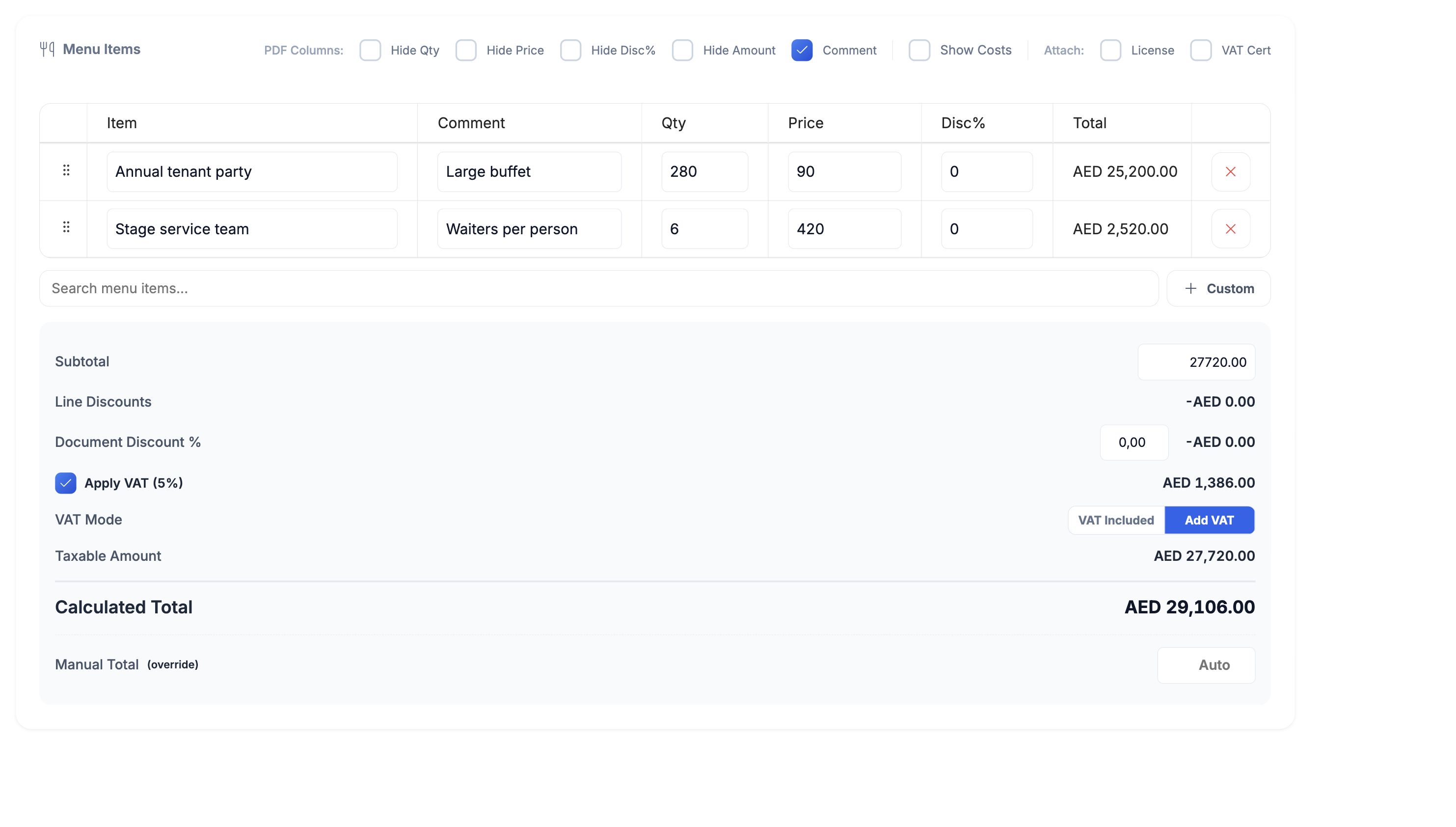
A corporate lunch needs more than a total at the bottom of an email. Build the quotation from the dishes, quantities, service lines and prices you have agreed with the client.

Keep comments and discounts on the document, choose how VAT applies, and generate the branded PDF. When the client accepts, convert the quotation to an invoice with the same lines.

  • Menu and service lines
  • Guest quantities
  • Discounts and VAT
  • Quotation-to-invoice conversion
HoreX catering quotation with 280 buffet portions, six service staff and a VAT calculation
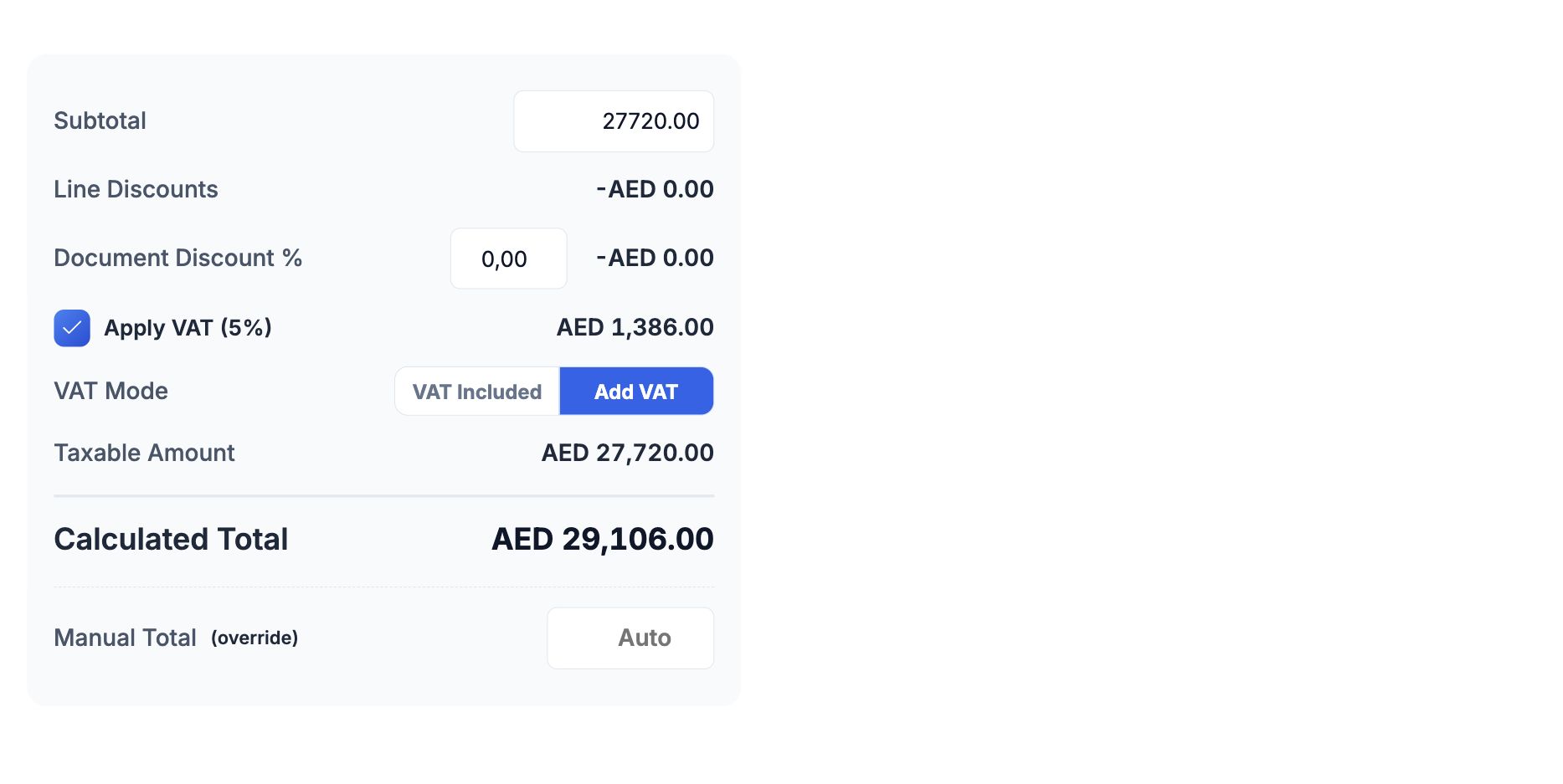
HoreX quotation subtotal, VAT mode and calculated total

02 / KITCHEN PREPARATION

Give the kitchen quantities it can work from.

Use the agreed menu and planned portions to calculate ingredient needs. Recipes keep quantities, yields and preparation information together; production orders organise the dishes and preps for service.

The chef reviews batch sizes, available stock and the cooking process before preparation. A larger event changes the workload as well as the quantities.

  • Recipe quantities
  • Yields and losses
  • Production orders
  • Ingredient checks
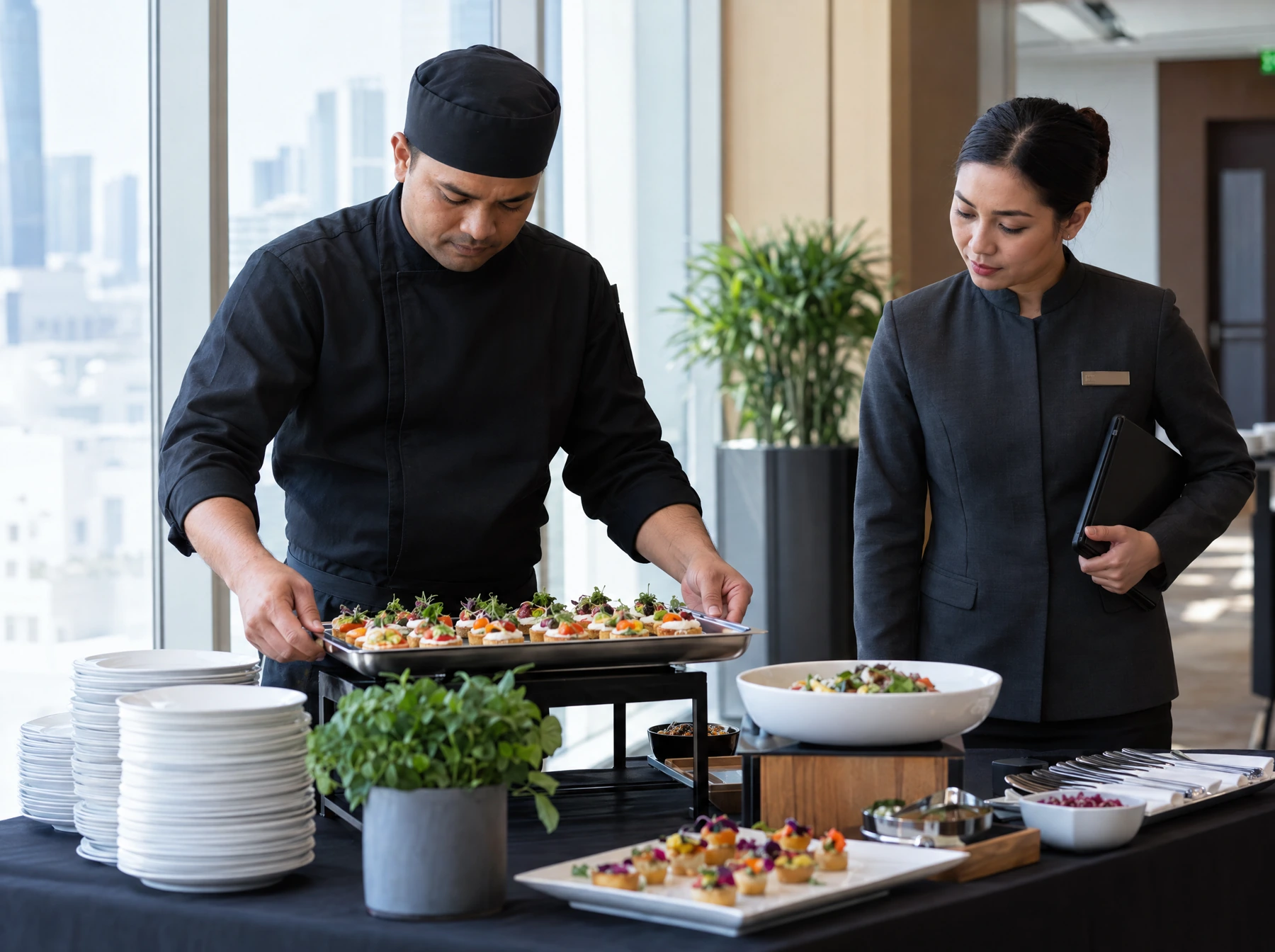
A catering chef and event supervisor check freshly prepared canapé trays before service

03 / DATES & BALANCES

Know what is coming and what is still unpaid.

The dashboard puts upcoming events beside client balances. Check the service dates, open the relevant document and review what the client has agreed and paid.

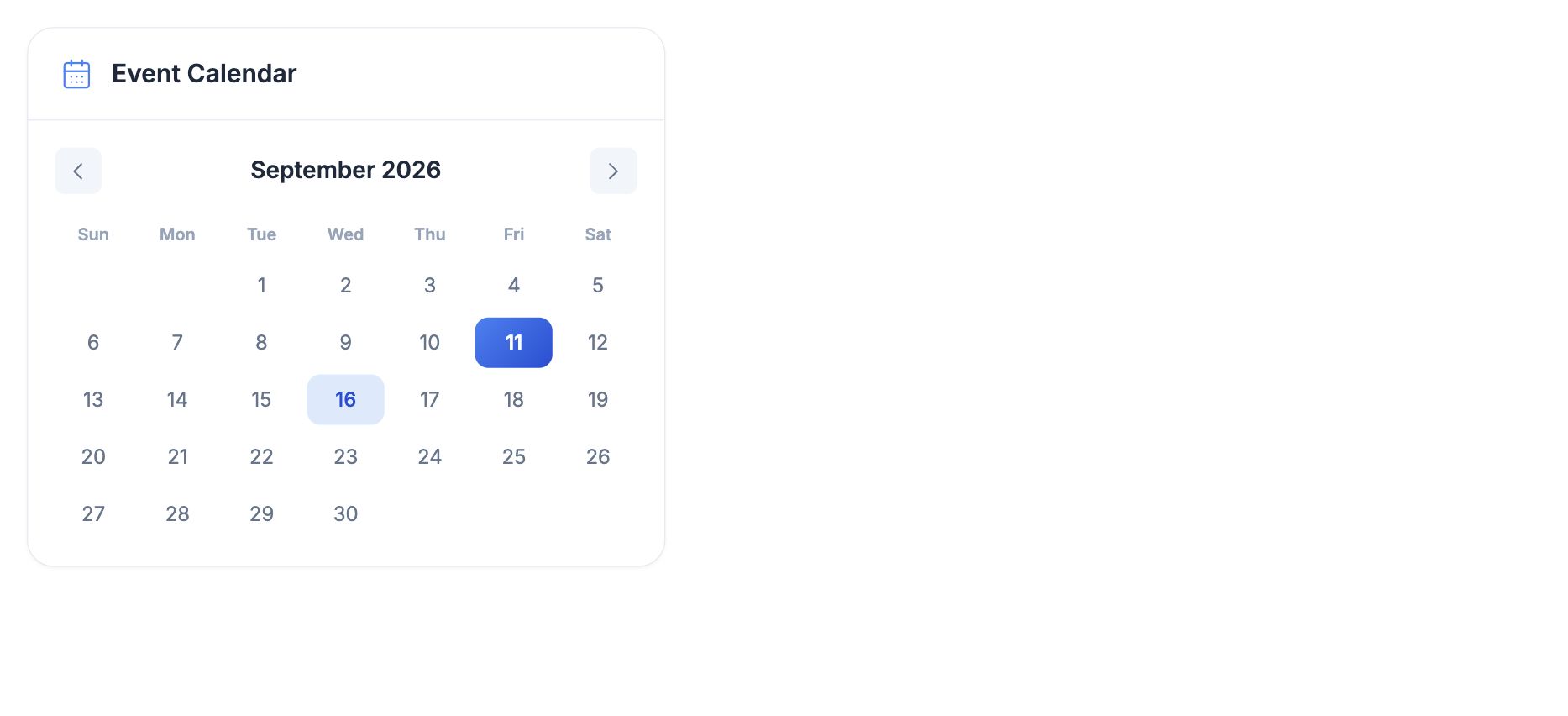
The monthly calendar helps the team see the days ahead. Use the event records when planning kitchen capacity, staffing and transport.

  • Upcoming events
  • Monthly calendar
  • Pending payments
  • Overdue invoices
HoreX catering event calendar with a scheduled event on 16 September

04 / AFTER SERVICE

Close the stock side of the event as well as the invoice.

After the event, record its completion from the invoice. The ingredients behind the menu are written off against the correct branch and event date.

Payments and event completion are separate records. Keep both up to date so the client balance and the kitchen stock reflect what happened. Review recorded expenses alongside the invoice and ingredient cost when assessing the job.

  • Event completion
  • Recipe-based write-off
  • Branch stock
  • Client payment history

Keep the next booking connected to the last one.

  1. Read the client history

    Review past quotations, invoices and payment terms before preparing another offer.

  2. Agree the new event

    Confirm the menu, quantities, location and service notes on its document.

  3. Review after service

    Record payments and event completion, then check the stock and expense records.

What your team can use.

Choose the modules and controls that fit your operation.

Event quotation

Keep the agreed menu and service in one offer.

See details

Choose the client and issuing company, add dishes or service lines, and enter quantities, prices and comments. Line and document discounts remain visible in the calculation. Generate the client PDF from the same quotation.

  • Menu and service lines
  • Quantities and prices
  • Comments
  • Branded PDF

VAT in the quotation

Keep the total consistent with the agreed price.

See details

Choose whether VAT is already included in your prices or added on top. The calculation shows the taxable amount, tax and final total. Review the document’s treatment with the finance team before issuing it.

  • VAT included
  • VAT added
  • Taxable amount
  • Calculated total

Quotation to invoice

Carry the accepted offer into billing.

See details

Convert the accepted quotation in place. Its lines, comments and commercial details remain with the invoice, and the due date follows the client’s payment terms.

  • Preserved line items
  • Client terms
  • Due date
  • Document history

Client balances

Follow what has been paid and what is still due.

See details

Record payments against the issued invoice and inspect the remaining balance. The dashboard separates pending and overdue amounts so the team can review outstanding invoices before preparing the next event.

  • Recorded payments
  • Remaining balance
  • Due dates
  • Overdue review

Event calendar

See upcoming service dates.

See details

The catering dashboard brings event dates and recent documents together. Open the related record for the location, client and agreed offer. Use that information with the team’s production and staffing plan.

  • Monthly calendar
  • Upcoming events
  • Client and location
  • Linked documents

Recipe quantities

Calculate from the portions you plan to serve.

See details

Use the recipe’s ingredient quantities, yield and configured processing losses to work out the requirements for the planned output. Review production batch sizes and the cooking process with the chef before preparing a large event.

  • Portion quantities
  • Recipe yields
  • Configured losses
  • Production requirements

Event stock write-off

Record ingredients when the event has taken place.

See details

After service, mark the event as completed from its invoice. HoreX creates the recipe-based stock write-off for the document’s branch and event date. Recording a payment alone does not confirm that the ingredients were used.

  • Event completion
  • Correct stock branch
  • Recipe snapshot
  • Ingredient movements

Corporate clients

Keep the next offer connected to the client’s history.

See details

Review the client’s quotations, invoices and payment history before agreeing the next event. Keep the venue, event notes and payment terms on the relevant documents so the team can return to what was actually agreed.

  • Client documents
  • Previous offers
  • Payment history
  • Event notes

Kitchen preparation

Connect the event menu to the prep work.

See details

Use recipes and production orders to plan the dishes and preps needed for service. Review the ingredients, output quantities and available stock before assigning the kitchen work. Event staffing and transport still need the team’s plan.

  • Recipes and preps
  • Production orders
  • Ingredient requirements
  • Stock checks

Questions about Catering businesses

Can HoreX generate professional catering quotations?

Yes. A quotation includes the client, issuing company, menu and service lines, quantities, prices, discounts, comments and VAT treatment. Generate the branded PDF from that document, then convert the accepted quotation to an invoice without retyping the offer.

Can I scale recipes automatically for large events?

Recipe quantities and yields provide the basis for scaling the planned output. Configured processing losses remain part of the recipe calculation. The chef should review batch sizes and preparation methods for a large event.

Does HoreX calculate ingredient requirements for events?

Yes. Recipe and production quantities give the ingredient requirements for the planned dishes and preps. Check available stock and purchasing needs before preparation. After service, event completion records the recipe-based ingredient write-off.

Can I track profitability per event?

You can review the event’s invoiced amount, recipe-based ingredient use and recorded expenses. A complete margin review also needs service, labour, transport and other relevant costs to be recorded and attributed correctly. A quotation total alone is not the event’s profit.

Does HoreX have a client CRM?

Client records keep quotations, invoices and payment history connected. Event documents hold the venue, notes and agreed terms. The team can review previous offers and outstanding balances when the same client books again.

Can I manage corporate meal programs?

Yes. For recurring meal subscriptions, use the separate Meal Plans workflow for subscriptions, menu selections, preparation and delivery. For a booked corporate event, use the catering quotation and invoice workflow. The setup should match how the client orders and is billed.

Can I handle multiple events on the same day?

Yes. Each event keeps its own document, date, location and commercial details. The calendar helps identify busy dates; your team plans staffing, kitchen capacity and transport across the events.

How quickly can I get started?

Start with the menu and service prices, recipes, company details, client list and payment terms. We walk through a quotation, invoice, payment and event completion with your team before it becomes the working process.

Walk through your next catering event.

Use a real menu and guest count to review the offer, preparation and billing.