





POS and restaurant management for table service.

Run table service from the first booking to the last payment. Connect your floor, kitchen, guest history, stock and financial records in one restaurant workspace.

01 / AT THE TABLE

Tables & orders

Take the order with the table and its guests in view.

02 / AT THE PASS

Kitchen & courses

Send each dish to its station at the right point in service.

03 / AFTER THE MEAL

Bills & tips

Split the check, take payment and let guests leave a tip.

04 / BEHIND THE MENU

Menu & food cost

Follow dish sales, ingredient quantities and recipe cost.

05 / THE NEXT VISIT

Guests & loyalty

Keep visits, orders and benefits in the guest record.

06 / THE DAY’S RESULTS

Reports & shifts

Review takings, payment methods and shift differences.

Explore the setup

01 / RESTAURANT POS

POS for the way your tables order.

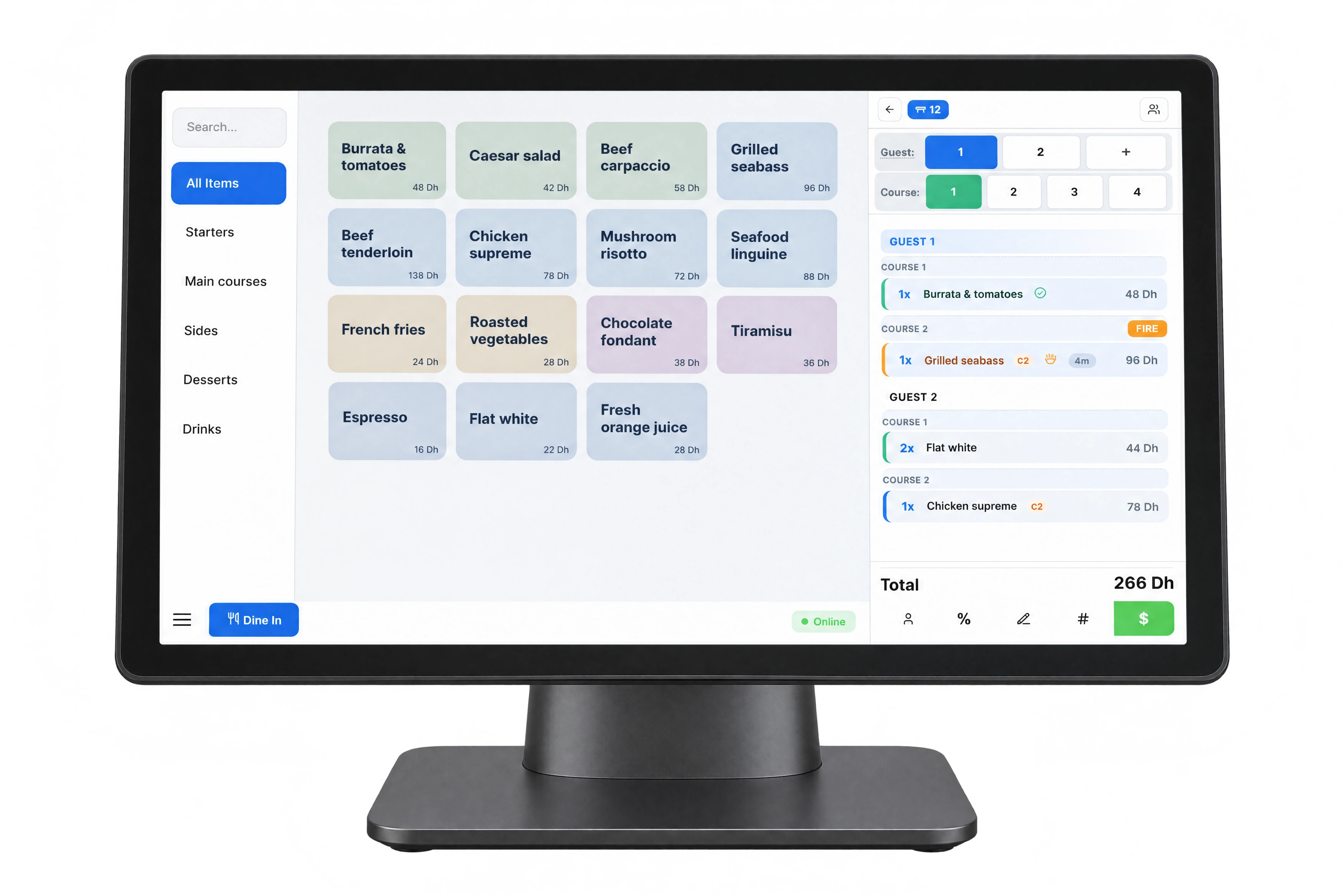
A table of four can have different dish options, several courses and separate bills. Keep each choice with the right guest as the order moves from the floor to the kitchen and checkout.

Use the touchscreen terminal for the menu, quantities, authorised discounts and payments. The Waiter App works with the same order, so the team can continue service at the table.

  • Guest assignments
  • Structured modifiers
  • Course timing
  • Split bills
HoreX POS interface in a touchscreen terminal mockup, showing a demonstration guest check and menu

02 / RESERVATIONS & ARRIVAL

Prepare for the guest before they sit down.

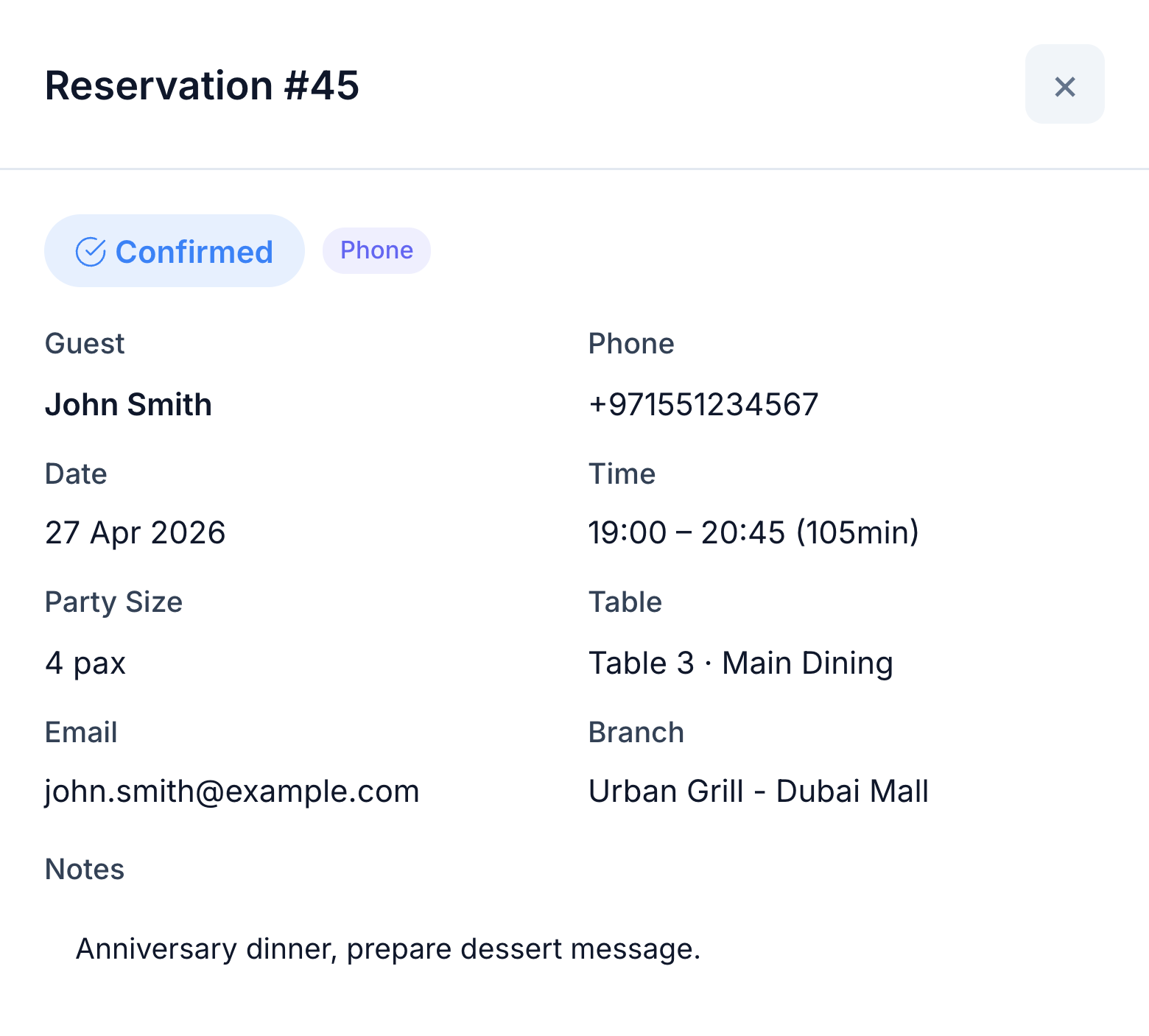
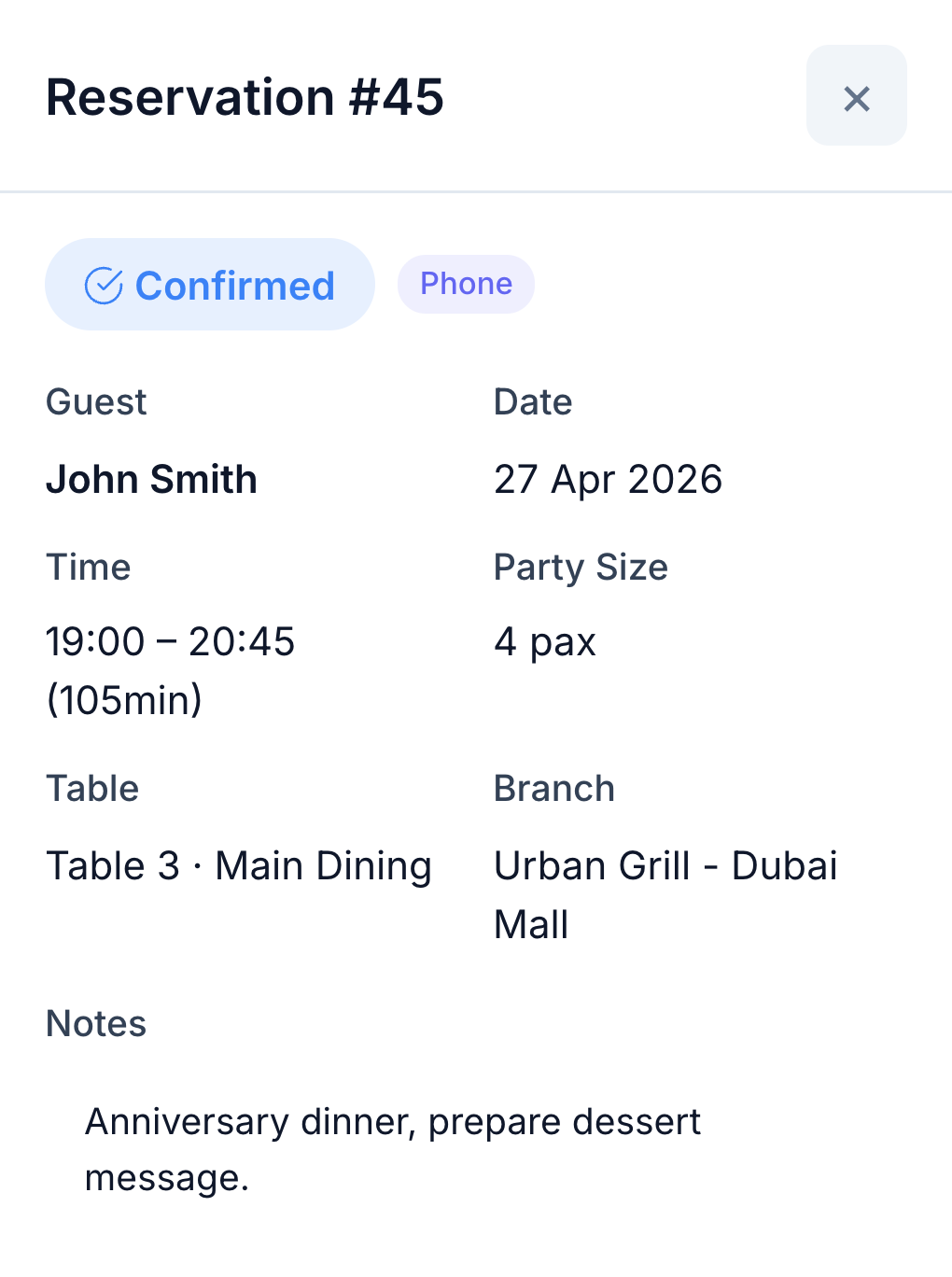
See who is expected, when they are arriving and where they will sit. The booking keeps the party size, branch, table and occasion notes together, so the host can prepare for the visit.

Manage walk-ins through the waitlist. Open the guest record for previous visits and preferences; when the party is seated, the linked POS order carries their identity into service.

  • Bookings and walk-in waitlist
  • Party size, time and table
  • Occasion and service notes
  • Guest identity carried into POS
Native reservation for John Smith: four guests, Table 3, branch and anniversary note
Native reservation showing the guest, four-person party, Table 3 and anniversary note

03 / TABLES & HALLS

Work from a floor plan that matches the room.

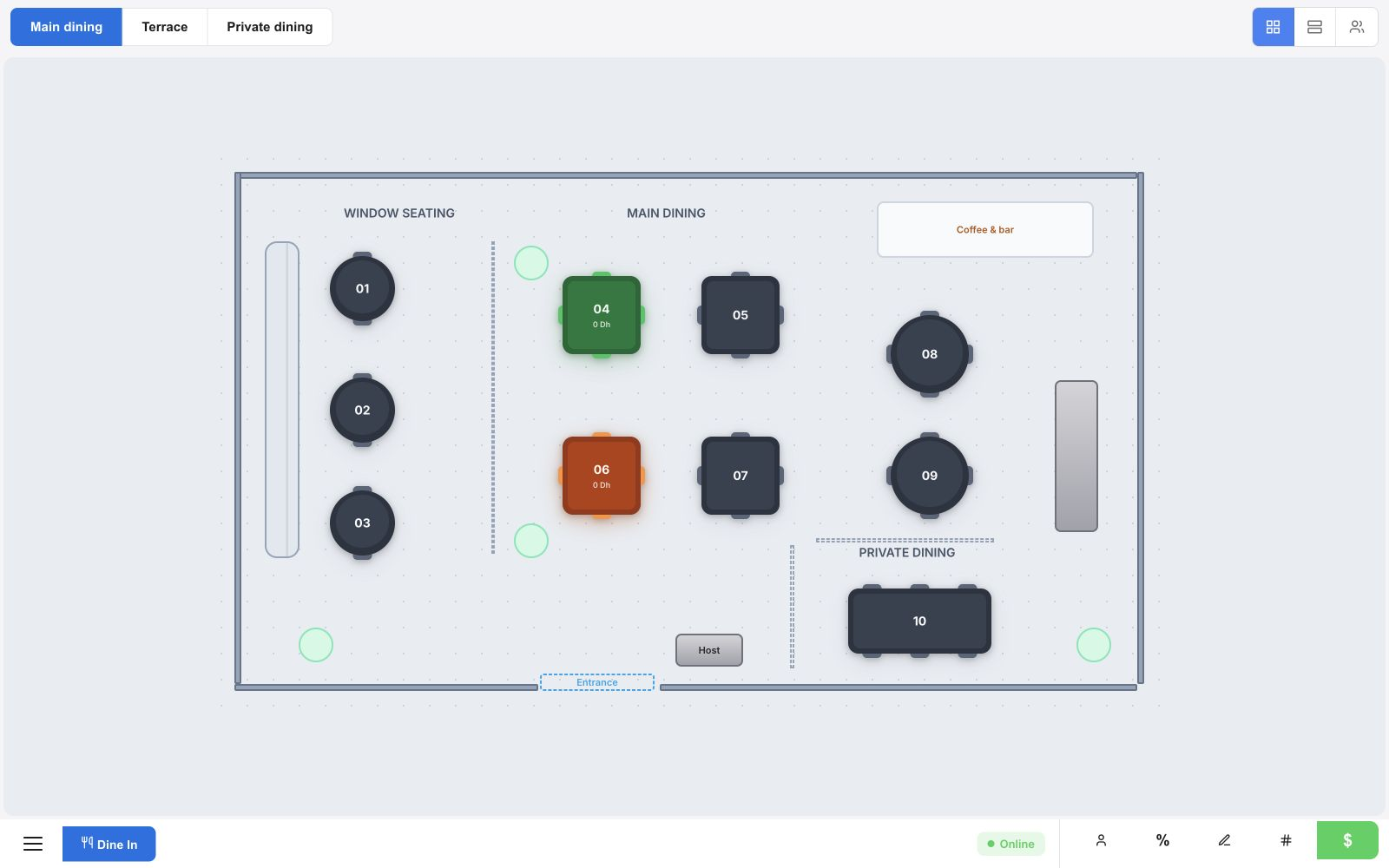
Lay out the halls, tables and service areas to match your restaurant. Staff can find the table and see its current order and payment context without learning a separate table list.

HoreX floor plan with window seating, main dining, private dining, service counter and clear walkways

The layout editor handles furniture and room structure; the service view lets staff work with the tables during the shift.

  • Multiple halls
  • Table capacity
  • Furniture and service areas
  • Table and order status

04 / TABLESIDE SERVICE

Confirm the details once, at the table.

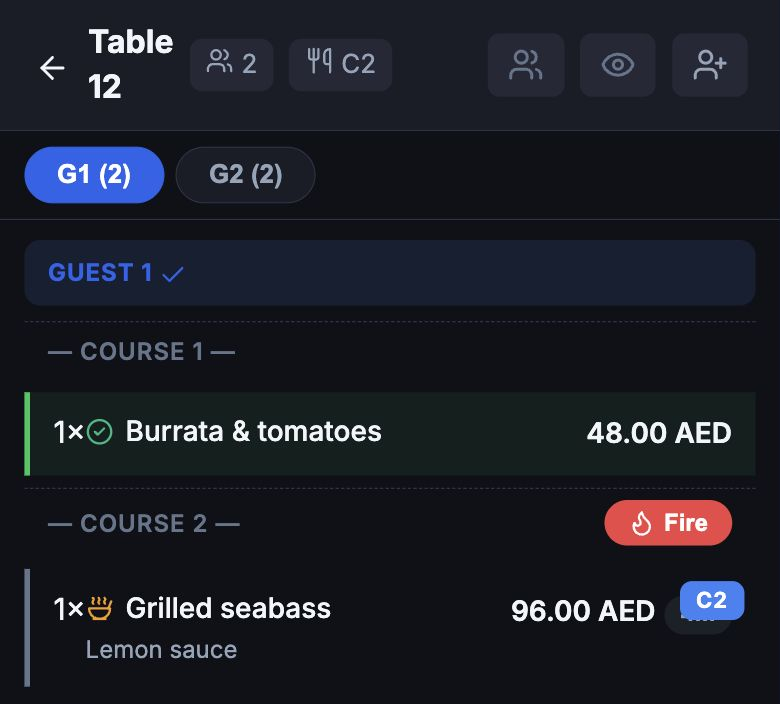
Record each guest’s dishes, modifiers and preparation requests while you speak to them. Check the choices together, then send the order straight to the kitchen from the Waiter App.

A waiter confirms the dishes with two restaurant guests
Native Table 12 order: Guest 1, burrata starter and grilled seabass with lemon sauce

Dish descriptions, portions, nutrition and allergen information give staff answers at hand. They can explain the menu and check kitchen progress without leaving the table for routine questions.

  • Dishes assigned to guests and courses
  • Modifiers and preparation notes
  • Menu information at hand
  • Kitchen status and pickup notifications

05 / KITCHEN & COURSES

Keep the kitchen in step with the table.

The same dishes and requests reach the kitchen. Recipe station assignments give the grill and cold kitchen their own work; dispatch keeps the whole table order in view.

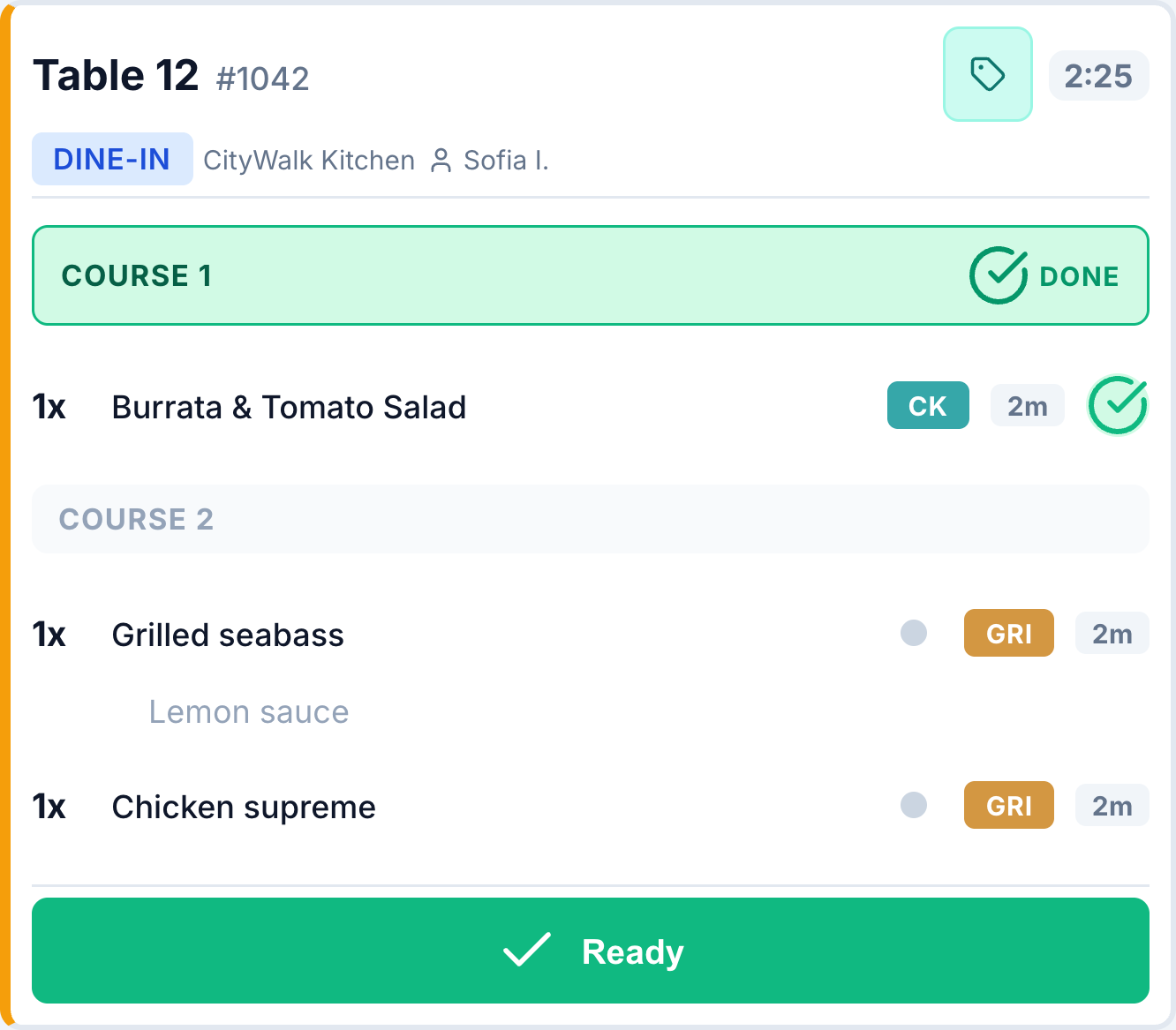
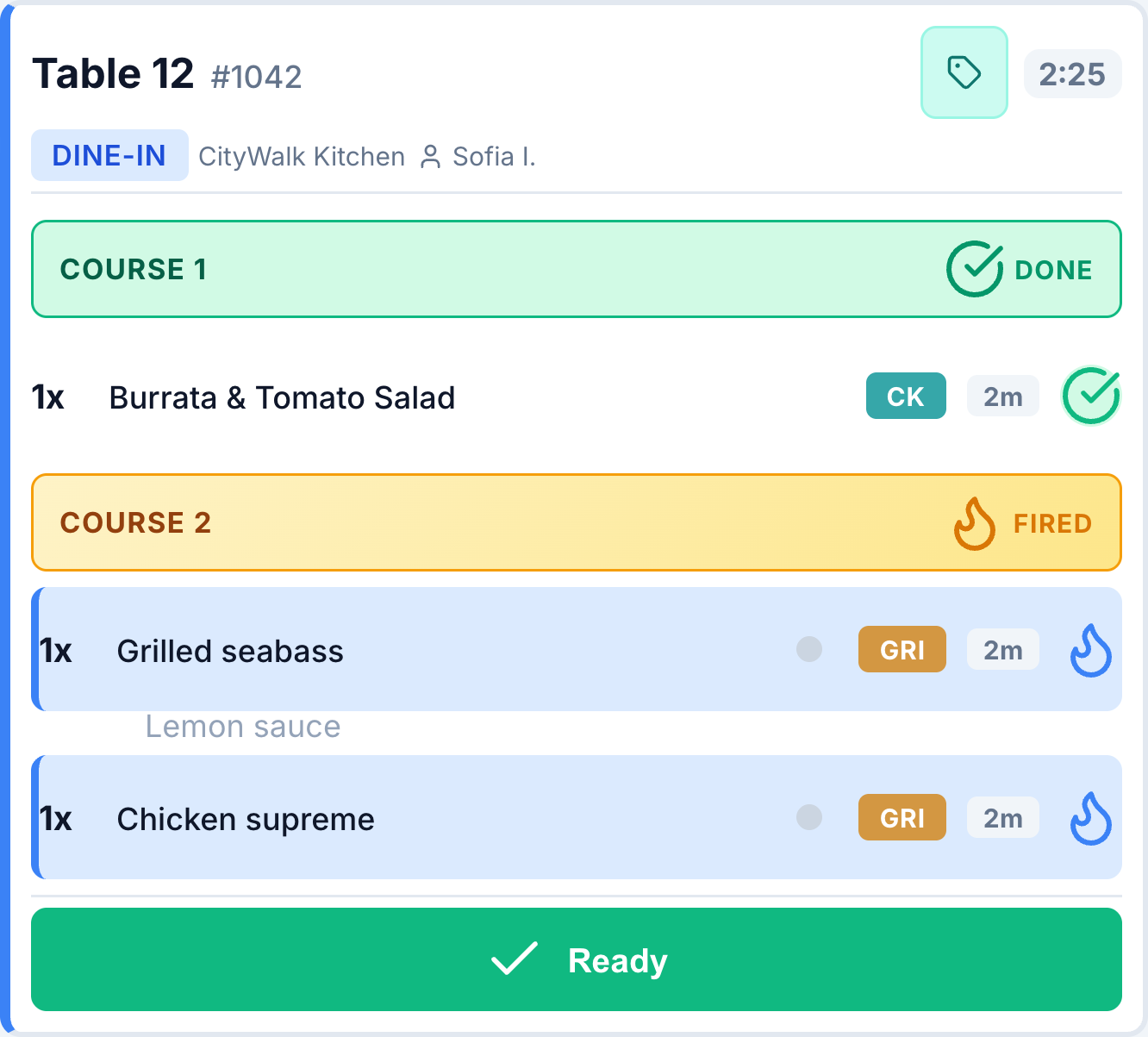
Fire the next course from POS or the Waiter App when the guests are ready. Kitchen staff see the released course, preparation timers and dish states, and can open the recipe from the order. Ready status helps the waiter collect at the pass.

  • Routing by kitchen station
  • Hold and fire courses
  • Recipes from the kitchen order
  • Preparation timing and ready status

Before firing

Native KDS Table 12 order with first course done and mains waiting

Course released

The same Table 12 order with Course 2 fired and the lemon sauce request preserved

06 / PAYMENT & TIPS

Let each guest settle their part.

Split the table check by guest or selected dishes, or record a mix of payment methods. Staff can see what has been paid and what remains, apply authorised discounts and redeem eligible loyalty benefits.

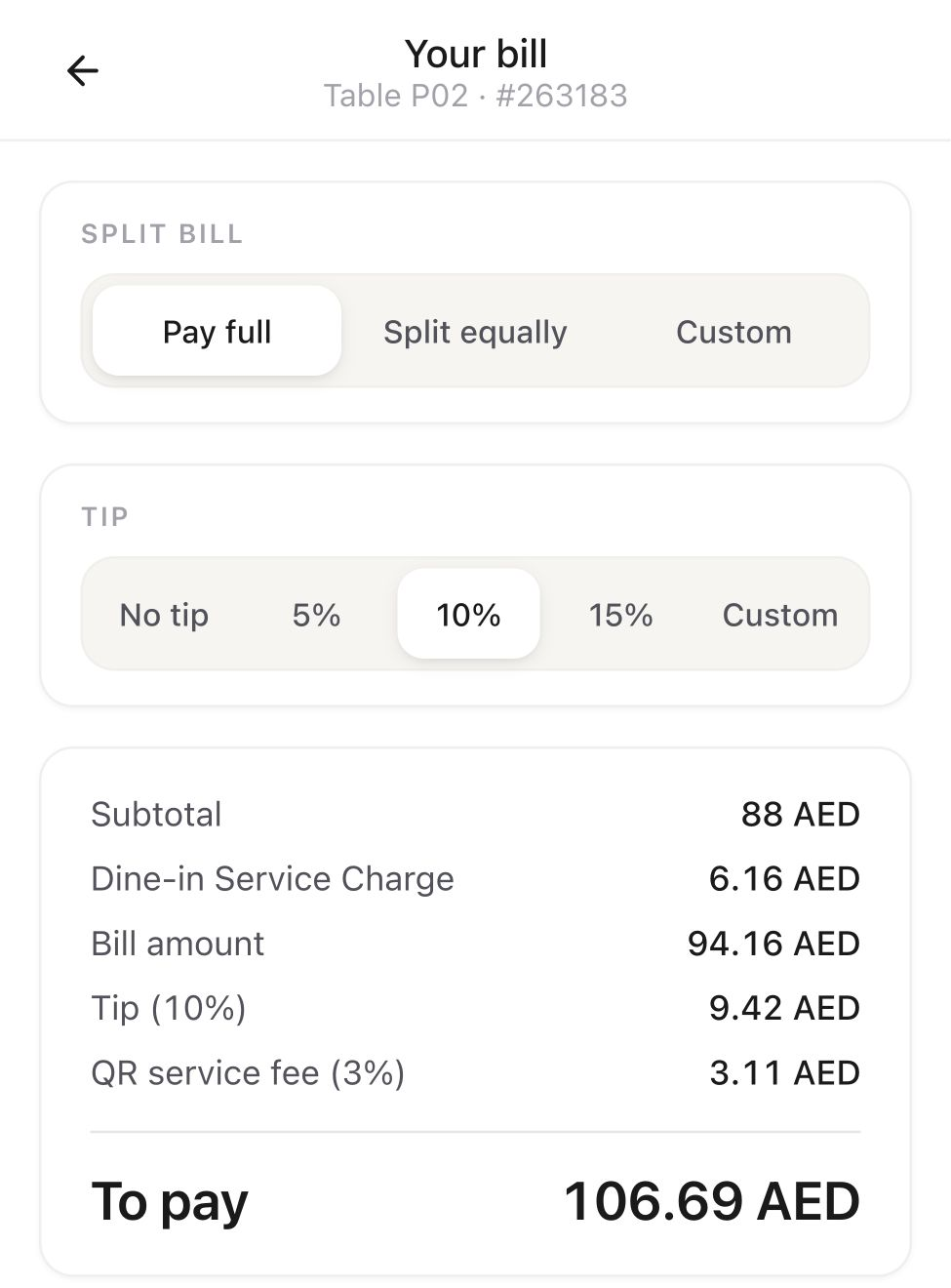
With a connected QR payment service, guests can review the bill on their phone, choose a share and add a tip during payment. The tip and any configured service fee are shown separately; confirmed payments return to the table order.

  • Per-guest or selected-dish payments
  • Cash, card and mixed payments
  • Full bill or a chosen share
  • Online tips during checkout

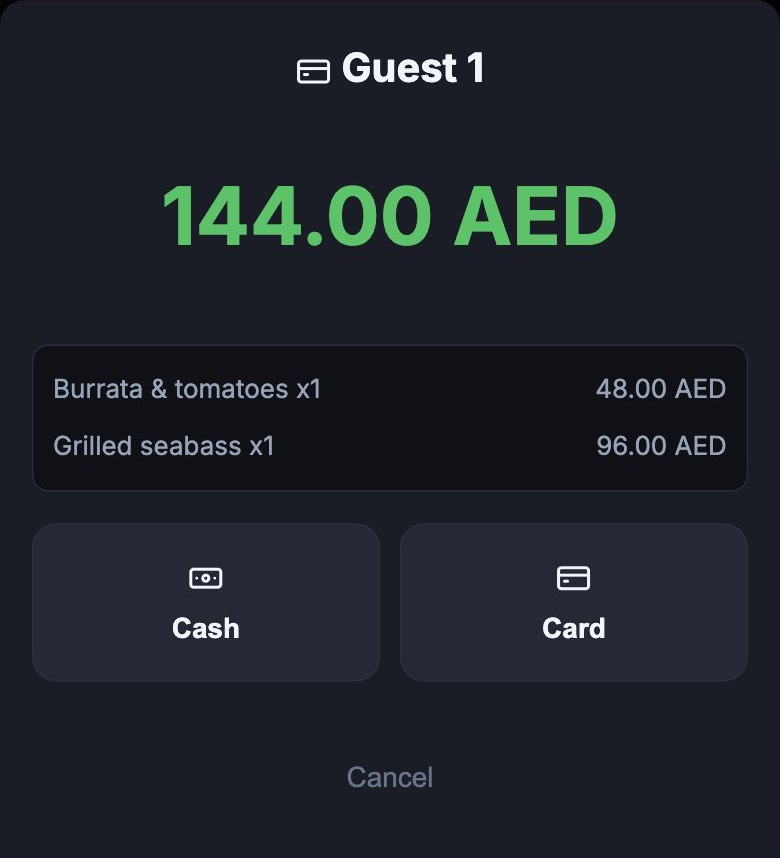
With the waiter

Guest 1 payment for the Table 12 burrata and seabass: AED 144

QR payment & tip

Native QR bill with tip presets, separate service fee and final amount before connected checkout

07 / TAKINGS & SHIFT CLOSE

Know what the shift sold and how it was paid.

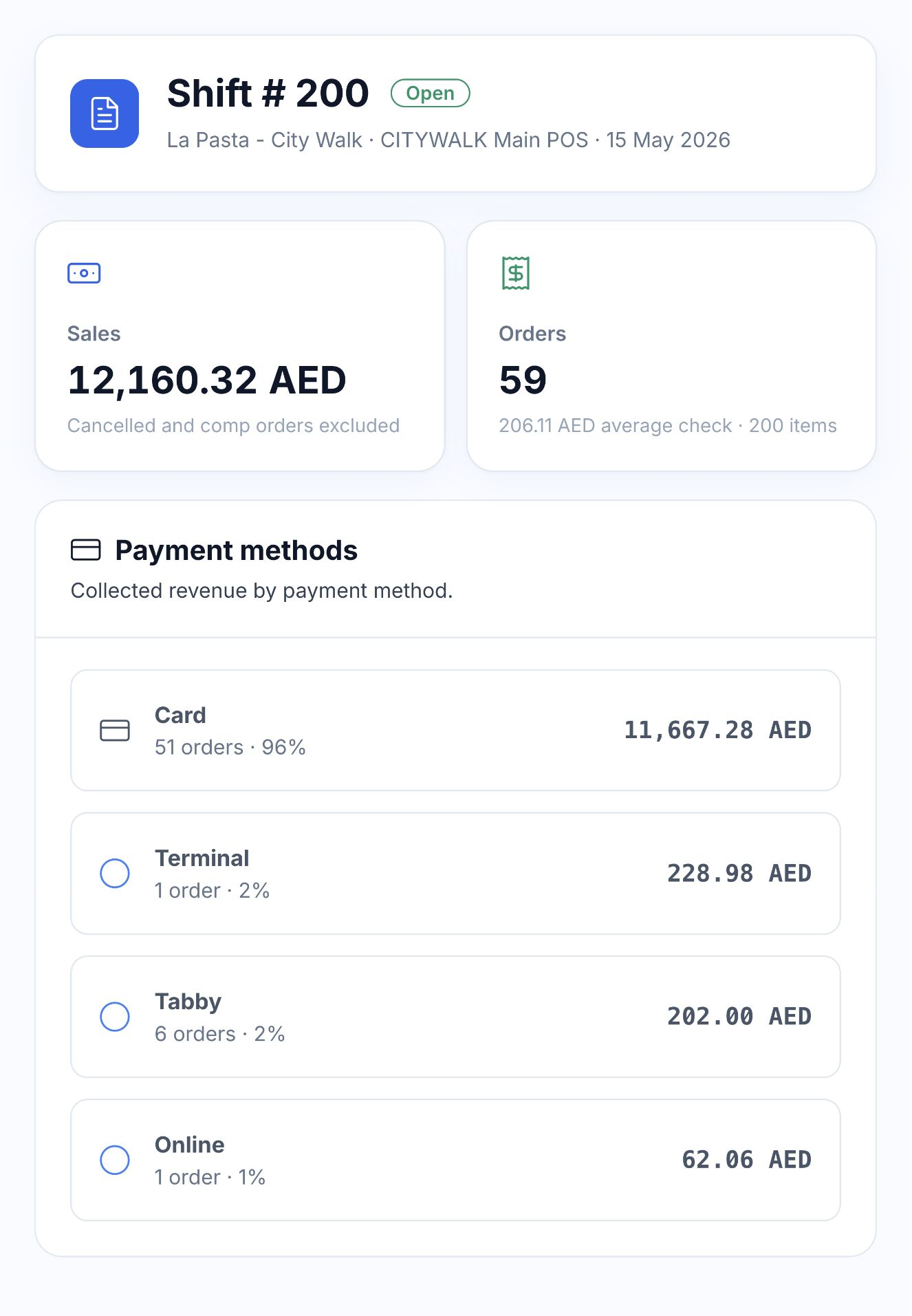
Review orders, sales and payment methods in the shift record. Keep the branch, terminal and cashier with the figures so the manager can open the transactions behind a total.

At close, enter the cash counted and compare it with the expected drawer balance. Opening cash, cash movements and recorded payments explain the difference. Sales and tax records remain available for the period’s financial review.

  • Sales, order count and average check
  • Payment-method breakdown
  • Expected and counted cash
  • Source transactions and shift report
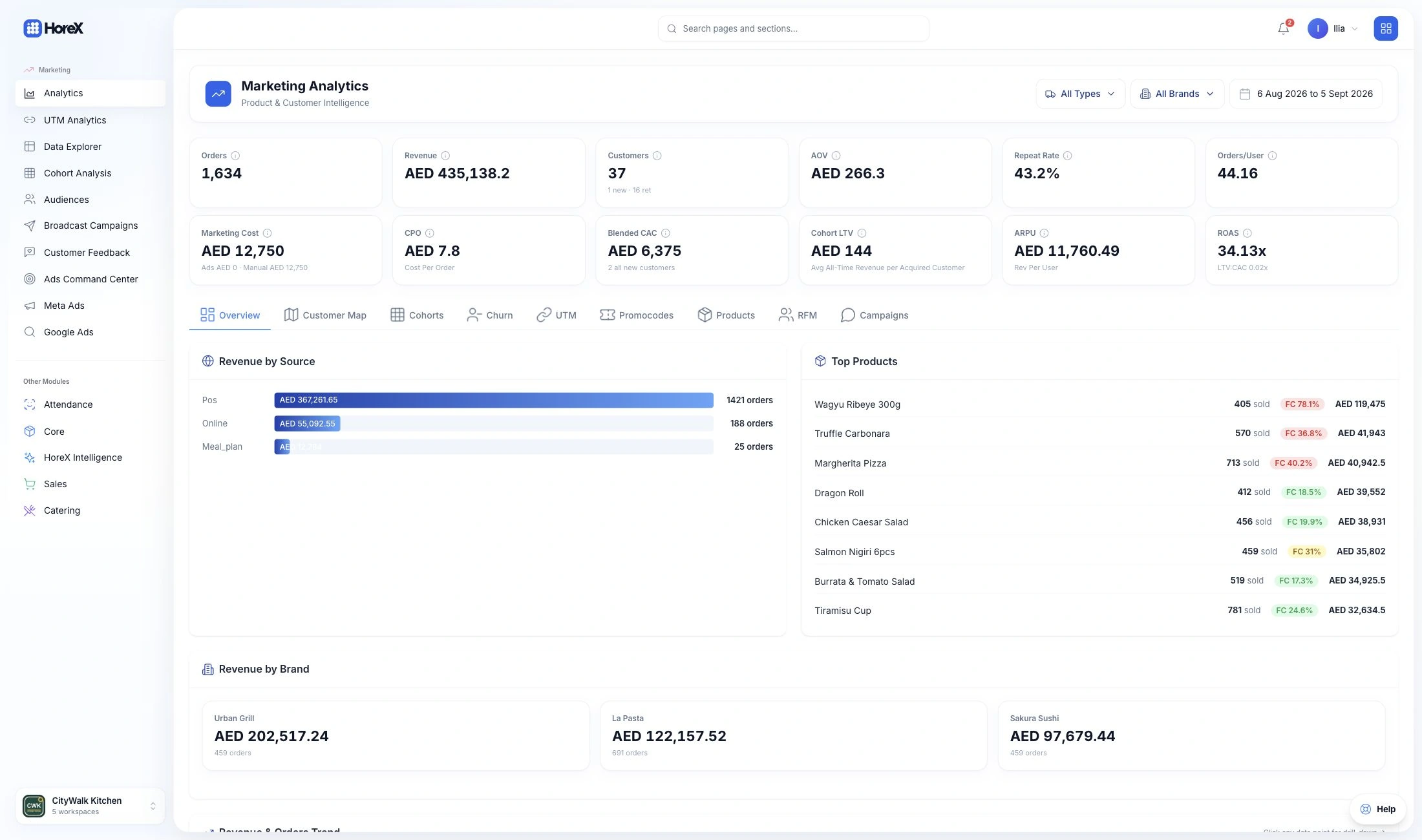
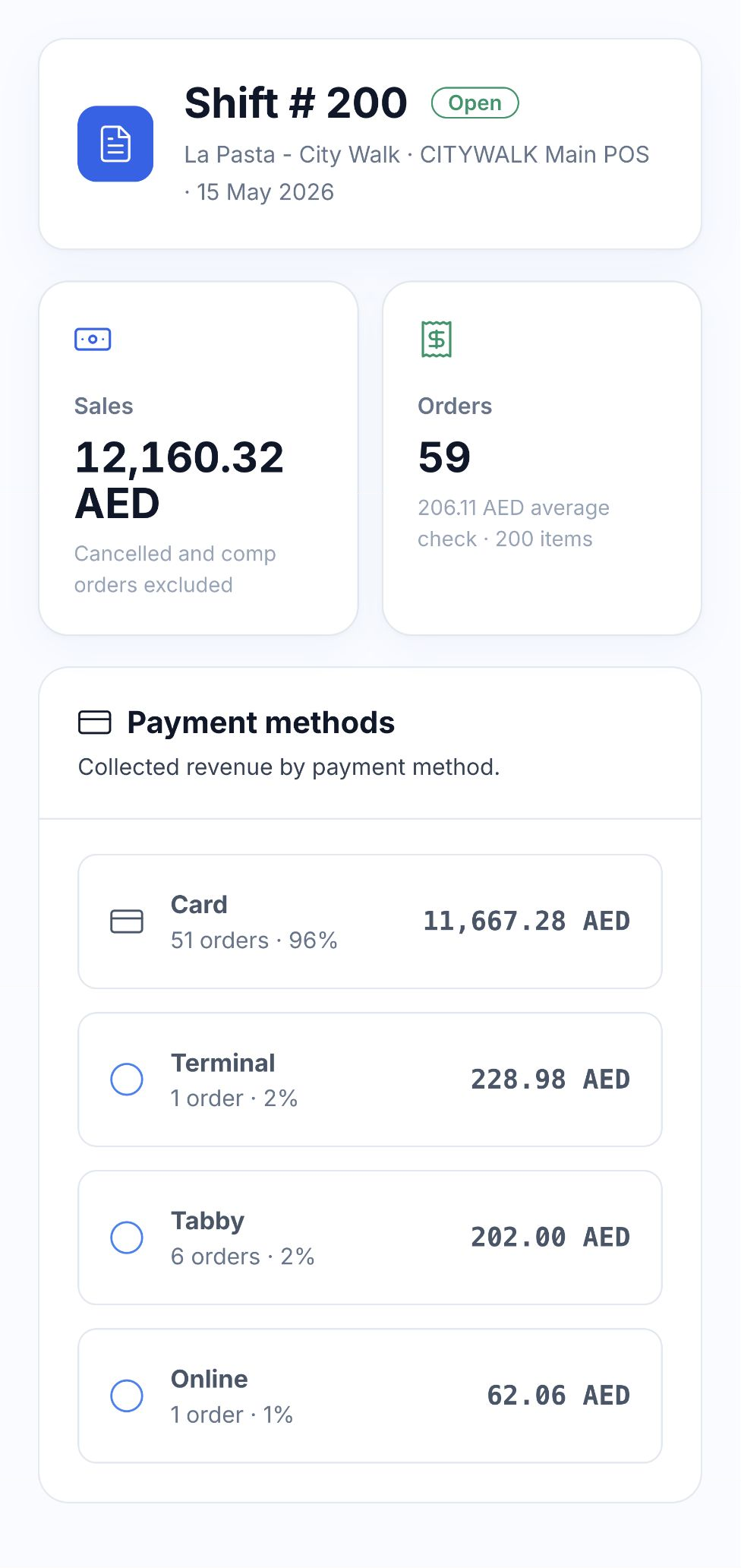
Native La Pasta City Walk shift report with 59 orders, AED 12,160.32 sales and four payment methods

08 / MENU, STOCK & COST

See what each dish sells.
And what goes into it.

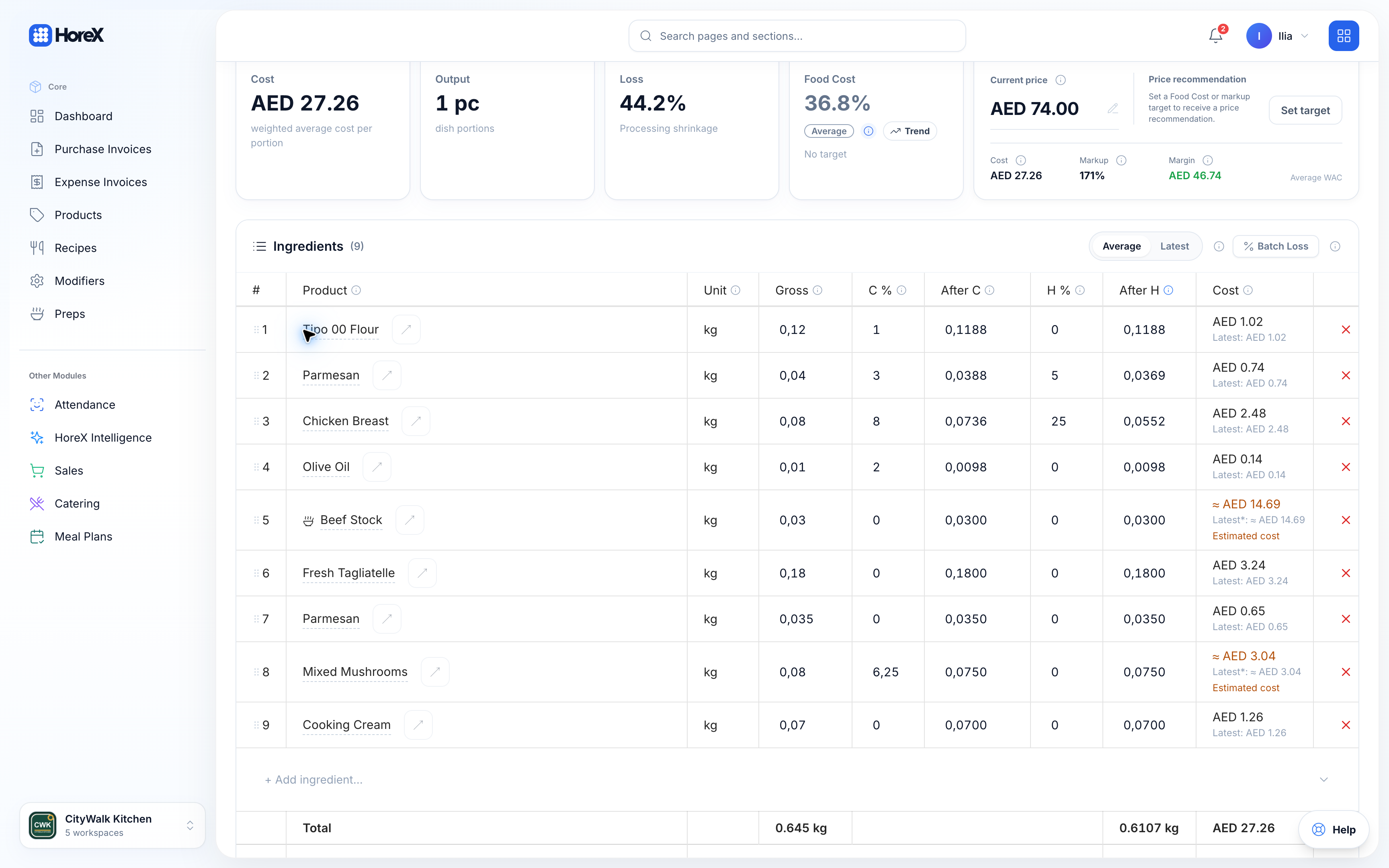
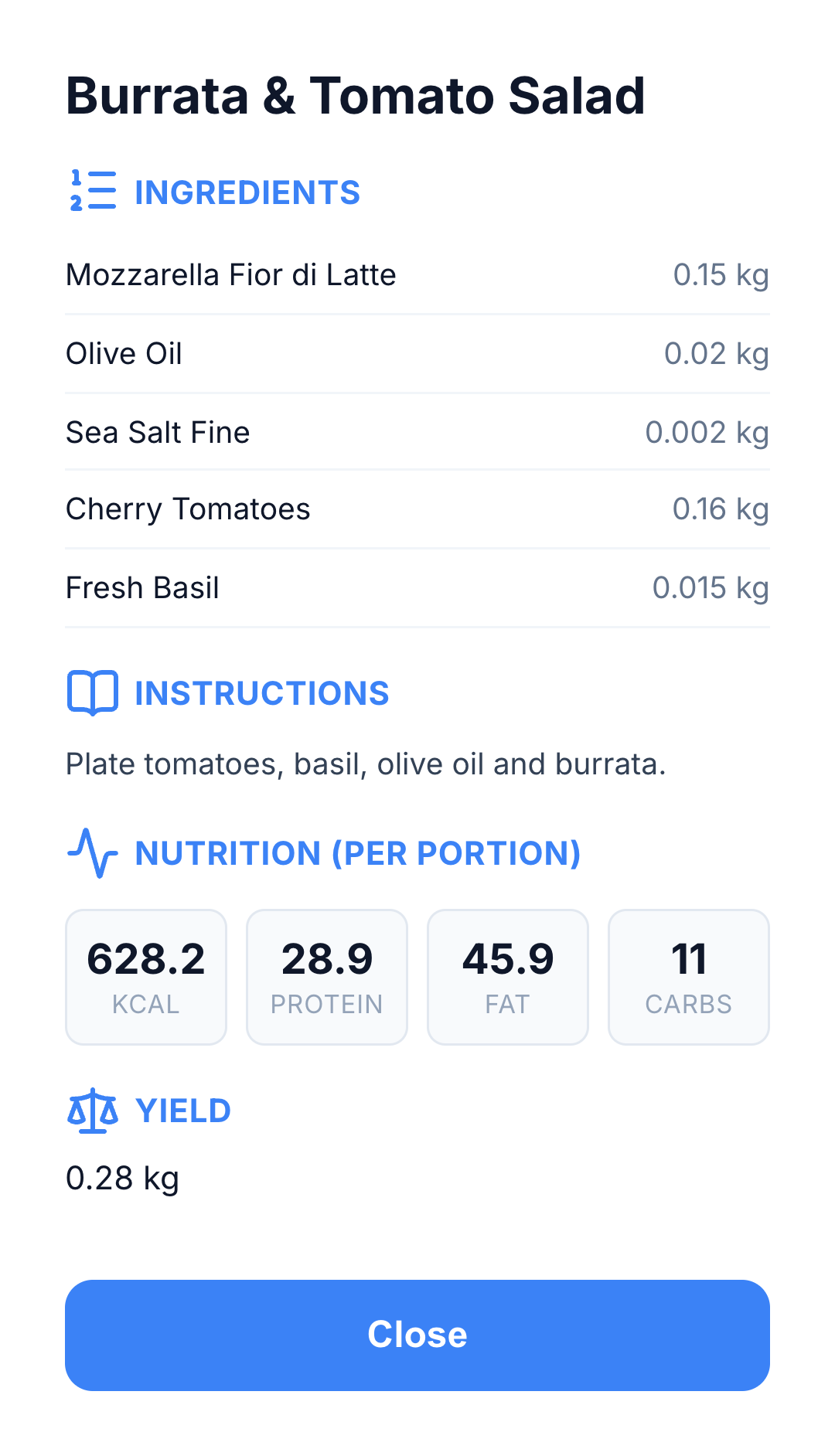
Recipe cards connect a dish to its ingredients, preparation losses and cost per serving. Posted sales create the related ingredient movements, keeping the kitchen’s output connected to stock.

Dish performance

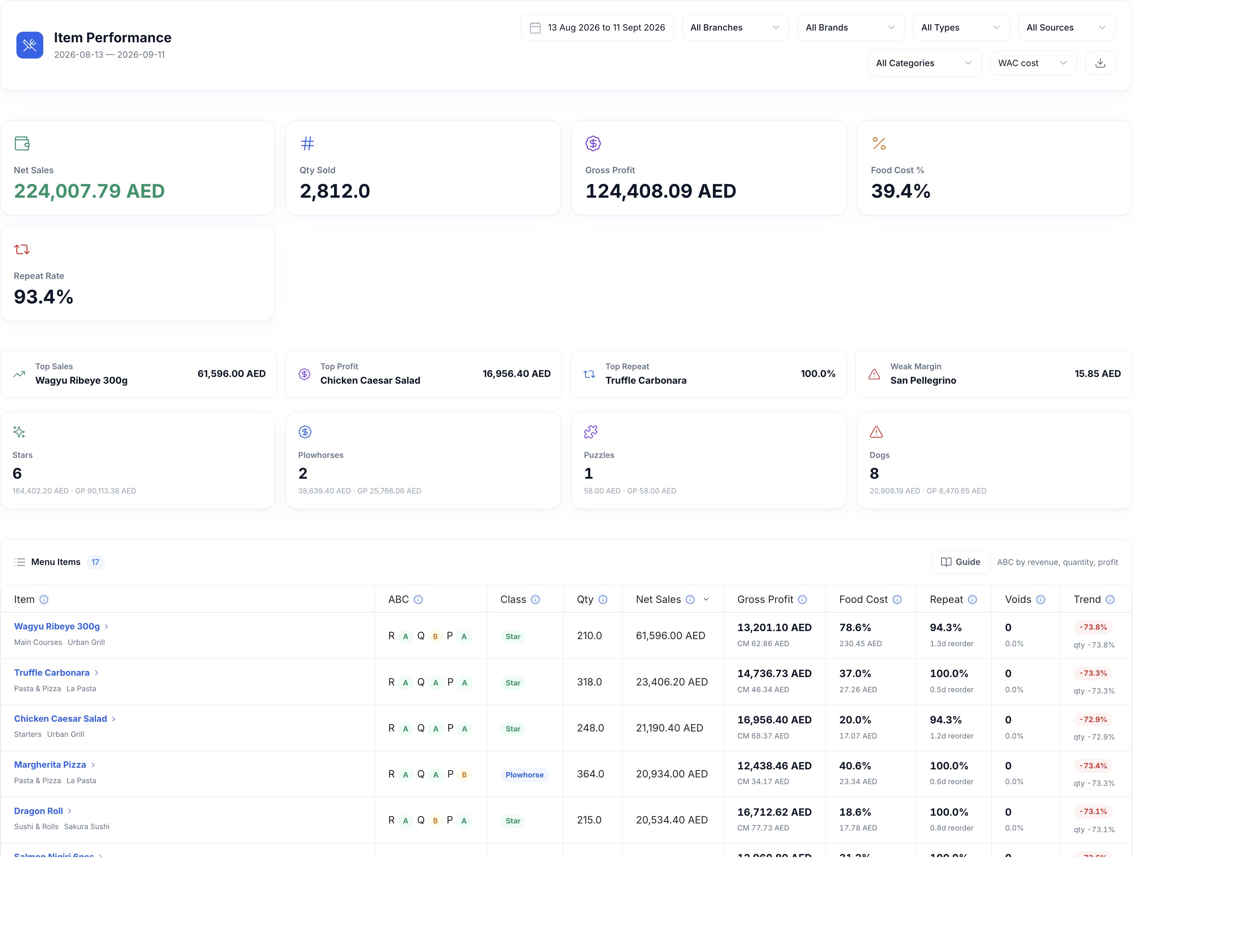
HoreX Item Performance table with dish sales, recipe gross profit, food cost and menu classes
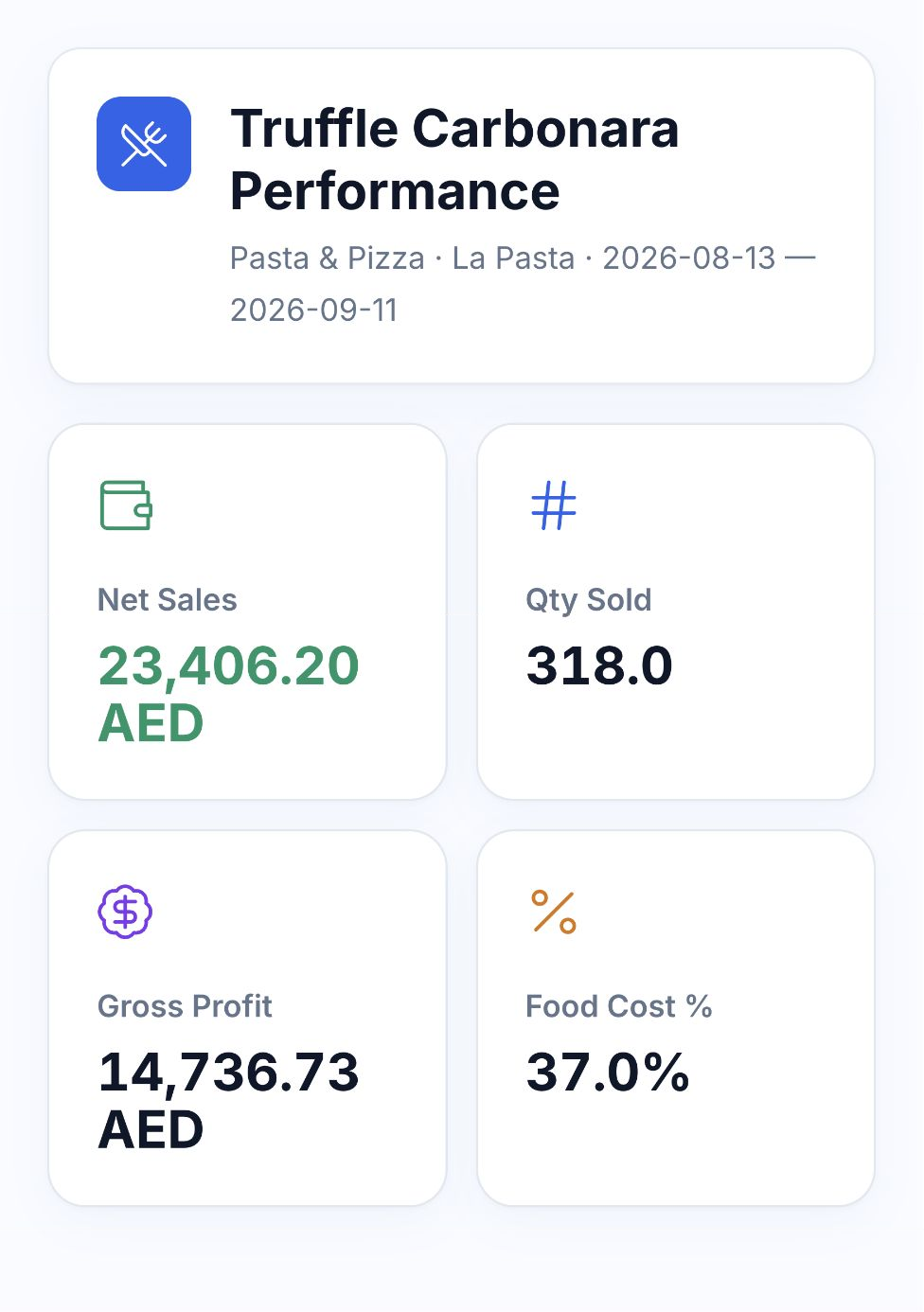
Truffle Carbonara report with the selected period, net sales, quantity, gross profit and food cost

Recipe quantities

Native recipe ingredient quantities, preparation loss and ingredient costs
Native recipe card with ingredient quantities, preparation instructions and serving yield

Compare quantity sold, net sales, recipe gross profit and food-cost percentage by dish. Purchase invoices, stock counts and waste records help explain changes in cost and the difference between recorded use and what is actually on hand.

  • Ingredient quantities and cooking loss
  • Recipe-based stock deductions
  • Dish sales and food-cost percentage
  • Purchases, stock counts and waste

09 / GUEST HISTORY & RETURN VISITS

Make the next visit more personal.

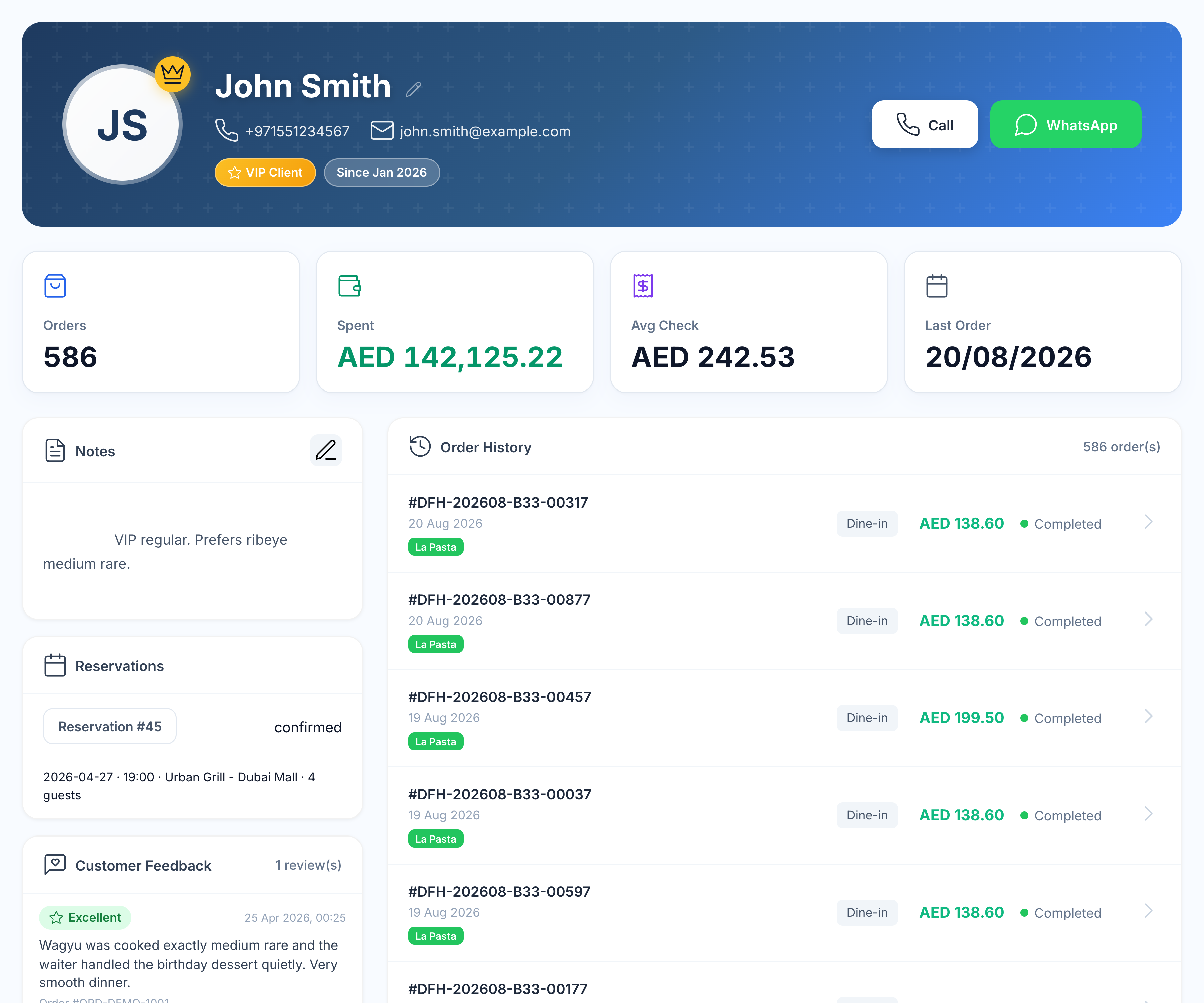
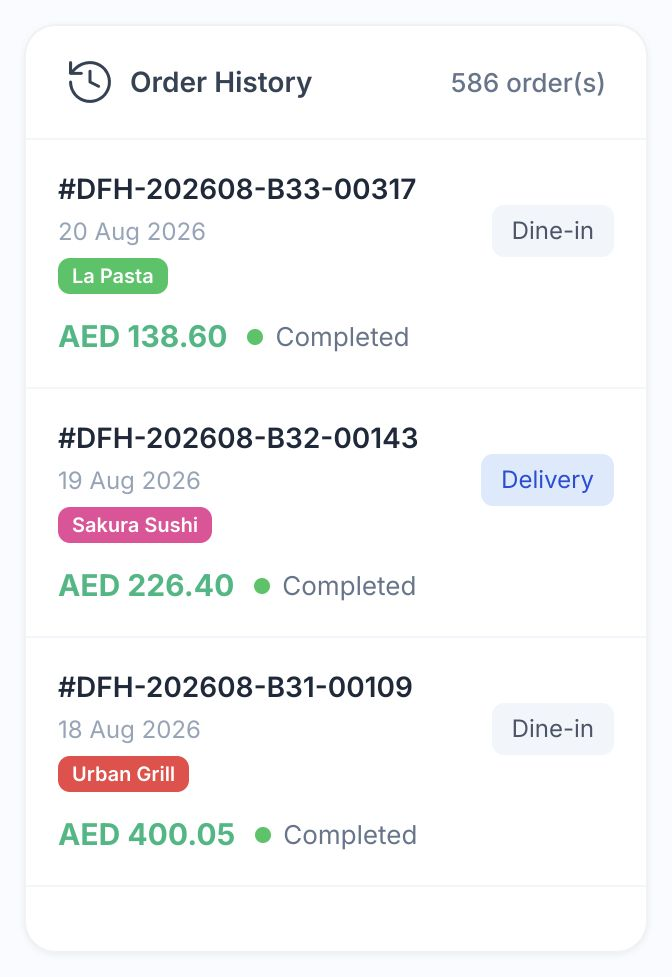
Keep reservations, restaurant visits and online orders in the same guest profile. See the dishes they chose, discounts used and benefits available, with the brand and branch behind each order.

Guest record

John Smith’s guest profile with purchase totals, notes, reservation, feedback, loyalty and order history
Native guest order history with dine-in and delivery orders across restaurant brands

Member benefits

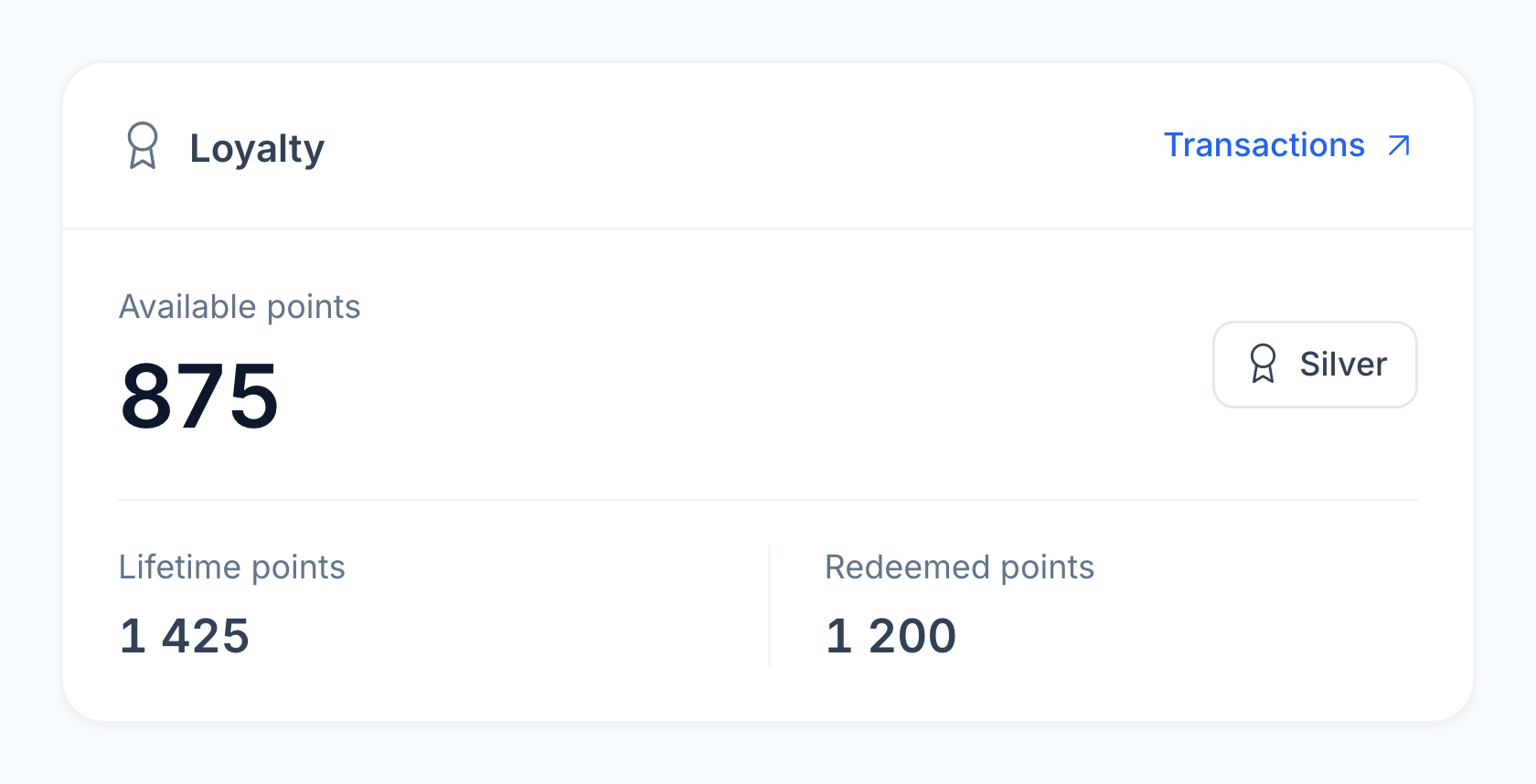
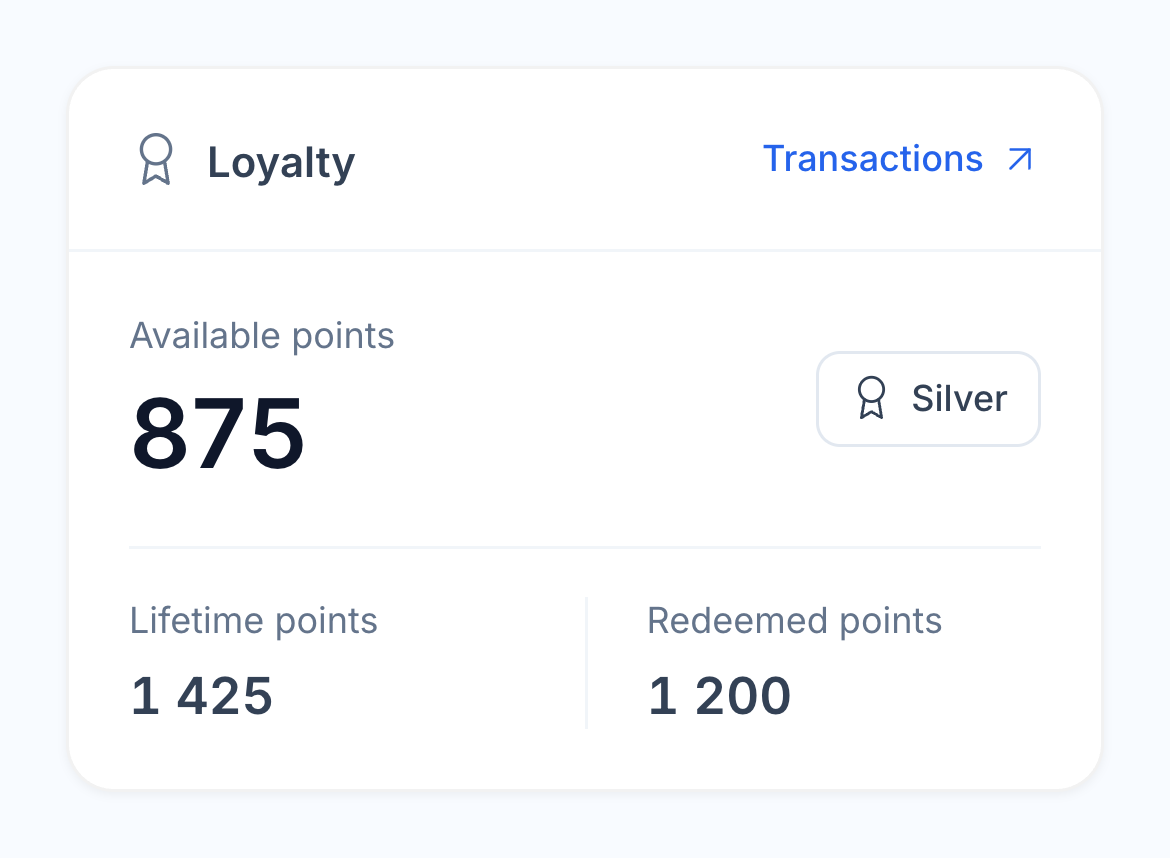
John Smith’s native CRM loyalty card with points balance, lifetime points, redeemed points and Silver tier

Return invitation

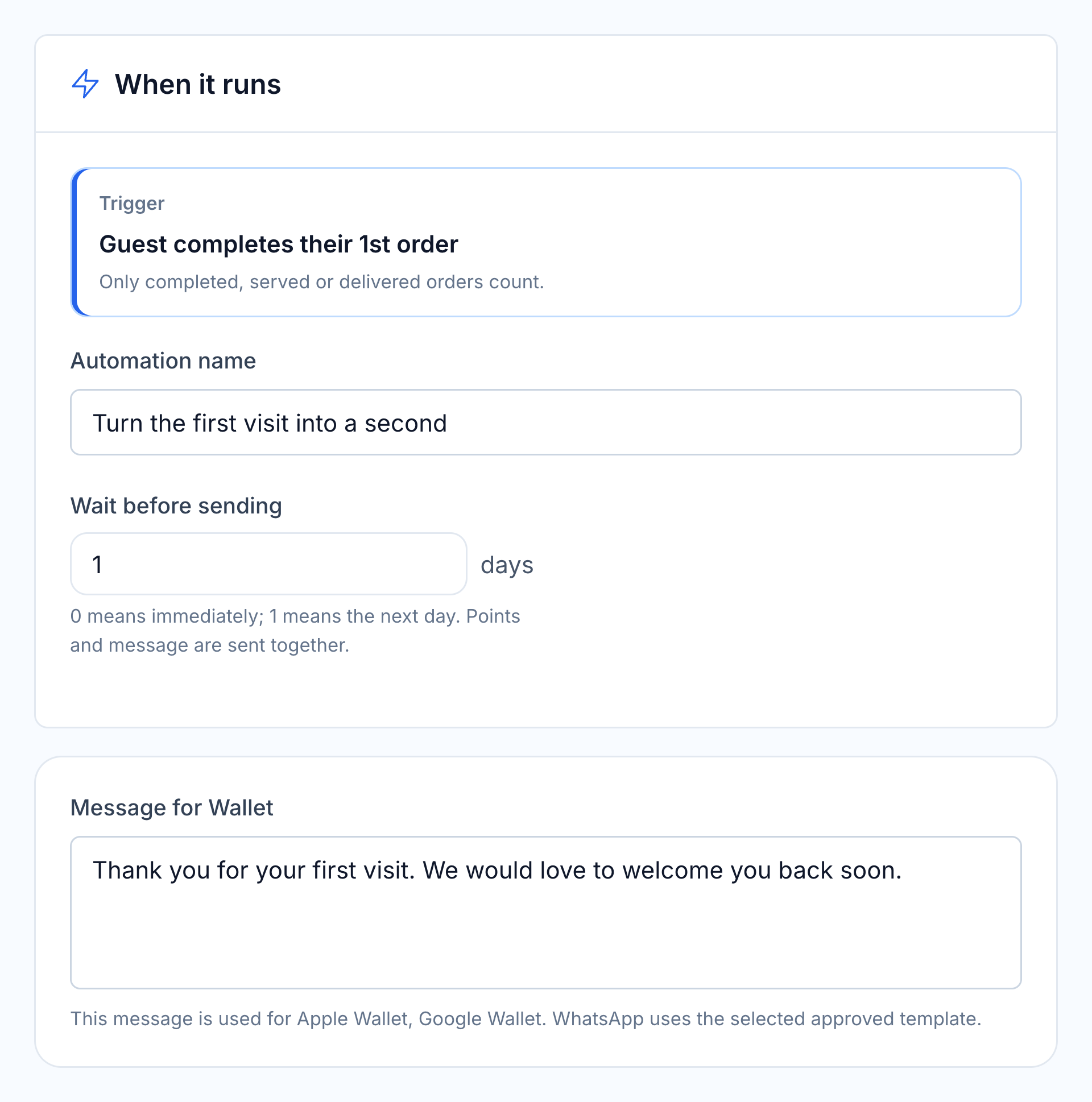
Native first repeat visit automation with trigger, delay and editable message
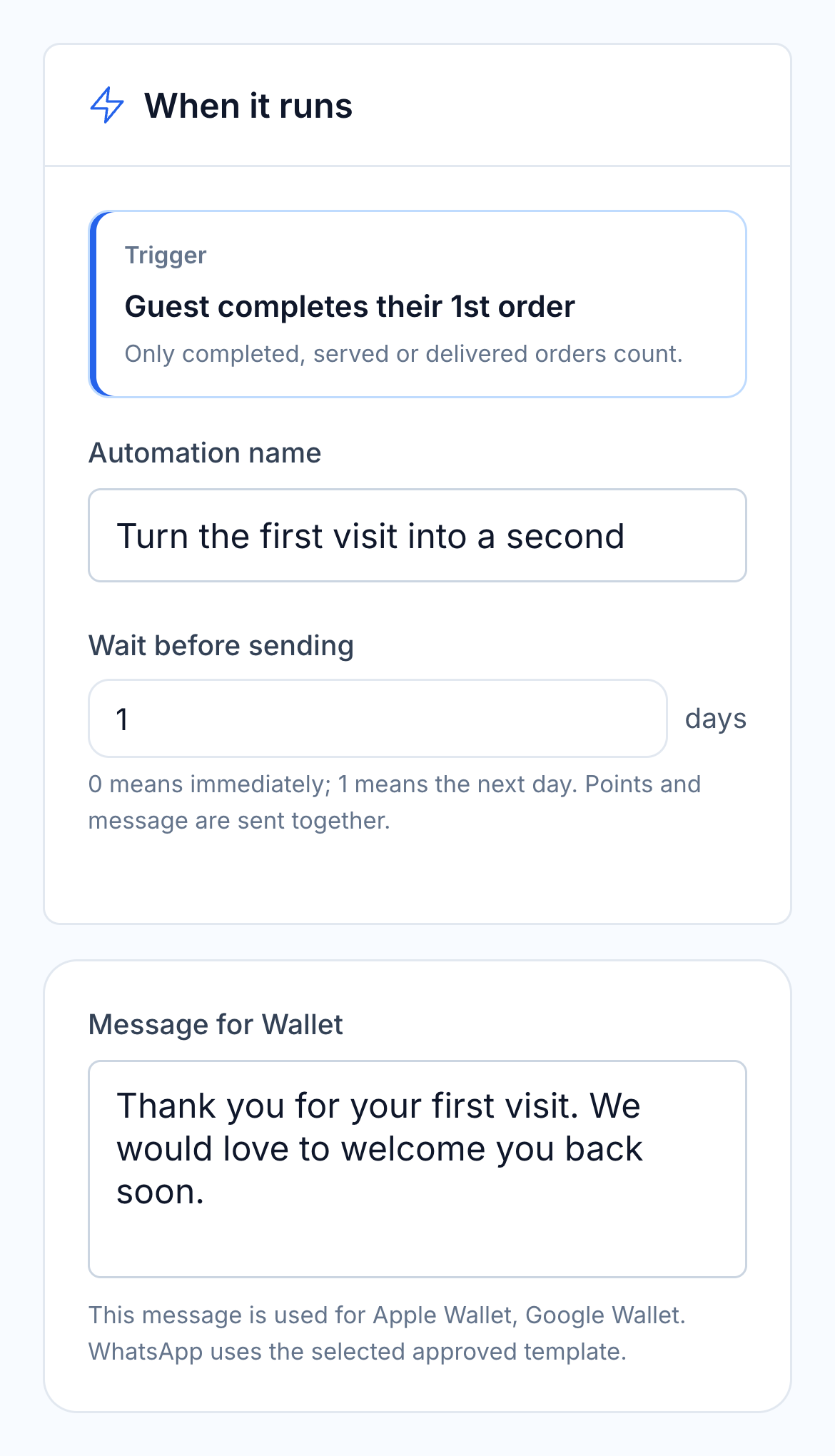
Native first repeat visit automation controls and message

Use that history to choose a relevant next step: a first-return invitation, birthday benefit or reminder after a longer absence. Ready-made loyalty automations let you adjust the trigger, timing, benefit and message to suit your restaurant.

  • Visits, bookings and online order history
  • Dish preferences and service notes
  • Points, redemptions and member tier
  • Configurable loyalty scenarios

FOR THE SERVICE TEAM AND THE OWNER

More time with guests.
A clearer view of the restaurant.

The kitchen can begin preparing while the waiter stays at the table. Guest requests travel with the dishes, and menu information helps new team members answer routine questions as they learn.

After service, the owner can follow sales into payment records, ingredient use and dish performance. The guest’s history stays available for the next visit and the next relevant invitation.

  • Fewer repeated details during service
  • Menu guidance for new team members
  • Sales connected to stock and cost
  • Guest history that supports return visits

Tools for the whole restaurant.

Choose the connected modules that match your service, back office and guest experience.

POS terminal

Keep dishes, choices and guest checks together.

See details

Take dine-in, takeaway and delivery orders from the restaurant terminal. Category navigation, quantity stacking and configured modifiers keep the order clear. Staff can apply authorised discounts and choose the relevant payment method.

  • Menu categories
  • Item quantities
  • Modifiers
  • Discount permissions

Tables and halls

Work from a layout that matches the room.

See details

Arrange tables, walls, service areas and room divisions in the floor editor. During service the floor shows occupied tables and available order progress. Multiple halls help the team work across a terrace, main dining room or private space.

  • Floor editor
  • Multiple halls
  • Table capacity
  • Order and payment status

Guests and courses

Keep each person’s choices in the same table order.

See details

Assign dishes to guests and group them into courses. The waiter can send the first course and hold the next until the table is ready. Modifiers and notes follow the dish into the kitchen.

  • Per-guest items
  • Course groups
  • Hold and fire
  • Dish notes

Kitchen stations

Give each section the work it needs.

See details

Recipe station assignments route dishes to the relevant KDS. Dispatch keeps the whole order in view while individual stations work on their own items. Grid, Kanban and All Day views suit different service roles.

  • Recipe routing
  • Station and dispatch views
  • Preparation timers
  • Ready alerts

Waiter app

Take and follow the order at the table.

See details

The waiter opens the table, records dishes and guests, and sends the order to the kitchen from the phone. Ready status and enabled notifications help them collect dishes at the pass.

  • Tableside ordering
  • Guest assignment
  • Course controls
  • Kitchen status

Bills and payments

Separate what each guest pays.

See details

Split the check as needed, record cash and card amounts, and apply eligible loyalty redemption. Card processing depends on the restaurant’s configured payment provider and hardware. Review the remaining amount before closing the check.

  • Split bill
  • Mixed payment
  • Loyalty redemption
  • Outstanding balance

Shift close

Compare the drawer with the recorded takings.

See details

Open with the starting cash amount. Cash movements and sales remain in the shift record. At close, enter the cash counted and review any difference against the underlying transactions.

  • Opening cash
  • Cash in and out
  • Expected and counted cash
  • Shift report

Connection drops

Keep a prepared terminal working through an interruption.

See details

Supported installed POS setups can keep local orders during a connection drop and synchronise when service returns. Local printing and kitchen operation depend on the configured devices and network. Review the actual hardware setup and recovery routine before the first service.

  • Installed POS
  • Local order queue
  • Configured local printing
  • Reconnect and review

Stock and accounts

Follow a sale into the back office.

See details

Posted sales create recipe-based ingredient movements and sales records. Purchase invoices, stock counts and waste records add the other side of the picture. Managers can compare recorded use and counts instead of relying only on recipe cost.

  • Recipe deductions
  • Stock movements
  • Sales reports
  • Counts and waste

Reservations and waitlist

Prepare for booked guests and walk-ins.

See details

Manage booking times, party sizes, branches and tables. Occasion notes and guest history help the host prepare; the waitlist keeps walk-in parties visible until a table is available.

  • Day list and timeline
  • Walk-in waitlist
  • Occasion notes
  • Guest-linked POS order

QR menu and online tips

Let guests browse, review their bill and tip.

See details

Guests open the table menu without installing an app. Dish choices and service requests reach the team. A connected QR payment service supports full or partial payment and tips, with confirmed payments recorded against the table order.

  • Branded QR menu
  • Table service requests
  • Bill sharing
  • Connected payment and tips

Guest history and loyalty

Recognise the guest across visits and channels.

See details

The guest record brings together reservations, purchases, dishes, discounts, feedback and loyalty activity. Brand and branch context remains available for orders across the restaurant group.

  • Restaurant and online orders
  • Notes and preferences
  • Member benefits
  • Brand and branch history

Return-visit automations

Choose a reason and the right moment to follow up.

See details

Start with ready-made loyalty scenarios for a first repeat visit, visit milestones, birthdays or inactive guests. Adjust the qualifying event, timing, message and benefit; configured programme rules determine eligibility.

  • Ready-made scenarios
  • Custom timing
  • Adjustable benefits
  • Editable guest messages

Menu performance and food cost

Compare dish popularity with its recipe cost.

See details

Review quantity sold, net sales, recipe gross profit and food-cost percentage by dish. Recipe ingredients, loss factors and purchase prices explain the cost; stock counts and waste records add the operational context.

  • Dish sales
  • Recipe gross profit
  • Food-cost percentage
  • Ingredient cost basis

Purchasing and invoice recognition

Buy from several suppliers in one working list.

See details

Compare a product’s previous suppliers and their latest purchase prices. Choose suppliers across the cart and create an order for each, using the supplier’s product names and purchase units. Invoice recognition helps prepare editable purchase and general-expense records for review.

  • Multi-supplier cart
  • Previous supplier prices
  • Supplier names and units
  • Invoice and expense capture

Staff, attendance and training

Keep the people behind the service organised.

See details

Use connected HR tools for staff records, attendance, schedules and leave requests. Employees can submit a leave request in their account; managers review it and the approved result updates the relevant records. Training content and performance reports support team development.

  • Employee records
  • Attendance and schedules
  • Leave requests and approval
  • Training and performance

Custom reports

Save the views used in each management review.

See details

Choose report measures, grouping, period and filters, then save the configuration as a template. Compare branches and periods, inspect the underlying records and export the result. Finance and tax reporting can be reviewed by legal entity.

  • Saved report templates
  • Period and branch comparison
  • Source record drill-down
  • Legal-entity reporting

Questions about Restaurants

What types of restaurants can use this setup?

The setup suits restaurants taking orders by table, including casual dining, full-service dining and several halls or branches. Start with the way your staff seat guests, send courses, collect dishes and take payment, then choose the required modules and devices.

How does the restaurant see food cost?

Recipe cards connect sold dishes to ingredient quantities and cost. Stock counts, purchase invoices and recorded waste help explain the difference between expected use and what is actually on the shelves. Reports let the manager investigate the dishes and ingredients behind the total.

Can we scan supplier invoices?

Yes. Invoice AI extracts document fields and lines for review. The team checks product matches, quantities, units and prices before posting the supplier invoice; the posted document creates the stock receipt.

Can dine-in and delivery orders use the same kitchen?

Yes. Orders from your own channels and configured delivery integrations can enter the HoreX kitchen workflow. Their source and order context remain available. Check each provider connection, menu mapping and station routing during setup.

What does onboarding involve?

We review your menu and recipes, tables and halls, payment workflow, kitchen stations, devices and staff access. The rollout includes the relevant imports, device setup and staff practice before live service.

What tax records are available?

Sales and purchase records feed the VAT report for the selected period, with links back to source transactions. Your accountant reviews the treatment and adjustments before filing. Invoice templates can include the restaurant’s company and TRN details.

Can kitchen screens work with printers?

Yes. Use station or dispatch screens, with configured kitchen printers where the operation needs both. Local printing depends on the installed terminal, supported printer and station routing; it is part of device setup.

Can guests pay and leave a tip from the table?

With a connected QR payment service, guests can open the bill, choose a share and add a tip while paying on their phone. Confirmed payments are recorded against the table order. Your configured provider and payment methods determine the available checkout options.

Can we recognise the same guest across brands and branches?

Yes. Linked restaurant visits, online orders and reservations appear in the guest record, with the brand and branch behind each order. Purchase history, preferences and loyalty activity help your team prepare for the next visit and choose relevant follow-up.

Walk through a full service with your team.

Explore a full restaurant service, then follow its sales, ingredient use and guest history with the HoreX team.