


Food safety records for restaurant kitchens.

Schedule daily checks, record incidents and corrective actions, and keep the signed inspection history for every branch.

01 / CHECK THE KITCHEN

Kitchen checks

Record the readings and checks your team carries out.

02 / RECORD THE FIX

Issues & actions

Keep a failed check with the action taken.

03 / FOLLOW THROUGH

Schedules & reminders

Set when each routine is due and who is responsible.

04 / KEEP THE RECORD

Signed history

Keep the answers, person and date together.

Explore all features

01 / KITCHEN ROUTINES

Record the check while you’re in the kitchen.

Start the shift with the checks your kitchen actually needs: fridge temperatures, sanitizer, handwash stations, cleaning and allergen preparation areas.

Staff record the measurement or answer against each checklist item, add required evidence and sign the inspection. The manager can see what was checked, by whom and at which branch.

  • Temperature and yes/no answers
  • Photos and required evidence
  • Scheduled and manual inspections
  • Named responsibility
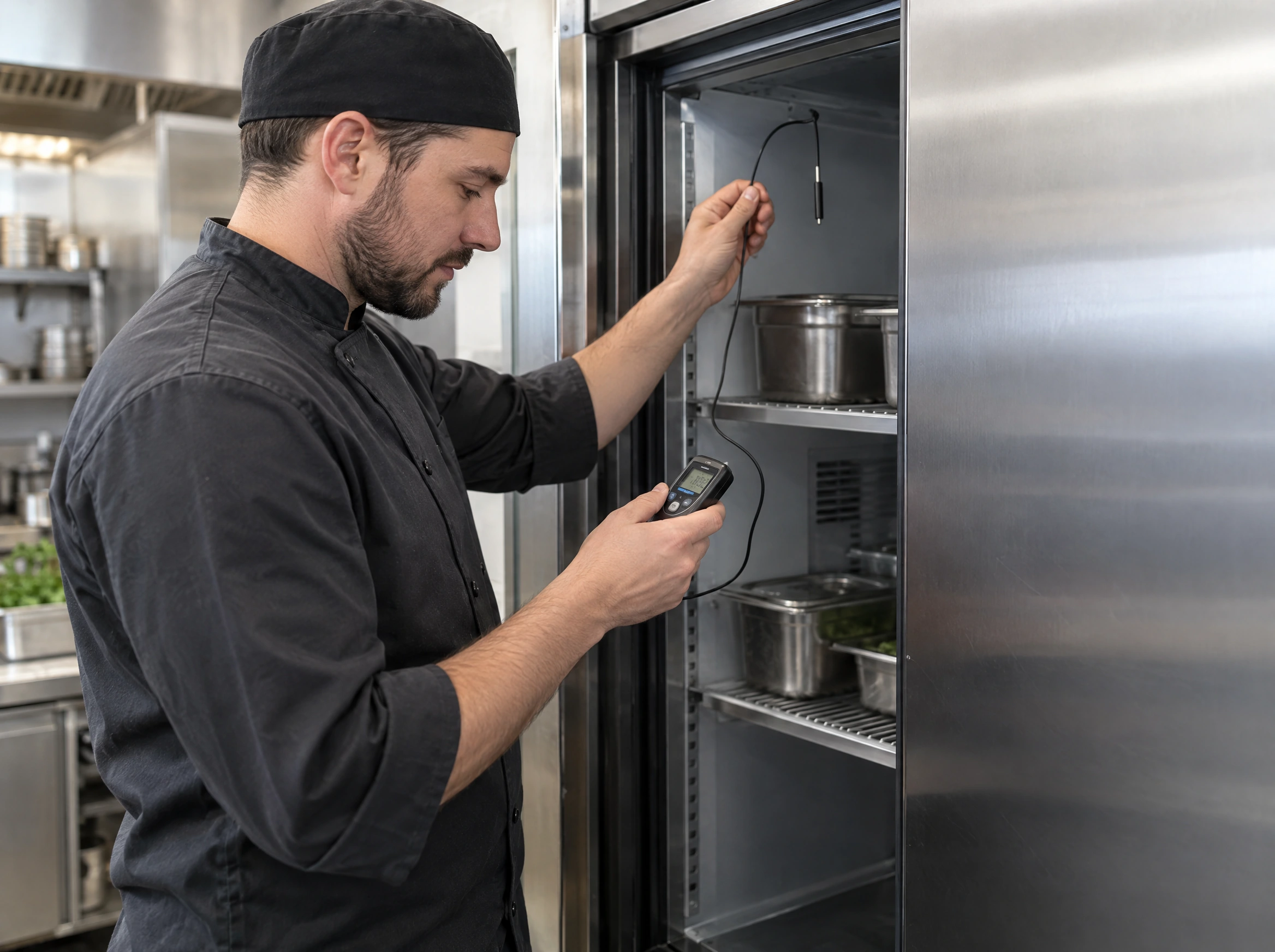
Chef in a black culinary cap reading a digital thermometer with its wired probe inside the refrigerator
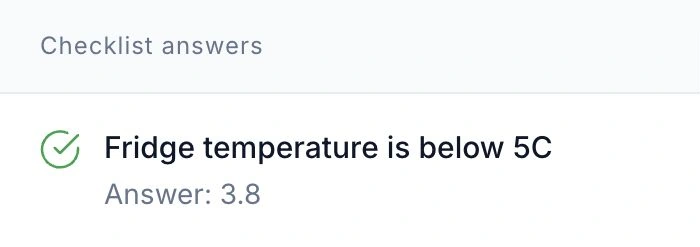
HoreX checklist answer: fridge temperature below 5C, recorded measurement 3.8

02 / ISSUES & ACTIONS

Keep the failed check and the corrective action together.

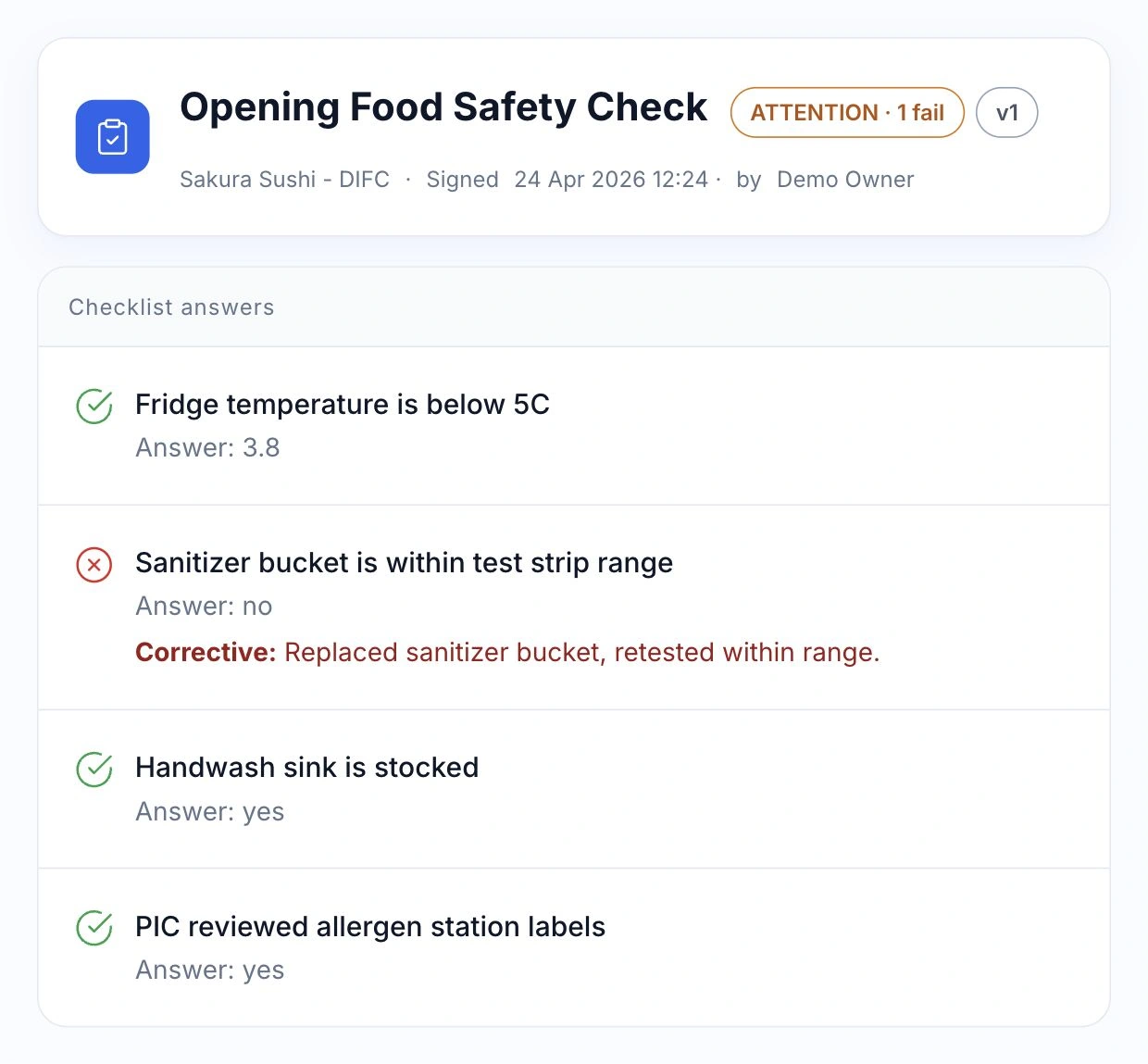
When a check fails, require the team to explain the action taken and attach a photo where needed. The original answer stays beside the follow-up in the same inspection.

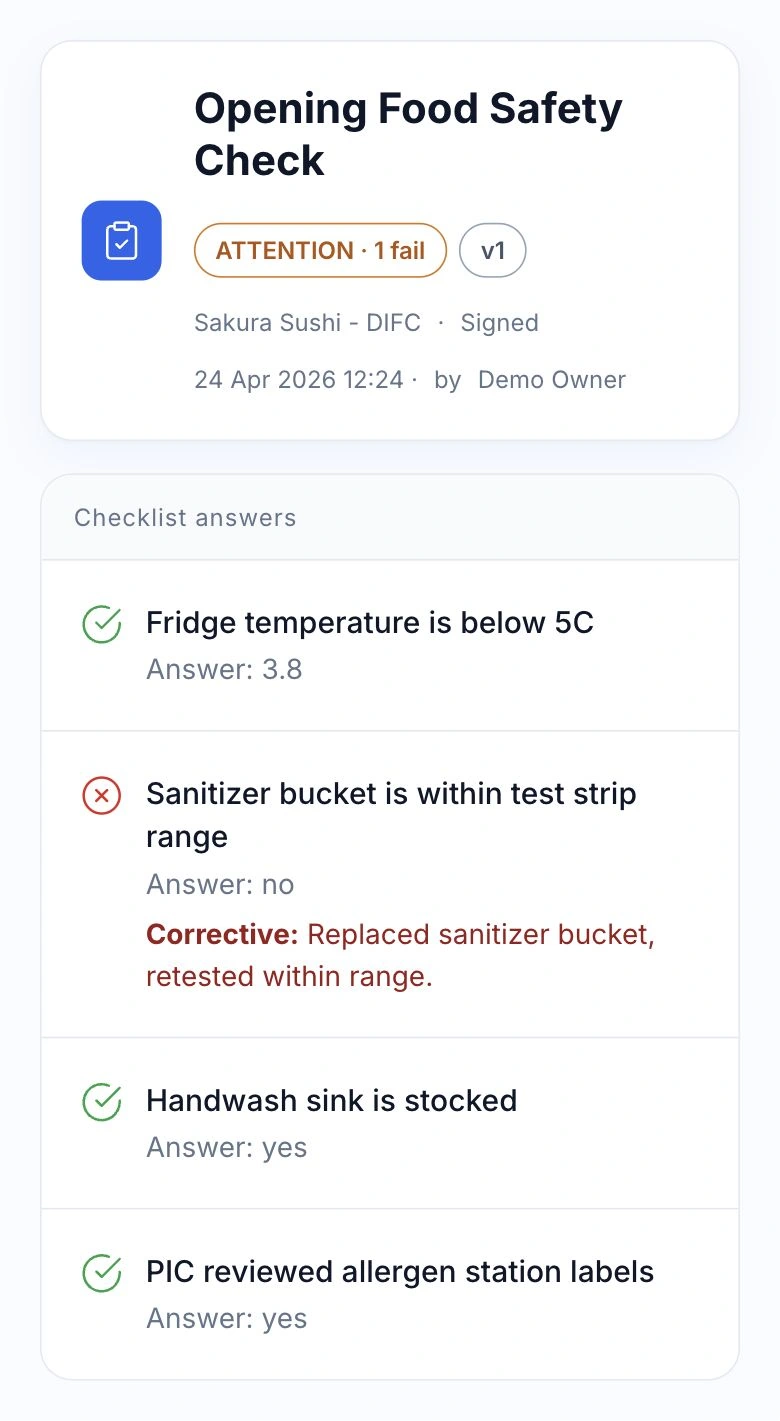
For a sanitizer failure, that can mean replacing the solution and recording a successful retest. The manager can read both the problem and the response, with the branch, signer and time attached.

  • Answers by checklist item
  • Pass and attention states
  • Recorded corrective action
  • Photo requirements
HoreX signed inspection for Sakura Sushi DIFC: failed sanitizer check, replacement and retest, four recorded answers

03 / SCHEDULES & RESPONSIBILITY

Schedule each routine around the branch.

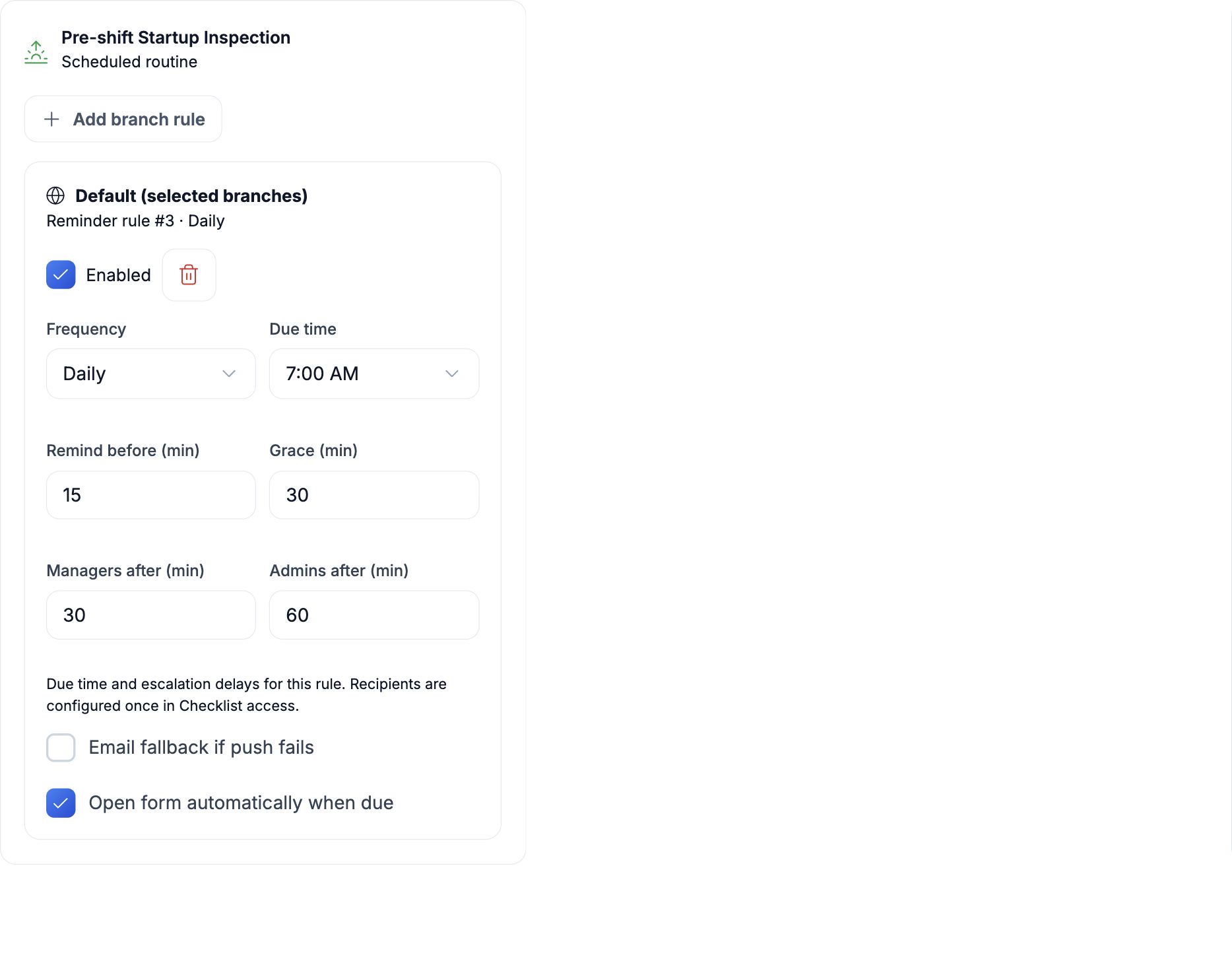
Set a daily, weekly or monthly routine, its due time and the people responsible. Branch overrides let an early-opening café and an evening restaurant follow the same checklist at different times.

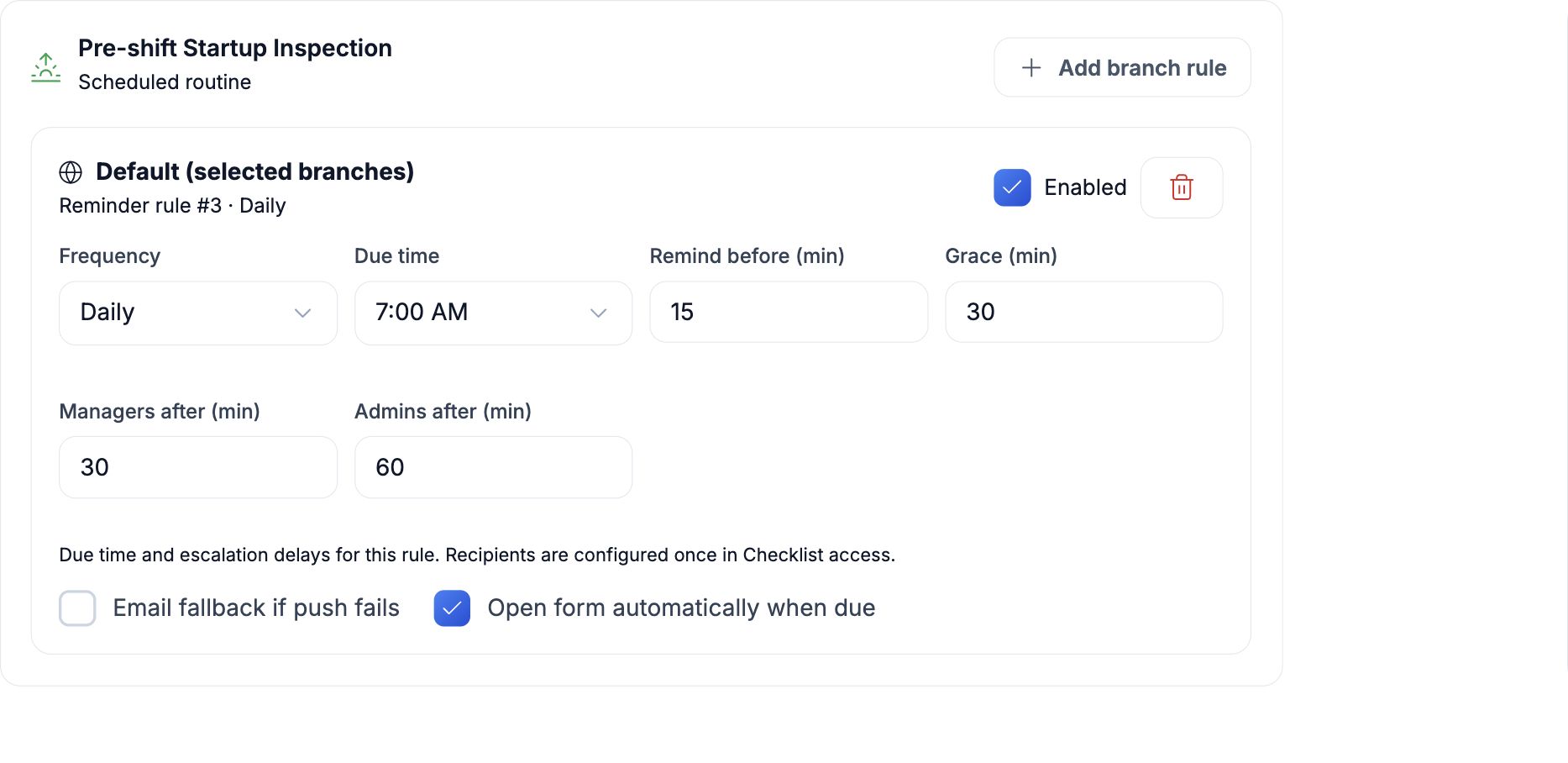
Choose when reminders start, how long the team has to complete the inspection and when an unanswered check should reach the next responsible person.

  • Daily and recurring checks
  • Branch timing rules
  • Grace and escalation delays
  • PIC and manager routing
Actual HoreX opening inspection reminder set for 7 AM with grace and escalation delays
Mobile opening inspection schedule showing its recurrence and due time

04 / MISSED CHECKS & ESCALATION

Know which checks still need attention.

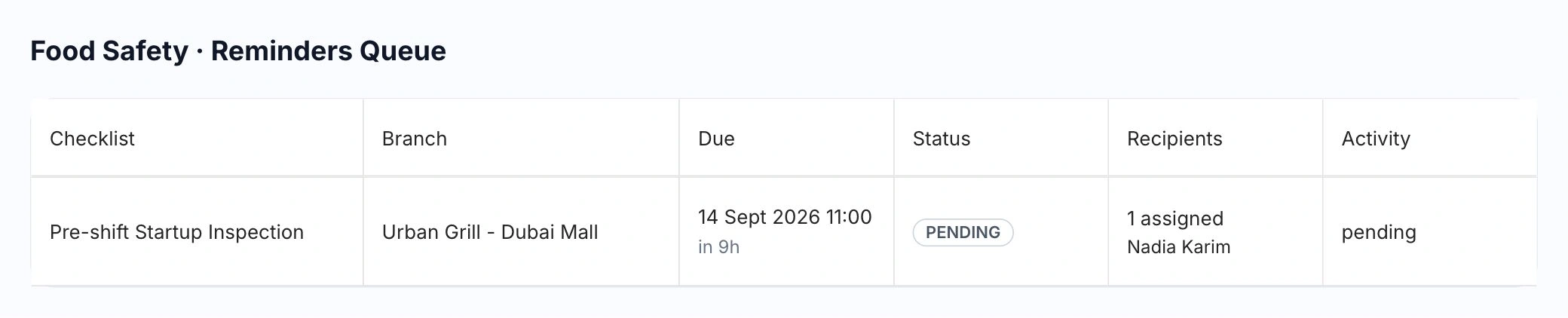
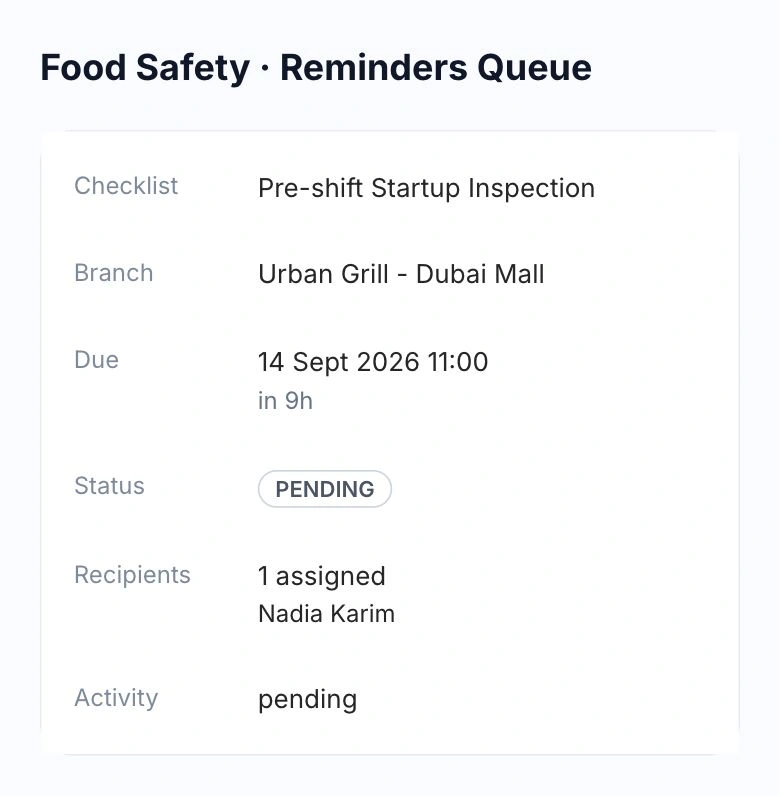
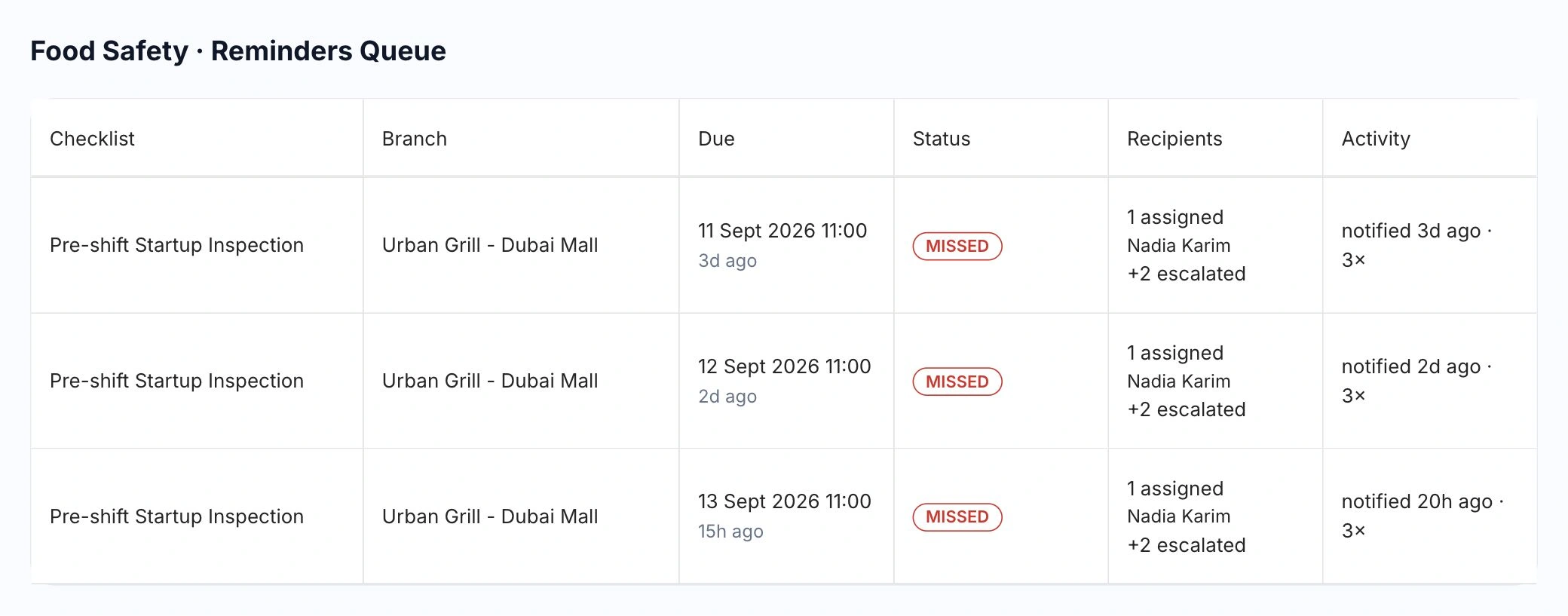
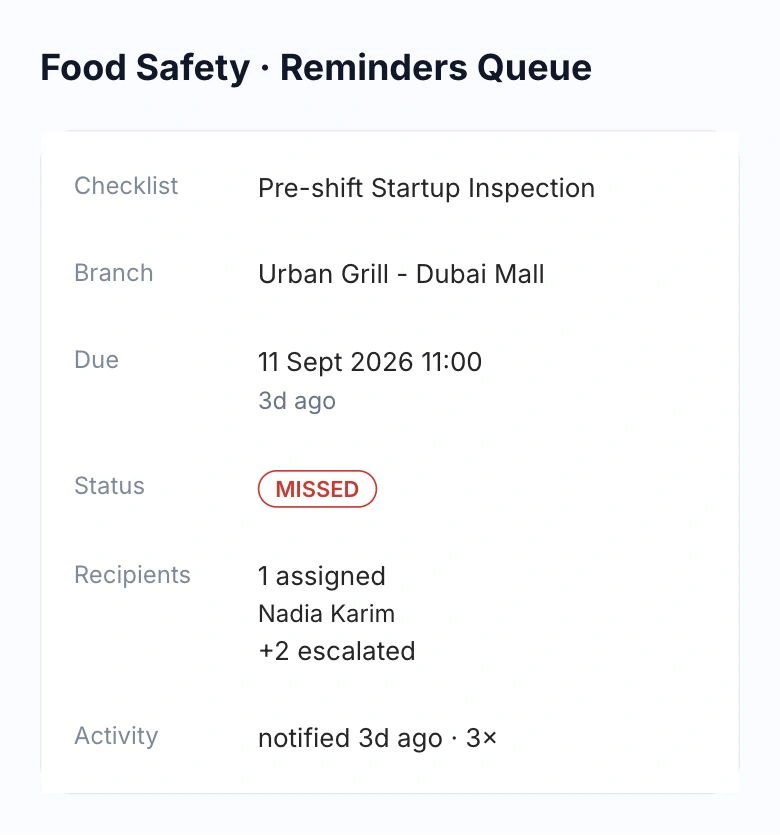
See the checklist, branch, due time and assigned person together in the reminders queue. Switch between active, missed and submitted inspections to follow up on the right shift.

Upcoming check

HoreX pending inspection for Urban Grill Dubai Mall, assigned to Nadia Karim, due 14 September at 11:00

Missed checks

HoreX missed inspections for Urban Grill Dubai Mall, showing Nadia Karim, two escalated recipients and notification activity

An unanswered reminder can escalate to the branch manager or central team, according to your rules. Managers can see who was notified and which checks are still outstanding.

  • Assigned people by branch
  • Due and missed inspections
  • Notification and escalation history
  • Submitted inspection status

05 / SIGNED HISTORY & EXPORT

Find the signed record when you need it.

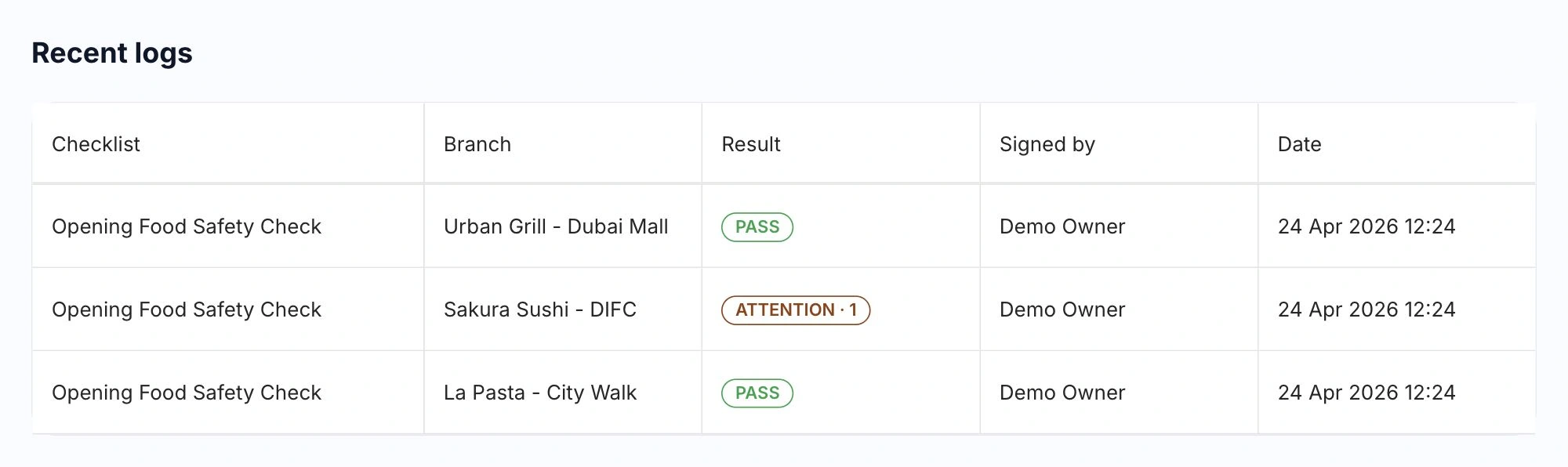
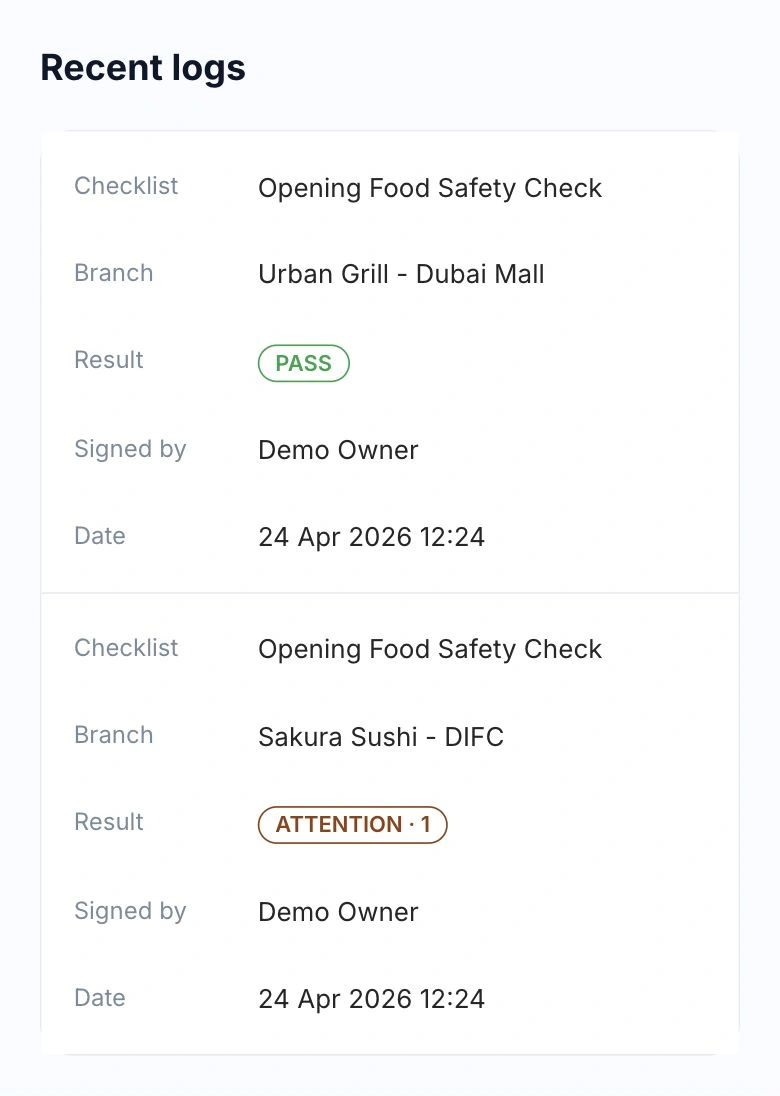
Review inspections across branches by date, checklist and result. Open a record to read the original answers, corrective actions, signer, time and checklist version, then export the relevant logs to PDF.

HoreX recent inspection logs across Urban Grill, Sakura Sushi and La Pasta, with result, signer and date

Updating a checklist does not rewrite previous inspections. If a submitted record is wrong, void it with a reason while keeping the original in the history.

  • Branch, date and result filters
  • Signer and submission time
  • Original checklist and answers
  • PDF export and reasoned voiding

More in Food safety.

The tools for completing checks and keeping useful evidence.

Opening inspections

Work through the checks before service starts.

See details

Schedule an opening routine with the checks your kitchen needs. Staff record the answers, deal with failures and submit a signed record. Adapt the template to the premises and the standards your team follows.

  • Scheduled routine
  • Required checks
  • Recorded answers
  • Signed submission

Incident records

Record an issue when it happens.

See details

Start a manual record for a delivery problem, equipment issue or other deviation outside the usual routine. Keep the description, action taken and supporting evidence together under the relevant branch.

  • On-demand record
  • Branch context
  • Issue description
  • Action and evidence

Custom checklists

Ask the questions your operation needs.

See details

Build and version checklists with required items, answer types and appropriate evidence requirements. Set their branch scope and access so they reach the people who can carry out the checks.

  • Question wording
  • Answer types
  • Branch scope
  • Version history

Temperature records

Keep the measured value with the check.

See details

Configure a temperature item with its acceptable range, then record the reading taken with the kitchen’s instrument. The software checks the entered value against that configured range; it does not measure food or equipment itself.

  • Numeric reading
  • Configured range
  • Pass/fail result
  • Corrective-action rules

Photo evidence

Attach the detail a written answer cannot show.

See details

Require a photo for selected items or only when a check fails. The submitted image stays with the relevant answer, helping the team review the condition and action recorded at that time.

  • Item-level photos
  • Required or conditional
  • Answer context
  • Submitted evidence retained

Corrective actions

Record what the team did about a failure.

See details

A checklist can require a written corrective action when an answer fails. Submission checks that the required explanation and photo are present, so the record includes more than a red result.

  • Action on failure
  • Required explanation
  • Conditional photo
  • Submission checks

Signed records

Know who submitted the inspection.

See details

Submitting a completed record captures the signed-in person and time with its answers. The result remains linked to the checklist version and branch for later review.

  • Named signer
  • Submission time
  • Branch
  • Original answers

Retained inspection history

Keep the evidence available for later review.

See details

Food Safety is designed around four-year record retention. Submitted logs and their photos cannot be deleted through the normal workflow. A wrong record is voided with a reason while its history remains available.

  • Four-year retention design
  • Submitted records protected
  • Photos retained
  • Reasoned voiding

Checklist versions

Keep old records as they were answered.

See details

Changing a checklist affects future forms. A completed record retains its original question wording and version, so an inspection from an earlier date is not rewritten by today’s changes.

  • Original wording
  • Version reference
  • Historical answers
  • Future edits separate

Branch PIC roster

Name the person responsible at each restaurant.

See details

Assign food-safety responsibility to employees for each branch. The PIC roster is also used as the fallback for first-level reminders where the checklist has no more specific recipients. A linked account is needed for app notifications.

  • Named employees
  • Branch responsibility
  • Reminder fallback
  • Linked account

Routine and manual records

Use a schedule for repeated checks and a record for events.

See details

Scheduled routines generate due work from their recurrence. Manual checklists are started only when needed. Keeping the two distinct helps the manager see what was expected and what happened outside the plan.

  • Recurring inspections
  • Manual incidents
  • Due dates
  • Branch context

Inspection reminders

Reach the people assigned to the check.

See details

Schedules set when the first reminder should be sent. Recipients come from checklist access or the branch PIC fallback. Work-schedule settings and the available app notification setup influence who can receive it.

  • Due-time reminders
  • Checklist recipients
  • PIC fallback
  • Delivery settings

Missed-check escalation

Bring overdue work to the next responsible person.

See details

When a check remains unfinished, configured delays move the reminder to further recipient levels, with branch managers and organisation admins as fallbacks. The queue records the current stage and eventual result.

  • Grace period
  • Recipient levels
  • Manager fallback
  • Visible queue status

Due checks on app entry

Make today’s work easy to reach.

See details

The app can open an actionable food-safety form when the assigned person enters. Upcoming records for a future date are not presented as something to complete today.

  • Assigned form
  • Actionable due date
  • App-entry access
  • Own pending checks

Drafts and resume

Continue an unfinished check.

See details

Saved draft answers can be reopened so staff can continue where they left off. A draft remains unfinished until it is submitted. Confirm saving and submission when the connection returns; a lost connection is not a completed inspection.

  • Saved answers
  • Resume draft
  • Submission state
  • Connection awareness

Reminder snooze

Return to an interrupted inspection.

See details

A reminder-linked draft can be snoozed for a short period. The draft remains attached to the routine; snoozing does not sign the record or make an incomplete check pass.

  • Reminder-linked draft
  • Short delay
  • Draft retained
  • Completion still required

Staff document coverage

Review the certificates relevant to food-safety roles.

See details

Read health cards and training certificates from the employee’s HR record. Staff coverage settings decide which positions affect the food-safety alerts, and the employee profile remains the place to update a document.

  • HR document source
  • Expiry and missing alerts
  • Position coverage
  • Employee-profile updates

Inspection PDF

Prepare the records for a review.

See details

Filter logs by checklist, branch, status and date, then export the relevant report. Keep the original answers, signer and supporting records available when an inspector or manager needs more detail.

  • Date and branch filters
  • Checklist and status filters
  • PDF output
  • Source records

Questions about Food safety

How does HoreX fit our food-safety process?

HoreX keeps operational food-safety checks, responsibility and inspection history with the restaurant’s branch and HR records. Your food-safety lead sets the procedures, limits and evidence requirements; the software helps the team carry them out and keep the records together.

Which checklists can we start with?

The system includes a pre-shift inspection and a manual deviation or incident record. Review their wording, temperature ranges, required evidence and branch scope, then adapt or add checklists for the actual kitchen.

What happens when a check is missed?

The schedule applies its grace period and escalation delays. Further responsibility levels are notified, with branch managers and organisation admins as fallbacks. The reminders queue shows what was sent, escalated, completed or missed.

Can a submitted inspection be changed?

A submitted log is protected. Editing the template does not rewrite its answers. A wrong record can be voided with a written reason, and the original remains in the audit history.

How do we assign the person in charge?

Assign employees as PICs for each branch in the roster. That is different from ordinary branch access or a position marked as a candidate. A linked system account is needed for app notifications.

Can we track staff health and training documents?

Yes. Food Safety reads relevant documents from HR, including recorded health cards and training certificates. Coverage settings select the positions included in missing or expiry alerts; updates happen on the employee profile.

What happens if the connection drops during a check?

Saved draft work can be resumed, but a lost connection must not be treated as a successful save or submission. Staff should reopen the record, confirm what was saved and complete submission when connected.

Can we export records for an inspection?

Yes. Filter logs to the relevant checklist, branch, status and date range, then use the PDF report. The source logs retain the original answers, signer and available supporting evidence.

Walk through your kitchen’s inspection routine.

See how a checklist becomes an assigned check, a corrective action and a signed record.