
Restaurant operations.
One connected system.
From the first order to the final numbers. POS, kitchen, inventory and finance — working as one.
 See how HoreX works
Built around the way
your team actually works.
Sales, stock and finance.
Working from the same records.
A shared record from receiving to service. Each team gets the tools it needs, and the next team stays in sync.
Supply Chain & Inventory
AI invoice scanning, recipe write-offs and live stock across branches.
Finance & Compliance
Sales, costs, VAT and cash flow in one workspace.
POS, Kitchen & Service
Every order, every channel, one screen.




Team & HR
Schedules, attendance and payroll, together.


 +31
+31
Marketing & CRM
Turn first-time guests into regulars.



Room to grow
Add modules as
your business grows.
Add the workflows your operation needs, all in the same workspace.
Explore the platform →



See what you can manage
in HoreX.
Stay on top of margins, purchasing, recipes and people. Without the spreadsheet mess.
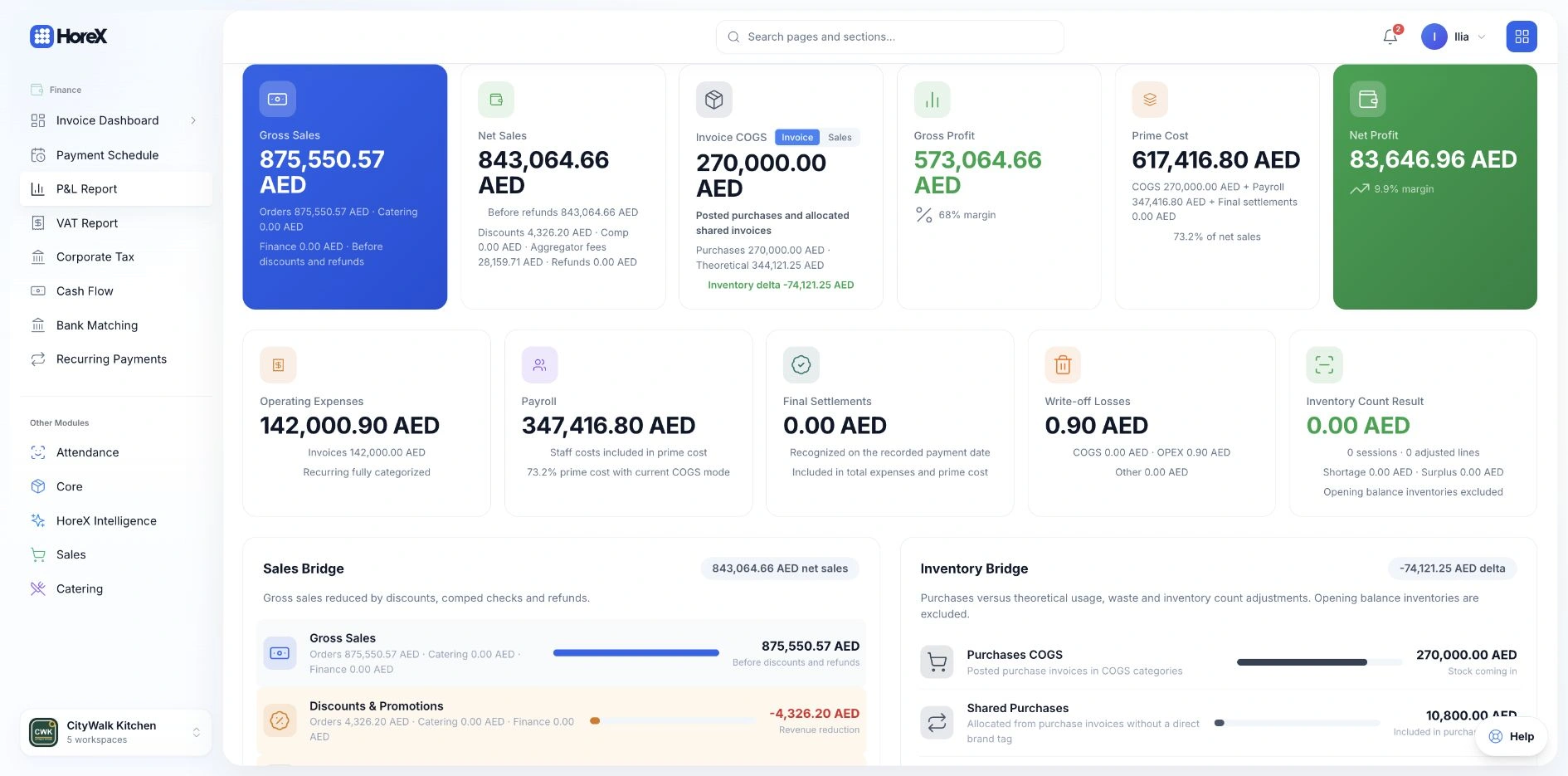
Track profit and costs
by brand.
The P&L is built from posted sales, supplier invoices, payroll and write-offs, filtered by brand or legal entity. No spreadsheet in between.
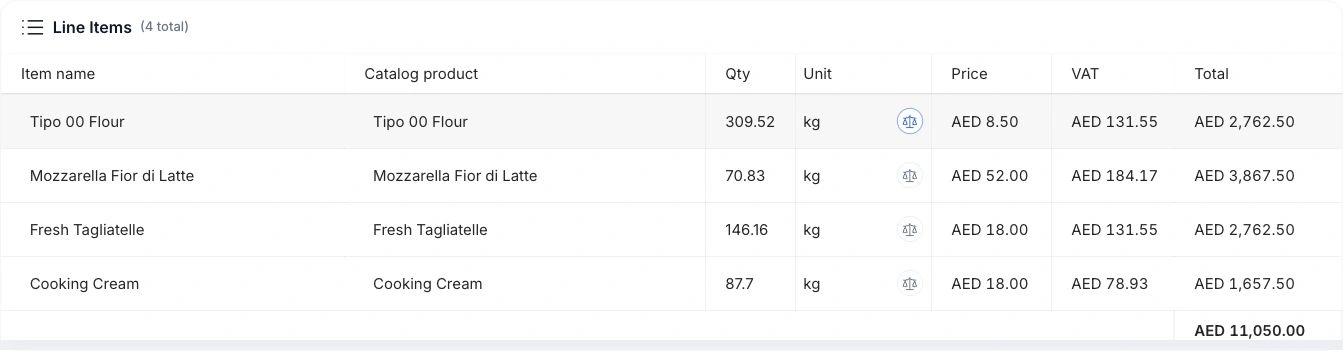
Scan invoices.
Review the extracted lines.
Photograph an Arabic or English invoice. HoreX extracts the lines, matches them to your catalog and prepares the document for review before it hits stock.
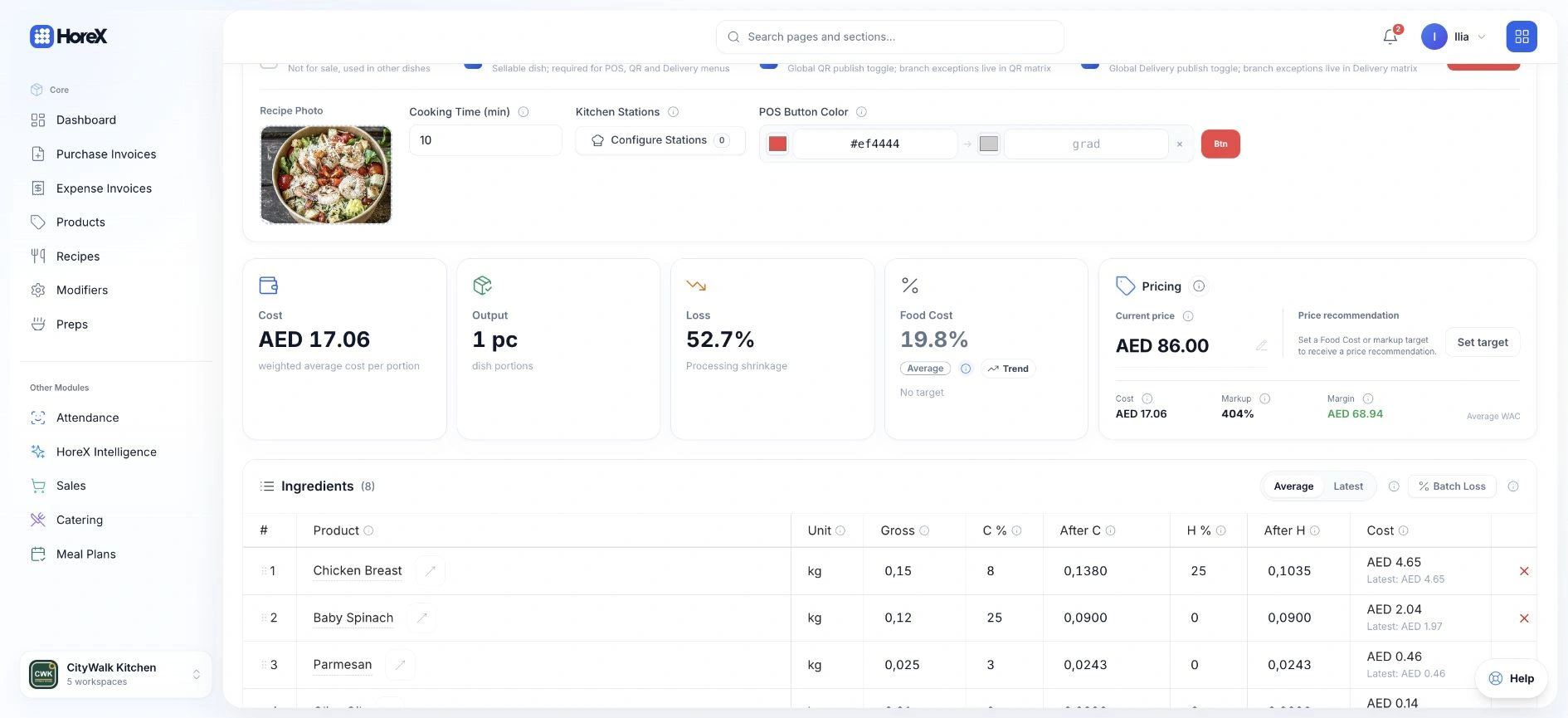
Recipe costs, ingredients
and selling prices.
Recipes carry ingredient costs, losses and yields. Each sale posts the right stock movement and the right margin for that dish.
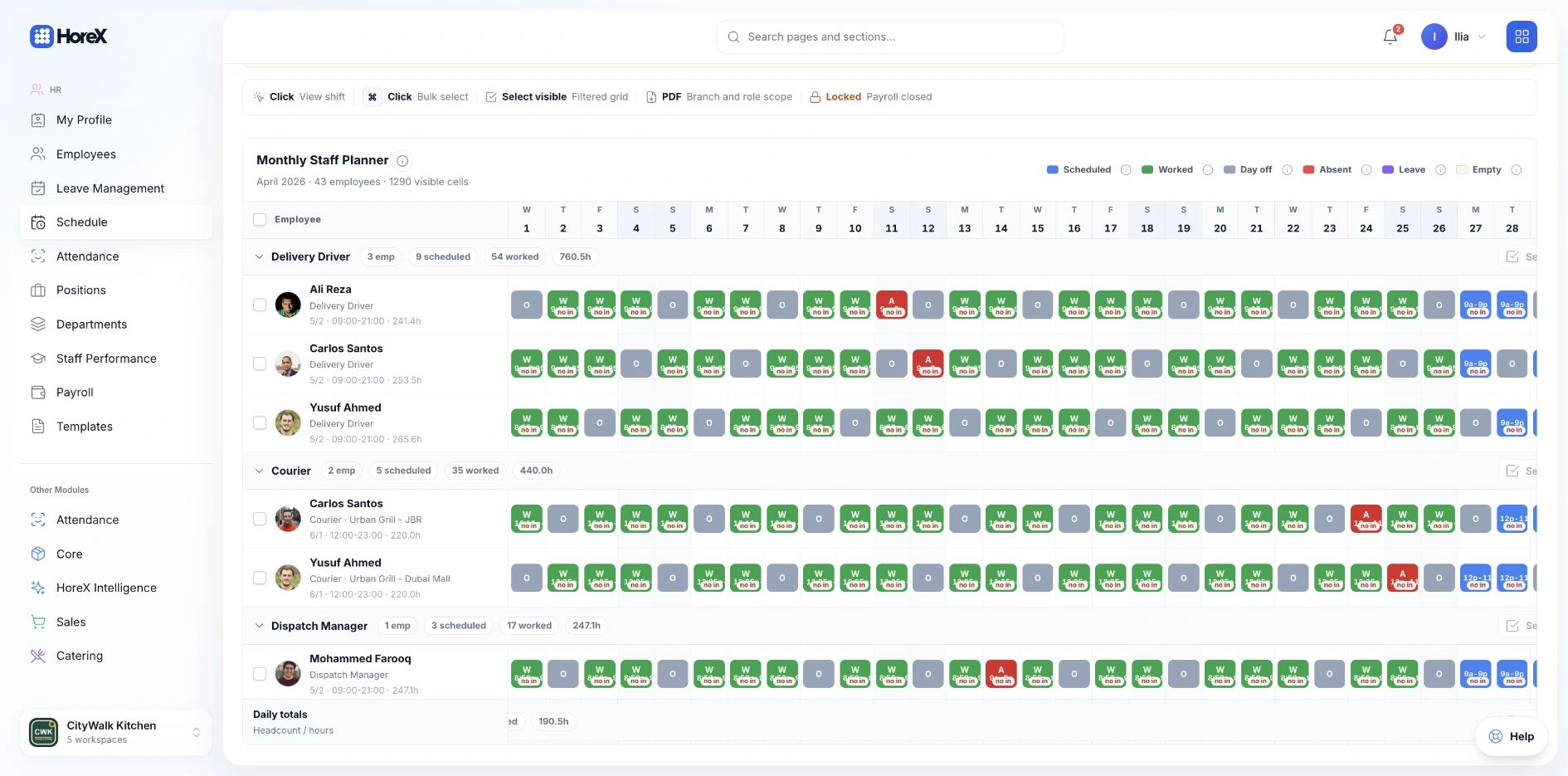
Plan shifts and track
attendance.
The monthly planner, attendance and payroll periods sit on the same employee records. Exports are WPS-ready.
Built for your type of business.
See how HoreX fits different operations.
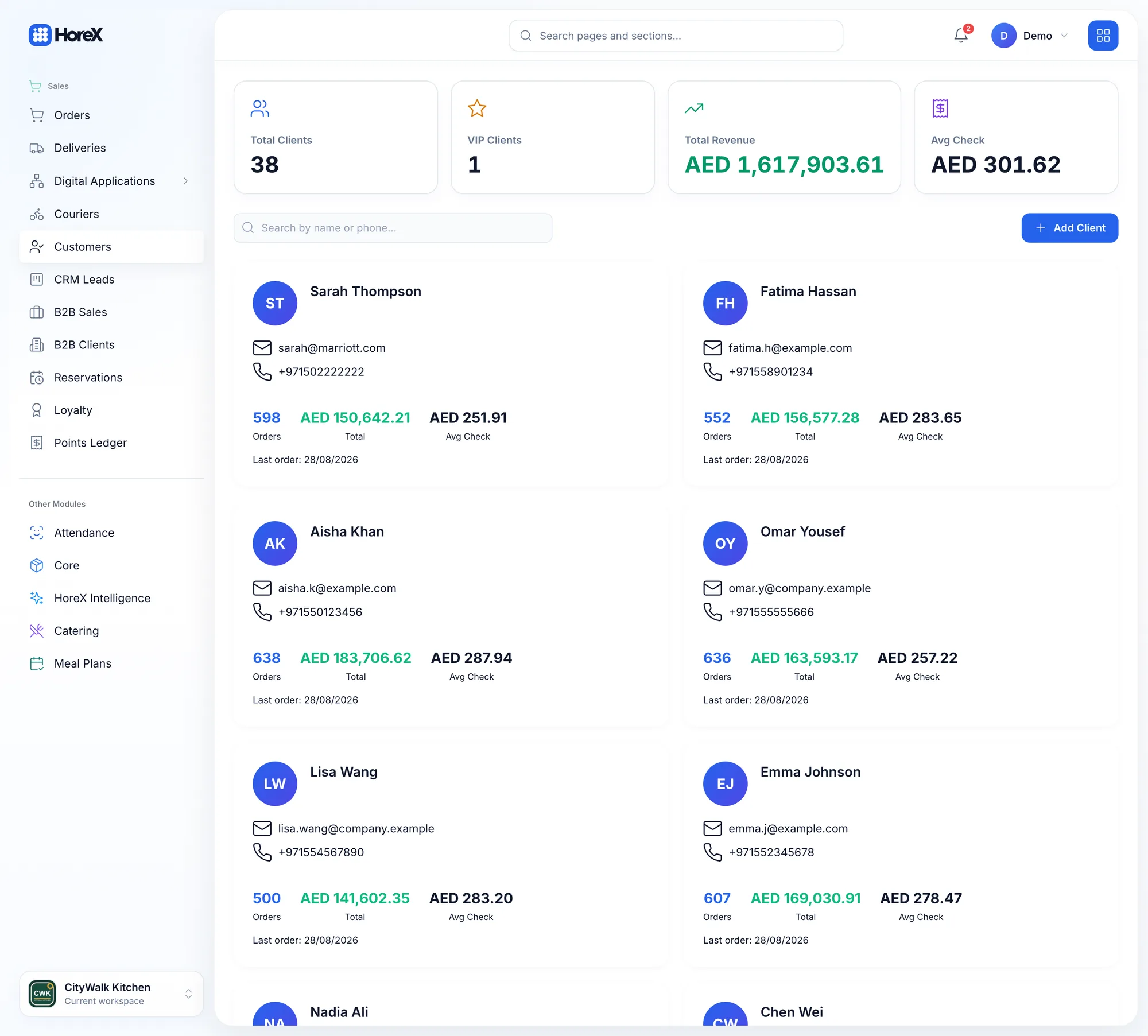
Manage restaurant service
and guest loyalty.
See guest history, average check and loyalty alongside the service tools your restaurant runs on.
- Floor plan & tablesHalls, tables and QR codes per seat
- Waiter app + KDS timersOrders from the phone straight to the station
- Guest CRM & loyaltyVisits, average check, wallet and stamps
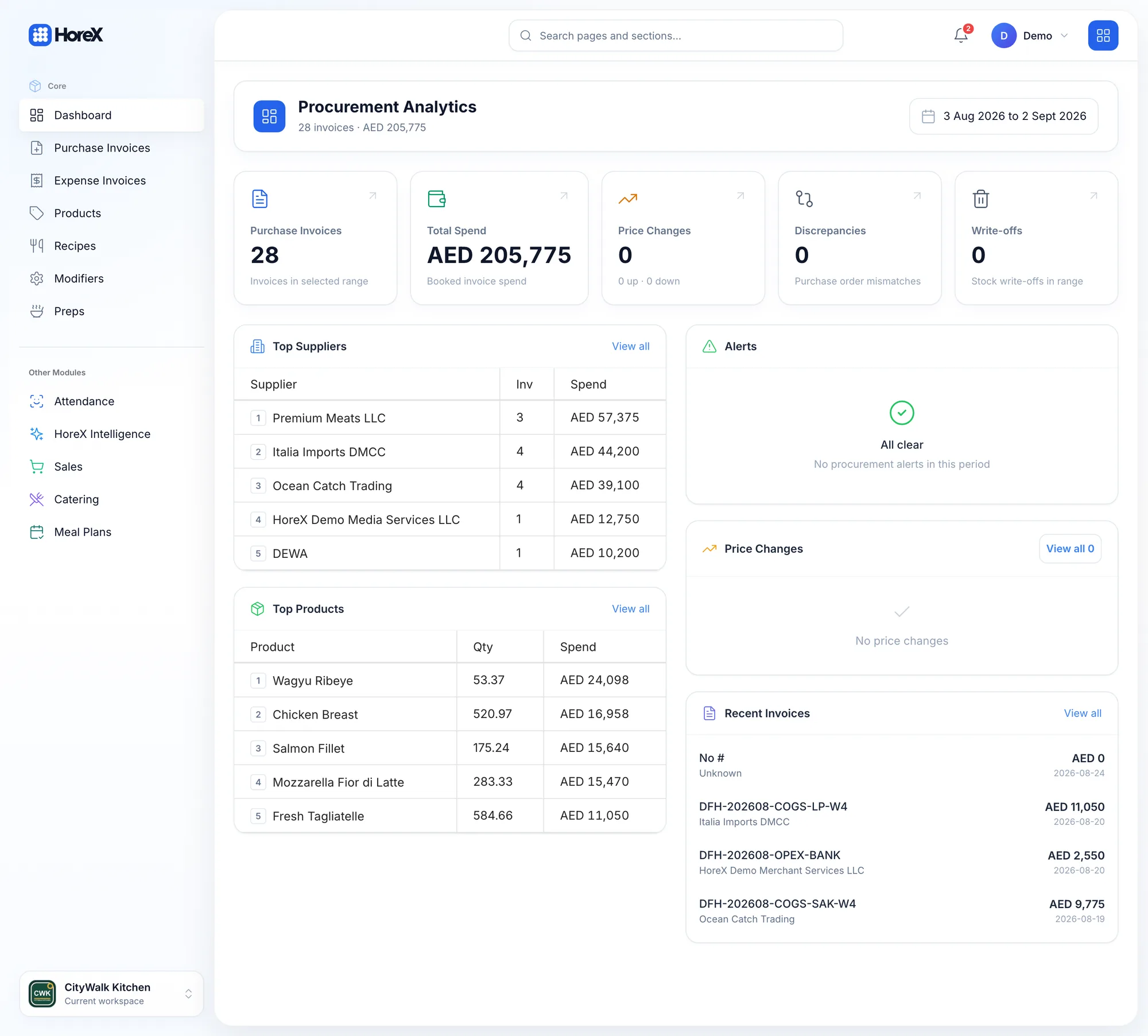
Manage café sales
and daily purchasing.
Fast tills, a short menu that is costed to the gram, and purchasing analytics that show where the money goes.
- Procurement analyticsSpend, top suppliers and price changes
- Par levelsKnow what to order before it runs out
- Offline-capable POSKeep selling through a connectivity drop
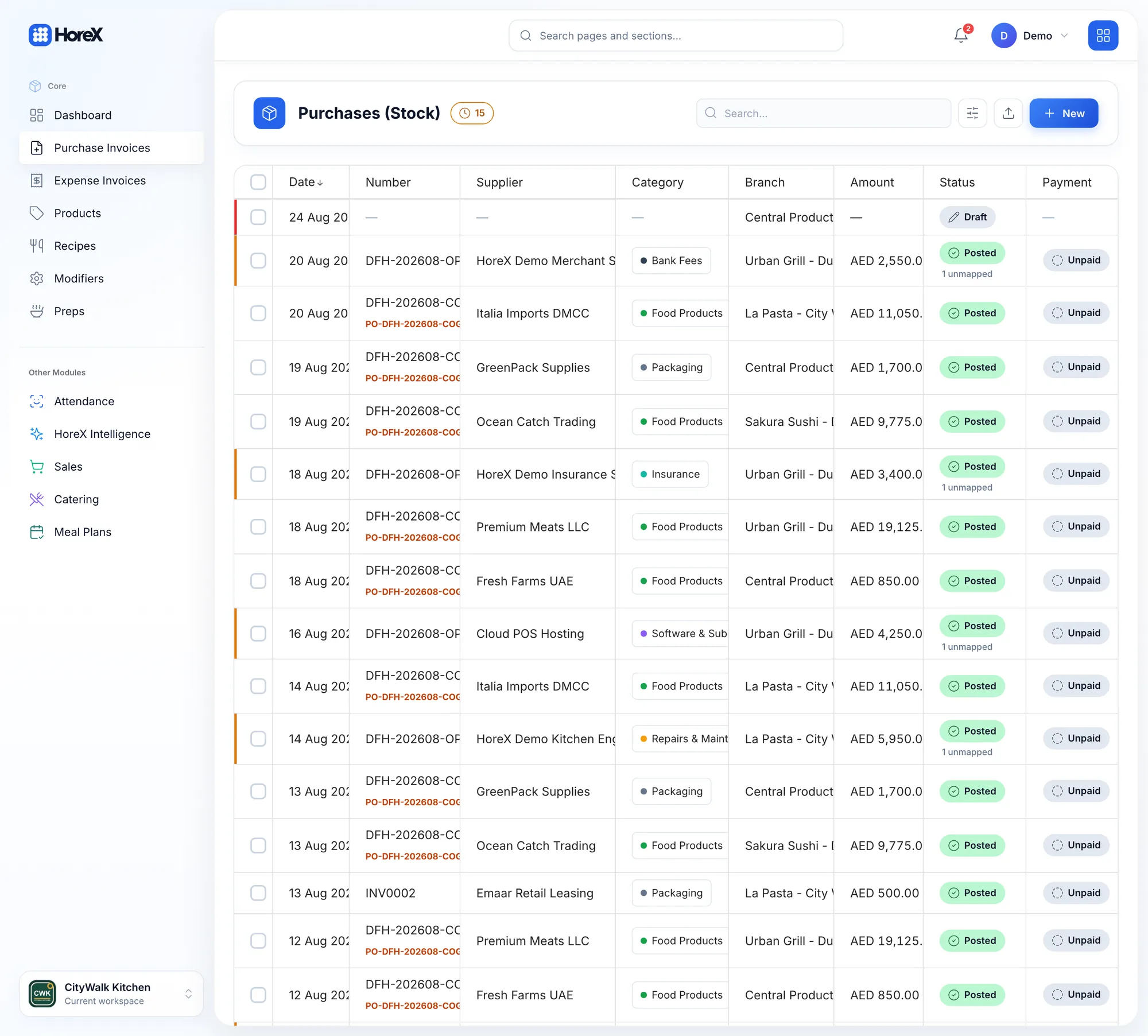
Shared purchasing
for your kitchen brands.
Keep the supplier, branch and status attached to every purchase. Your kitchen shares the stockroom, without losing the paper trail.
- Aggregator ordersTalabat, Careem, Deliveroo, Keeta on one screen
- Purchase invoices per brandSpend split by branch and category
- Courier appRoutes, status and cash collection
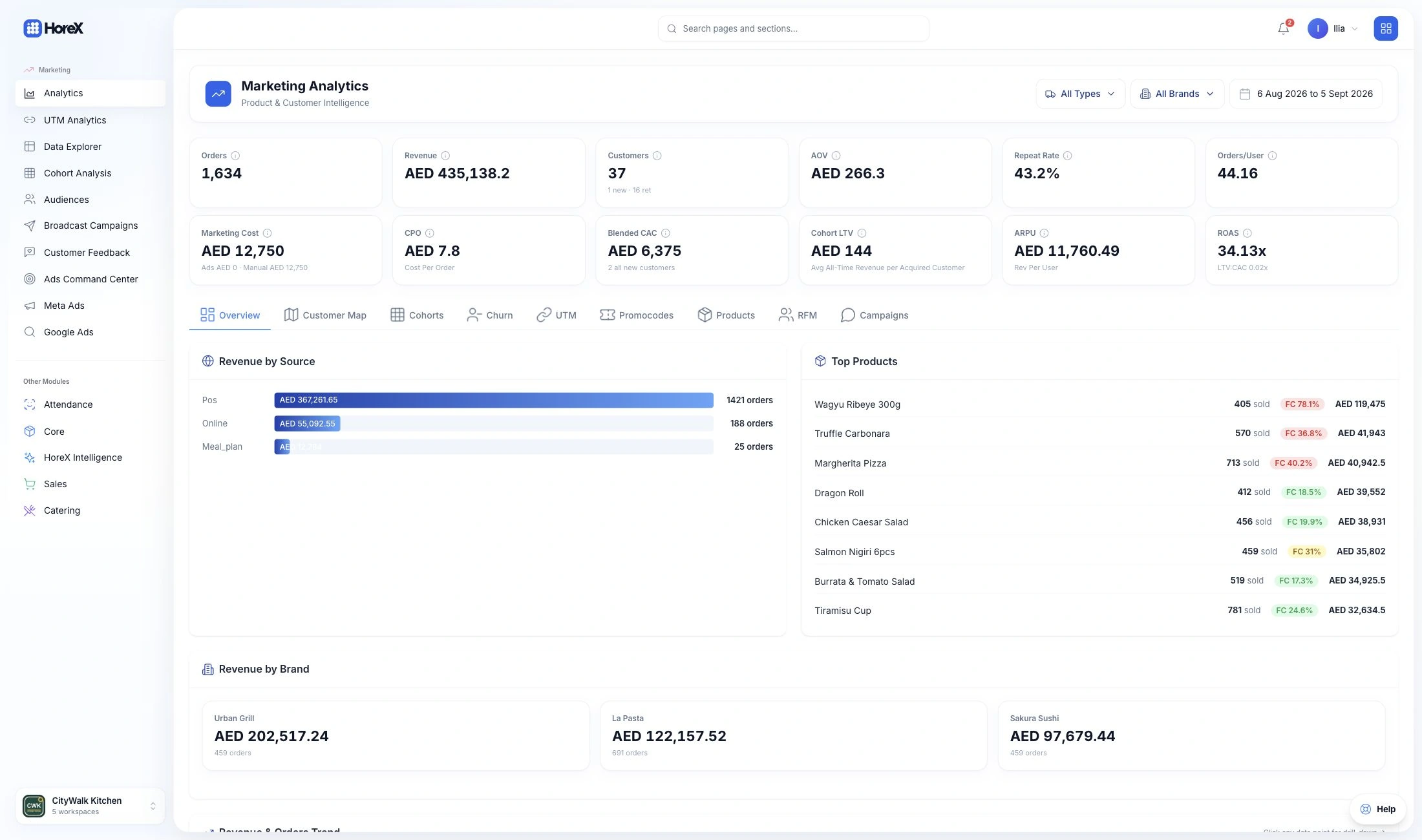
Compare performance
across your brands.
Branches, brands and legal entities in one workspace. Compare revenue by brand and filter the P&L by entity.
- Revenue by brandUrban Grill, La Pasta, Sakura Sushi side by side
- Roles & permissionsEach manager sees their own branches
- Transfers between branchesStock moves with a document trail
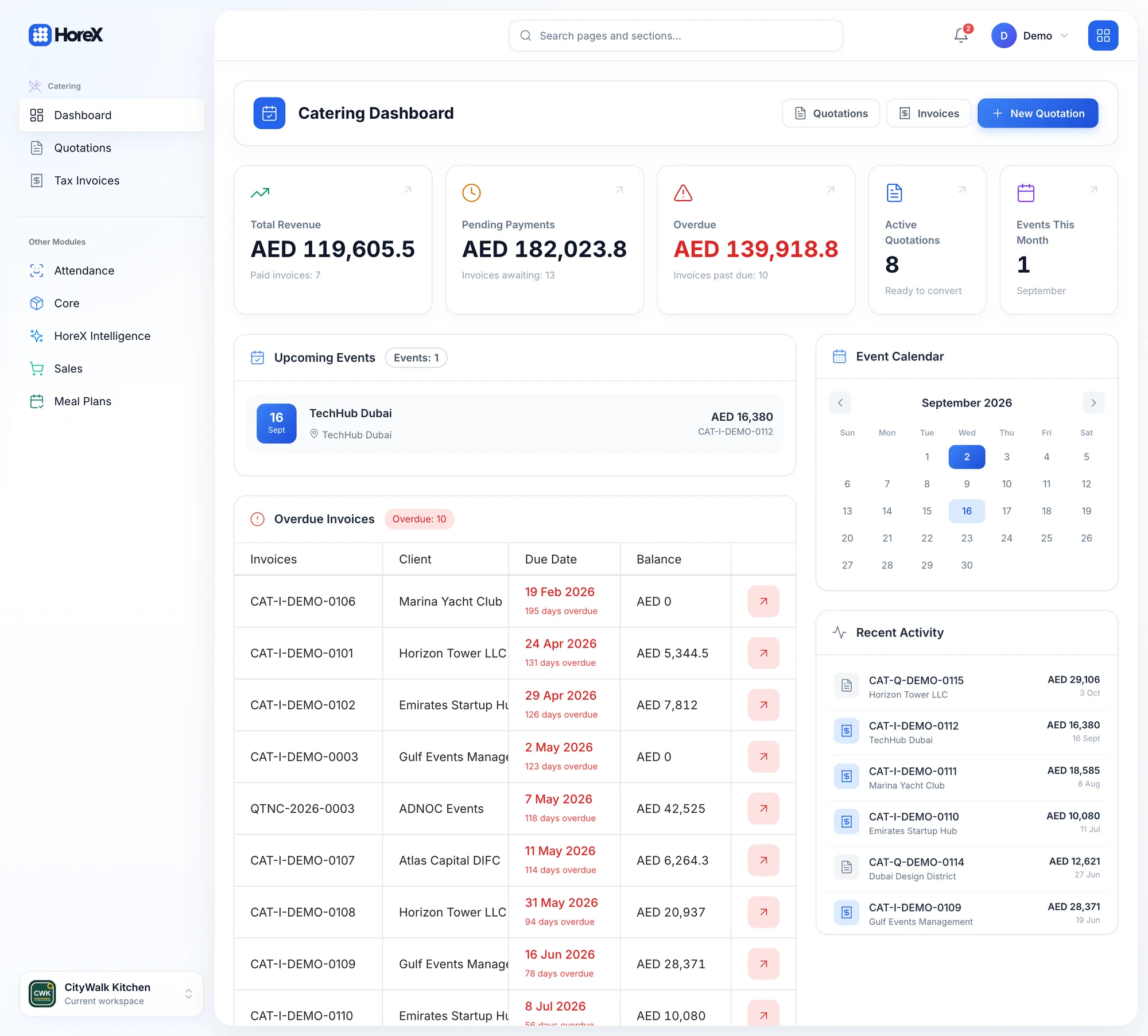
Manage events from
quotation to invoice.
Quotations turn into invoices and events. The calendar, overdue invoices and pending payments live on one dashboard.
- Quotations to invoicesPDF, deposit and balance tracking
- Event calendarUpcoming events with their totals
- Production from the eventPreps and purchasing planned off the menu
We help you set up,
import and train your team.
From your current records to your first service in HoreX. Our team guides the setup, data import and staff training.
Discuss your setup ↗- 01 / DISCOVER
Set up your workspace
Branches, service formats and the workflows that matter to your team.
- 02 / PREPARE
Import your existing data
Menu, recipes, suppliers and opening stock, with the import scope agreed upfront.
- 03 / LAUNCH
Train your team for go-live
Role-based training and go-live checks, from the till to the back office.
 Your menuItems · prices · categories
Questions & Answers
What is HoreX?
HoreX is an operating system for UAE food businesses. POS, kitchen display, stock, purchasing, finance, delivery, guests and HR work from the same live records, so nothing is re-entered between tools.
What types of restaurants does HoreX work for?
Full-service restaurants, cafés, quick service, cloud kitchens, restaurant groups, catering operations and other UAE food businesses. The operating scope is configured around the workflows each team uses.
Does HoreX support UAE VAT and WPS workflows?
Yes. UAE VAT reporting, tax invoice workflows and WPS-ready payroll exports sit alongside the operating records that feed them.
How does supplier invoice capture work?
Capture an Arabic or English supplier invoice. HoreX extracts line items and VAT, matches them to your catalog, then presents the result for review before the approved document is posted into procurement and stock.
Can delivery channels be connected?
Talabat, Careem, Deliveroo and Keeta connectors can be scoped as a paid add-on. Exact channels, data flow and availability are confirmed during the demo. Third-party usage fees are separate.
Does HoreX work offline?
HoreX POS is offline-capable. Supported installations keep a local order queue and LAN kitchen display working through a connectivity drop, then synchronize when the connection returns.
How does onboarding work?
Scope depends on branch count, selected modules and data quality. It can cover menu and catalog import, recipe and stock setup, permissions, role-based training and go-live checks. Custom integrations and historical imports may be quoted separately.
Which devices does HoreX run on?
The back office runs in any modern browser. The POS terminal runs as a Windows desktop application, the kitchen display on a tablet or screen, and the waiter and courier apps on Android and iOS phones.
Can I run several brands or branches?
Yes. Branches, brands and legal entities live in one workspace. Reports such as the P&L can be filtered by brand, legal entity or branch.
Does HoreX work with WhatsApp?
Yes. A shared WhatsApp inbox, templates, broadcasts to audiences and automations are part of the marketing module.
Couldn't find an answer? Send us a message →
See HoreX with
your workflows in mind.
Tell us how your business runs. We’ll show the relevant modules, explain the setup and answer your questions.