


Flexible loyalty programmes for restaurants.

Build your programme with cashback, member discounts and personalised rewards. Start with ready-made automations for repeat visits, birthdays and win-back offers, then tailor the benefit, timing and message.

01 / JOIN

A pass on their phone

Keep your branding, member balance and card together on the guest’s phone.

02 / RETURN

Membership tiers

Reward regulars with levels based on purchases or completed visits.

03 / RE-ENGAGE

Ready-made automations

Choose from ten guest scenarios and make the offer your own.

Explore all features

01 / MEMBERSHIP & WALLET

Your restaurant’s card, on the guest’s phone.

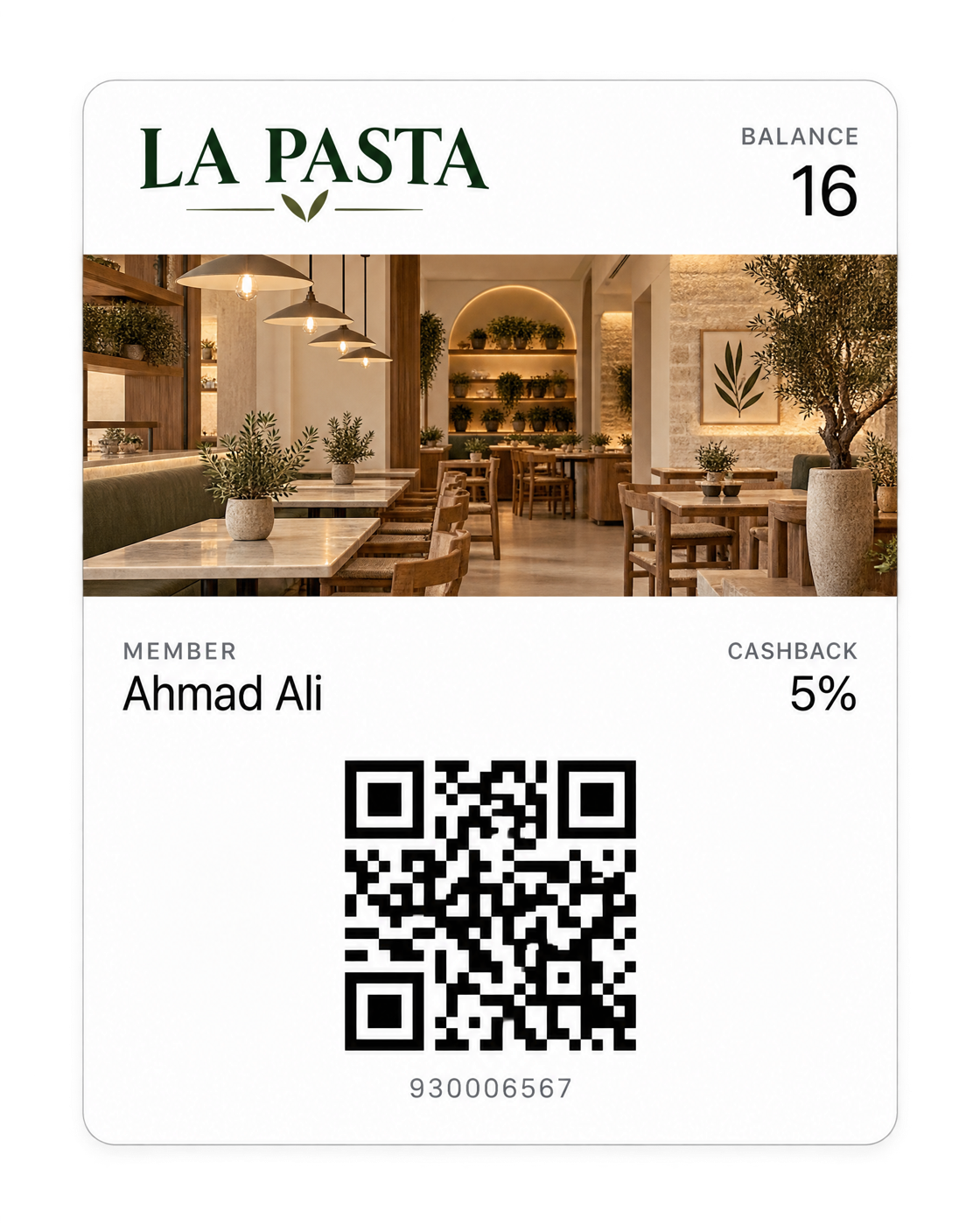
Guests join through your loyalty link and add your card to Apple Wallet or Google Wallet. Your logo, colours and venue image make it part of the restaurant’s identity; the member’s balance and card number stay close at hand.

A guest can keep the card without installing a separate restaurant app. At checkout, your team connects the member to the order, checks the available balance and applies the programme’s rules.

  • Your logo, colours and card image
  • Apple Wallet and Google Wallet
  • One link to join or recover a card
  • Balance updates and branch reminders
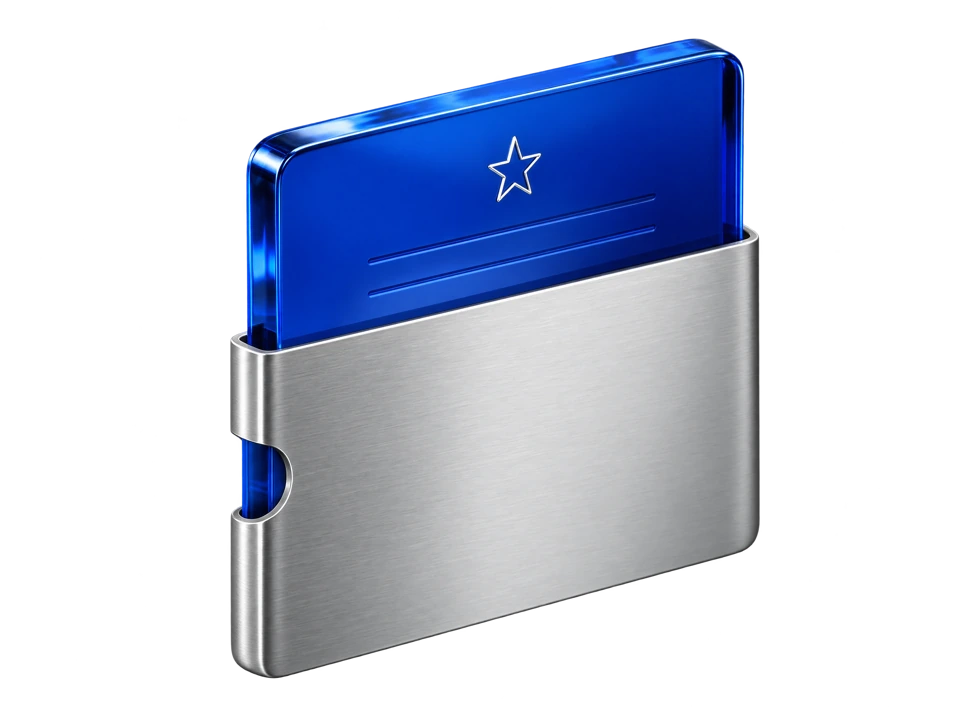
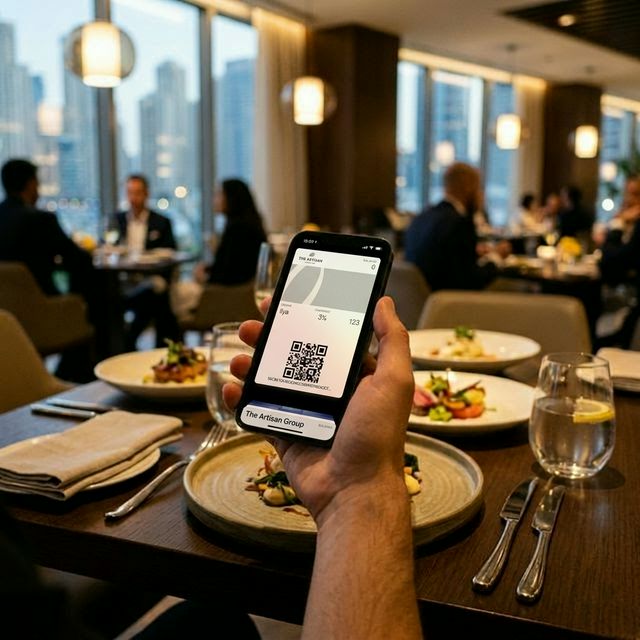
A restaurant guest holds an iPhone displaying a loyalty card in Apple Wallet
Illustration of a La Pasta loyalty pass in Apple Wallet, with member balance, cashback and QR code
A restaurant guest holds an iPhone displaying a loyalty card in Apple Wallet
Illustration of a La Pasta loyalty pass in Apple Wallet, with member balance, cashback and QR code

02 / READY-MADE AUTOMATIONS

Ready-made loyalty automations.

Start with ten ready-made scenarios for new members, repeat visits, birthdays, guests close to their next level and those who have stopped ordering. HoreX uses the guest’s recorded activity to recognise when the selected scenario applies.

10 ready-made templates

Give a new guest a reason to return.

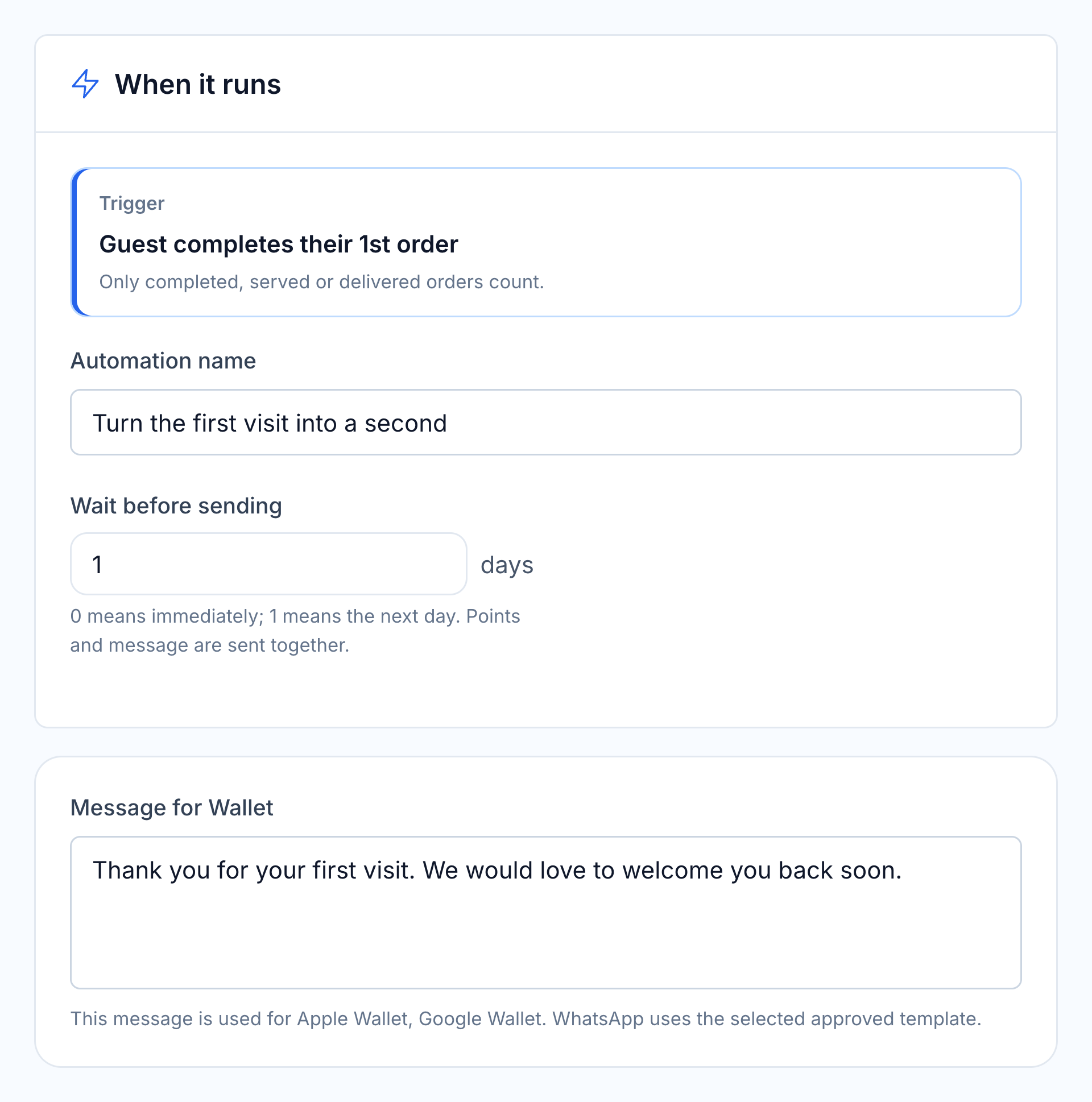
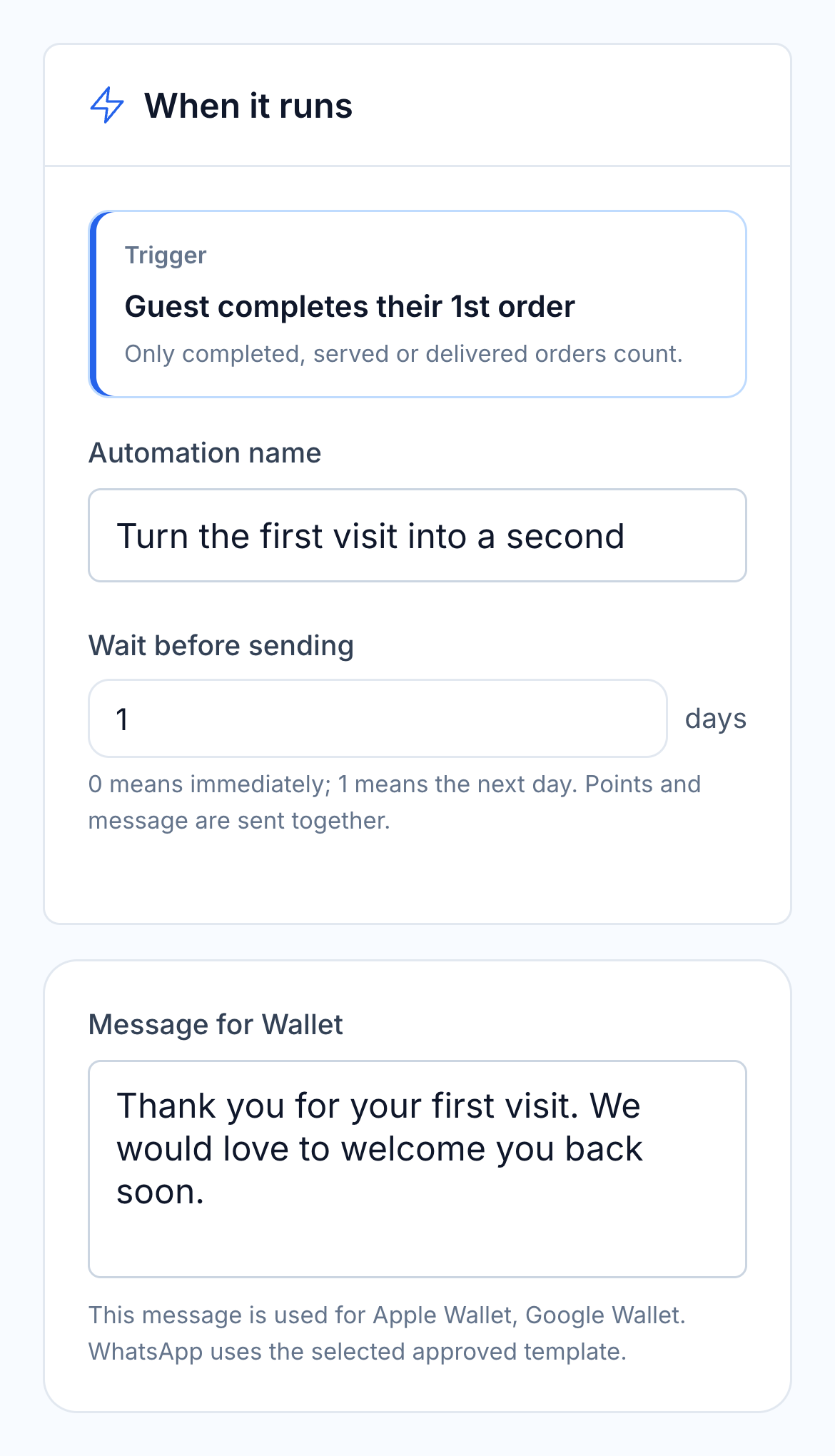
After the first completed order, follow up with a thank-you and your chosen benefit. Set a delay so the invitation arrives after the visit, when the guest can plan the next one.

  • First completed order
  • Your benefit and message
  • Immediate or delayed follow-up
HoreX first repeat visit automation: qualifying event, timing and editable guest message

Recognise the visit that makes them a regular.

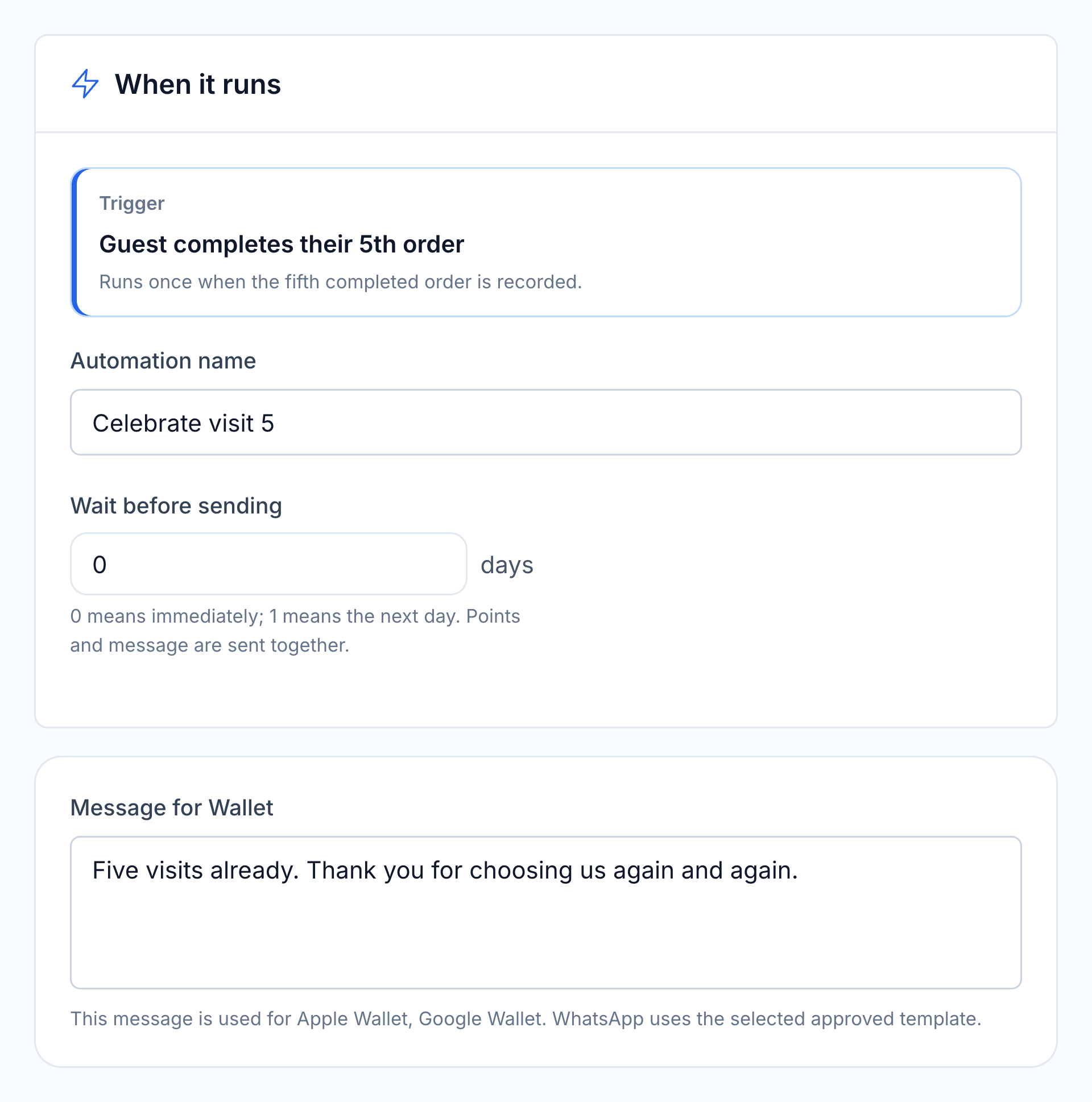
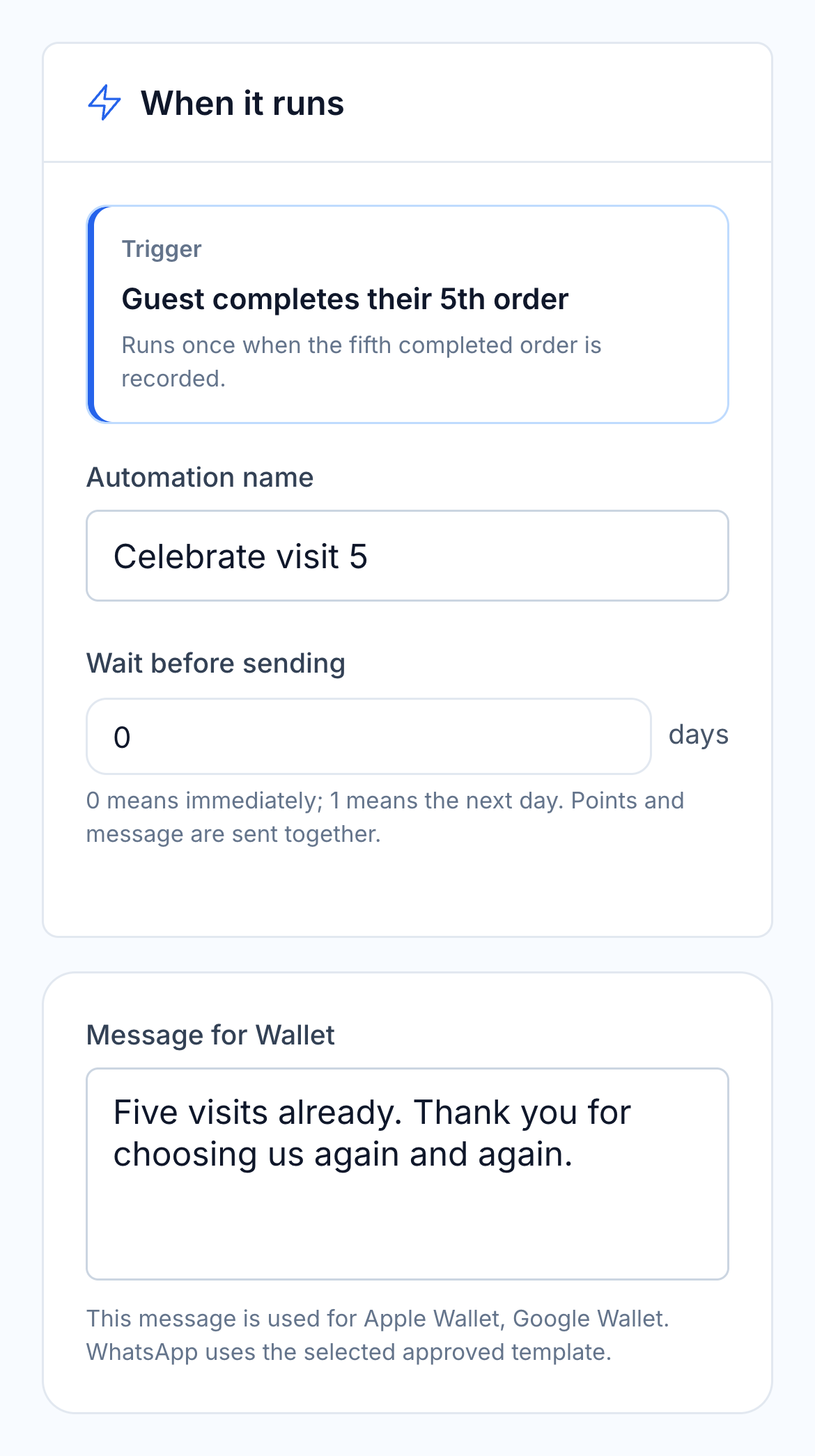
Encourage the third visit, celebrate the fifth or thank a regular after their tenth order. Each template uses completed purchases to recognise the right guest and issue the configured benefit.

  • Second, fifth and tenth order triggers
  • Bonus points or a member-linked offer
  • One reward for each qualifying moment
HoreX visit milestones automation: qualifying event, timing and editable guest message

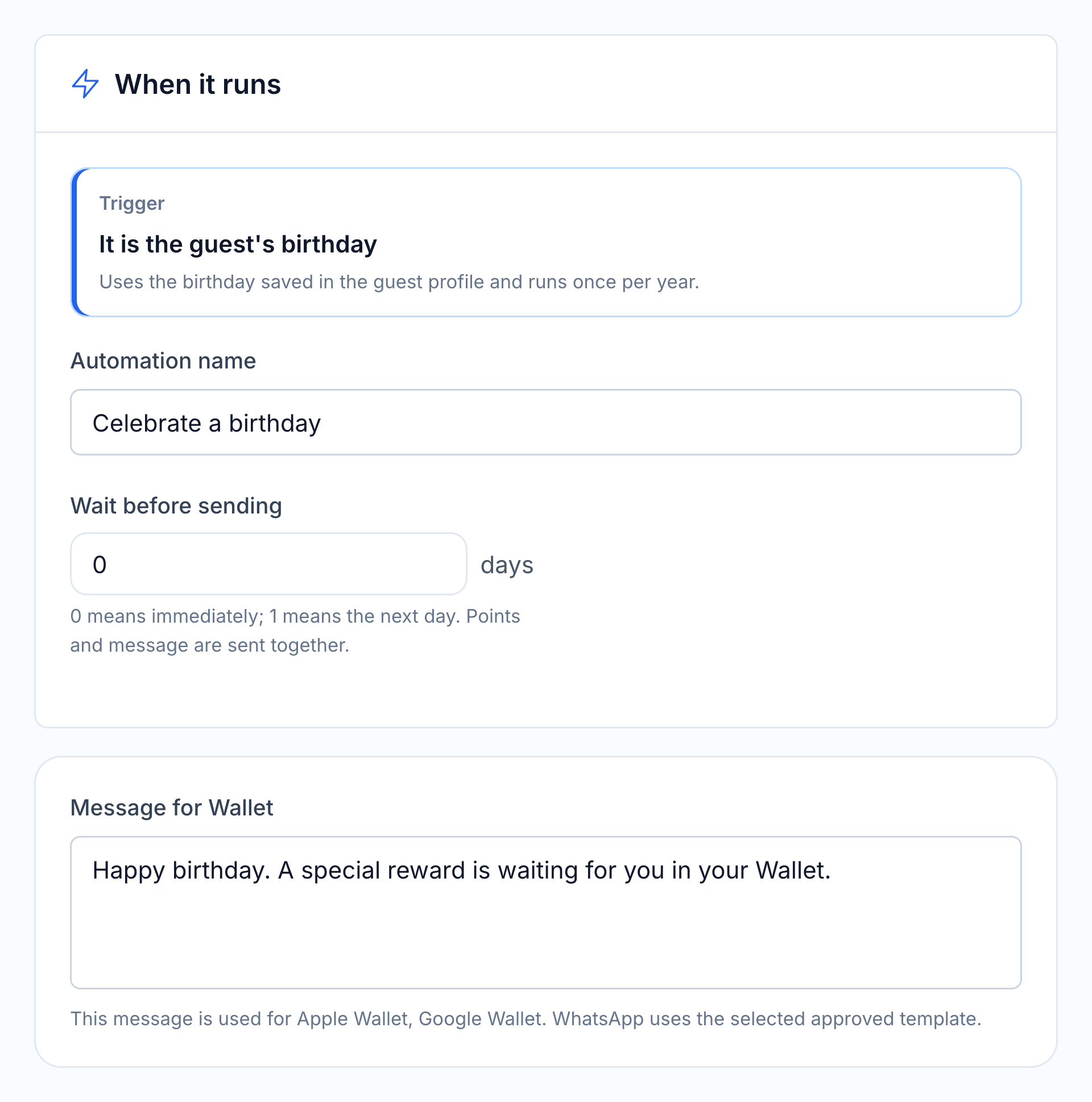
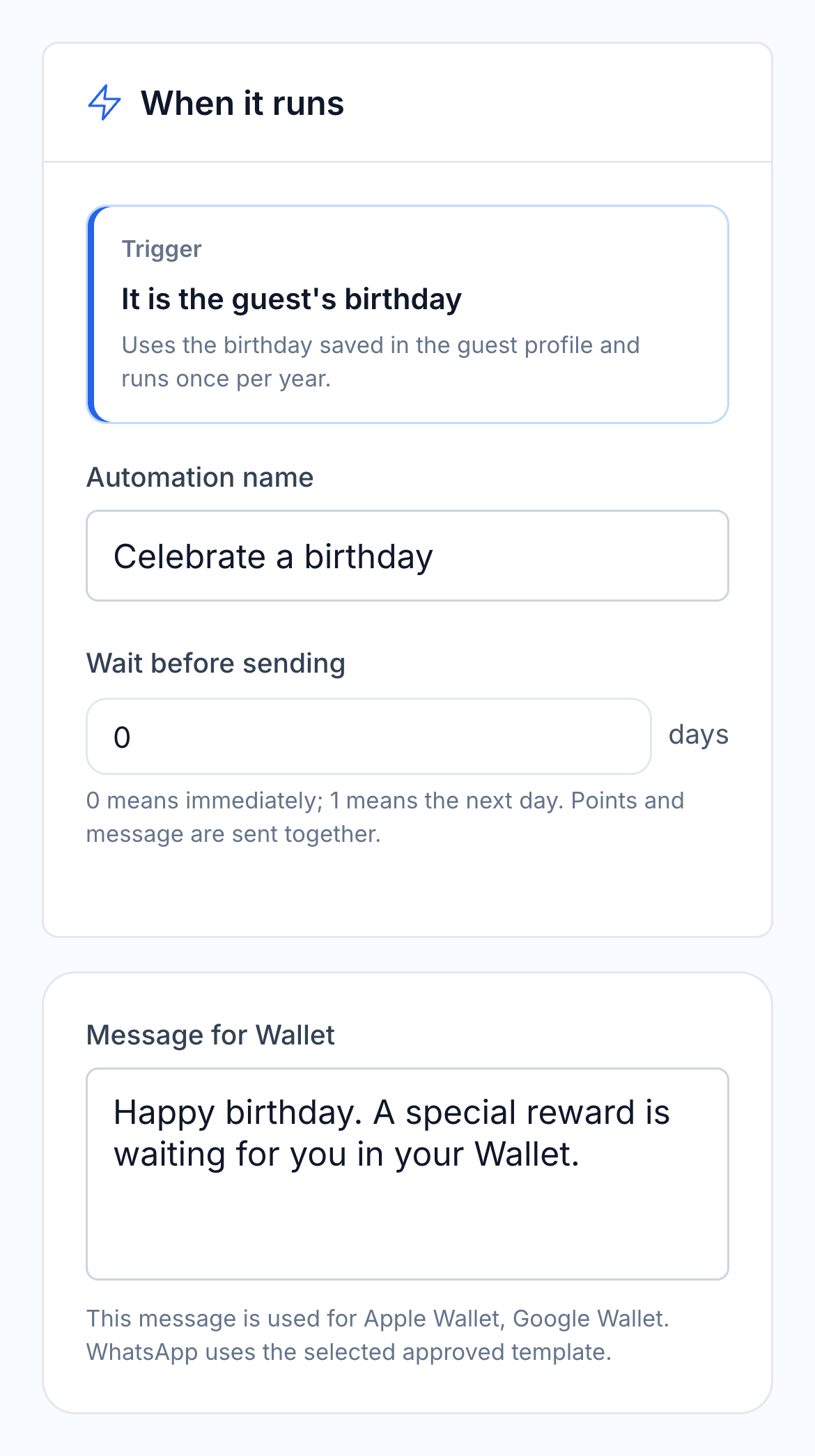
Have the birthday offer ready before the day.

Use the birthday saved in the guest profile to send a greeting and an optional gift each year. Choose the benefit and how long the guest has to use it.

  • Birthday from the guest profile
  • Annual greeting and optional benefit
  • Your message and voucher expiry
HoreX birthday automation: qualifying event, timing and editable guest message

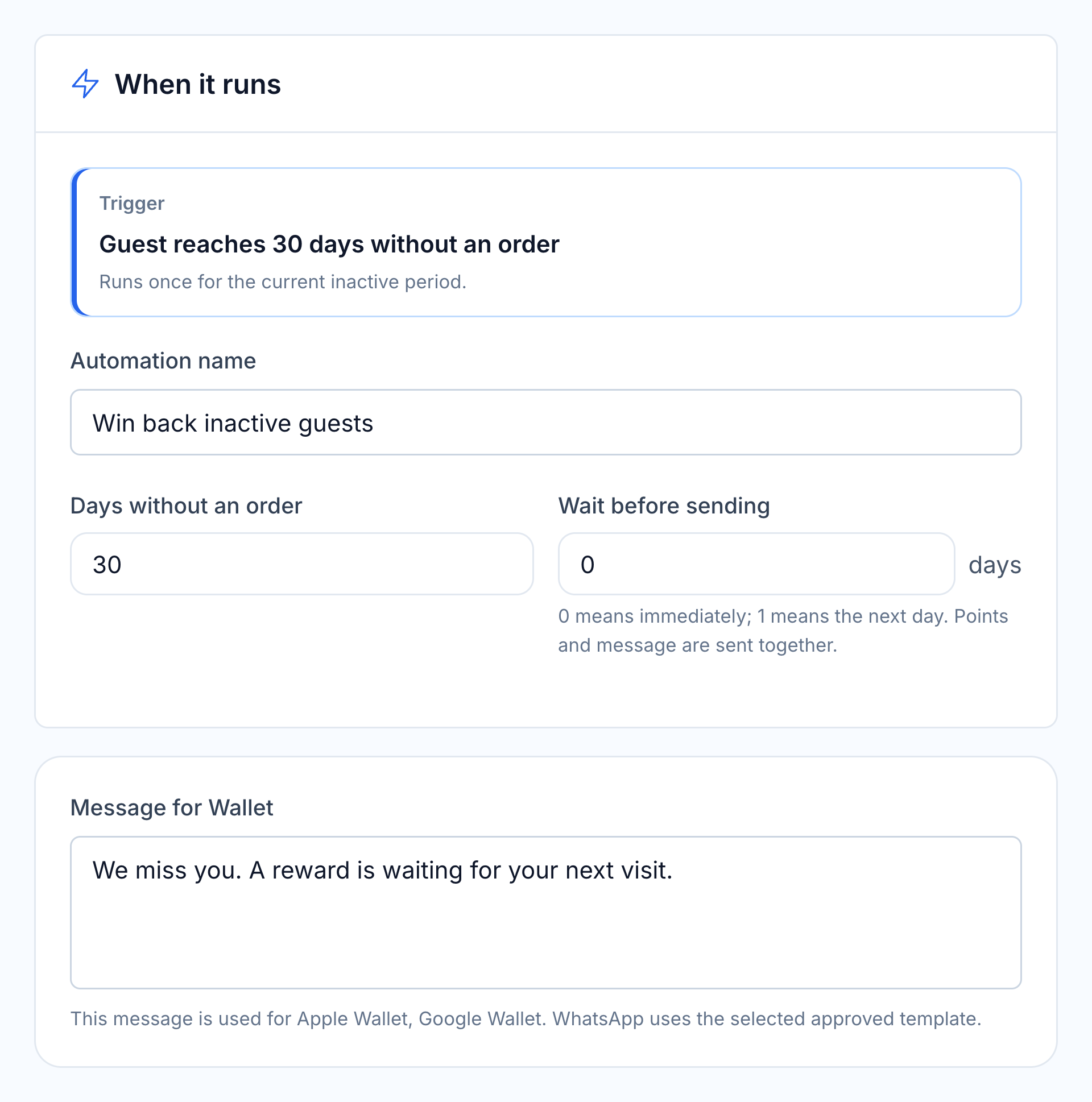
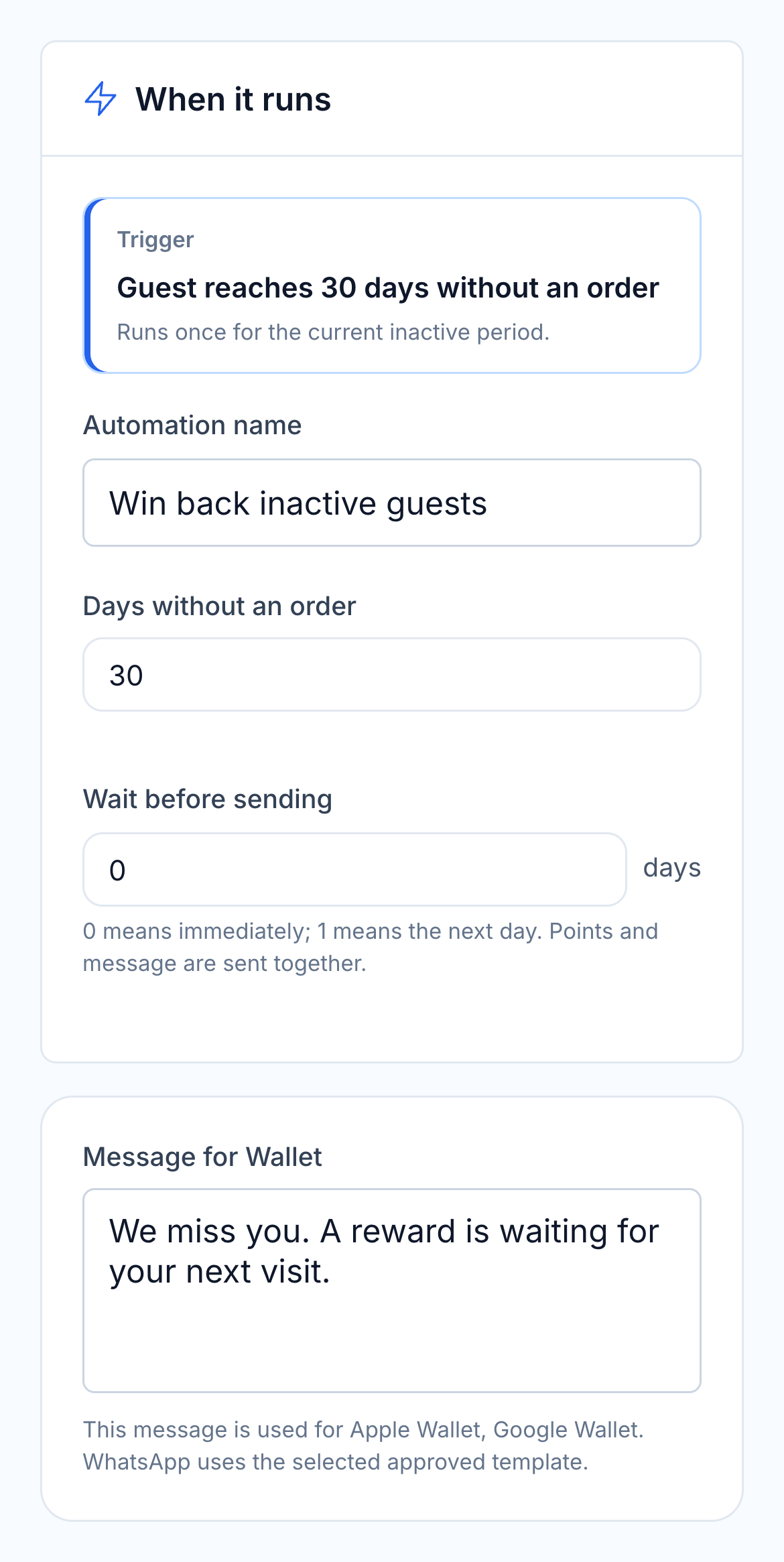
Invite guests back when their visits fall away.

Choose an early reminder or an offer for a longer absence. Adjust the number of days without an order to suit your restaurant’s usual visit frequency, then set the incentive and message.

  • Early, regular and long-lapsed templates
  • Adjustable inactivity period
  • One invitation per inactive period
HoreX win-back automation: qualifying event, timing and editable guest message

03 / PERSONALISED BENEFITS

Choose what the guest receives, and how they hear about it.

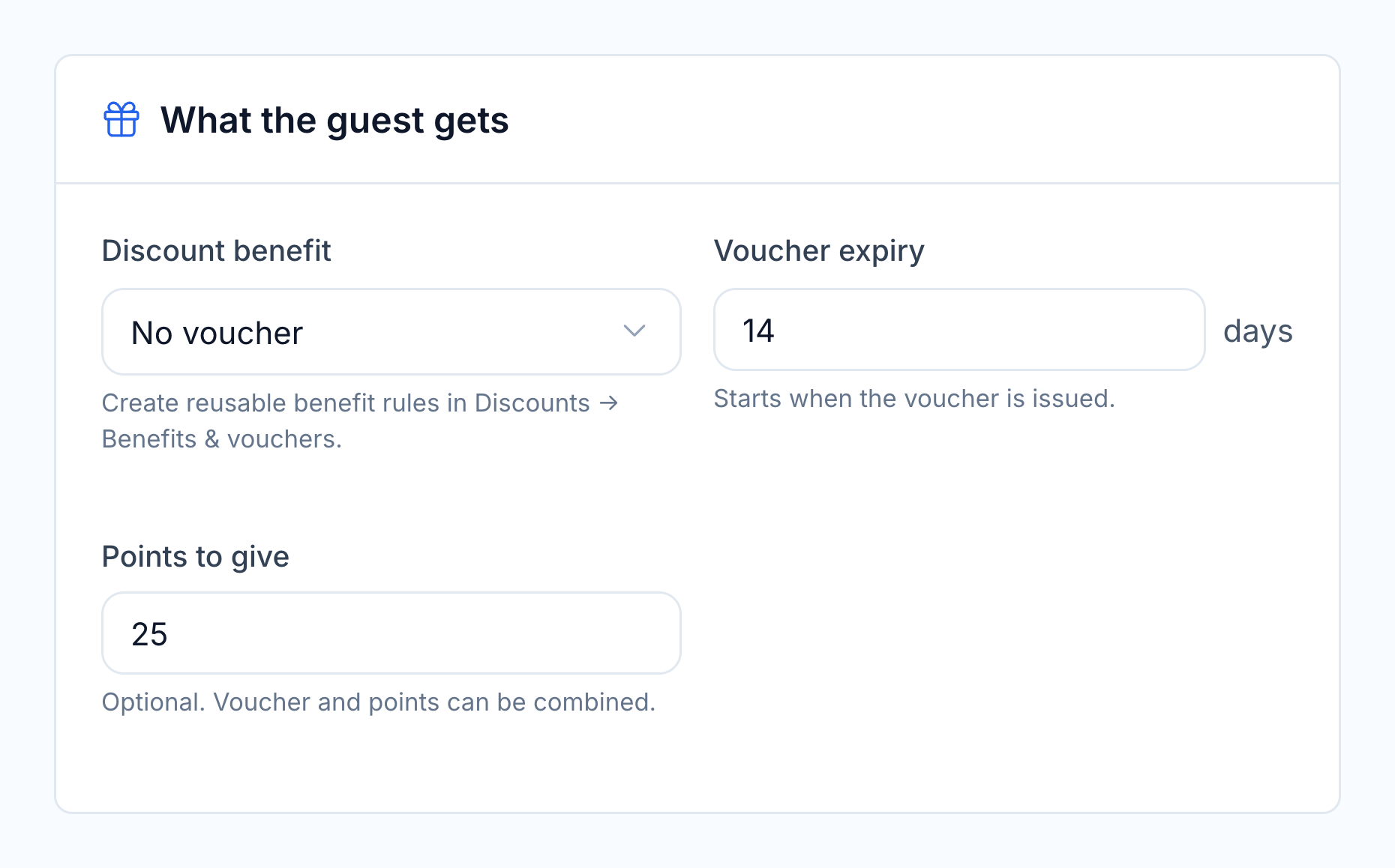
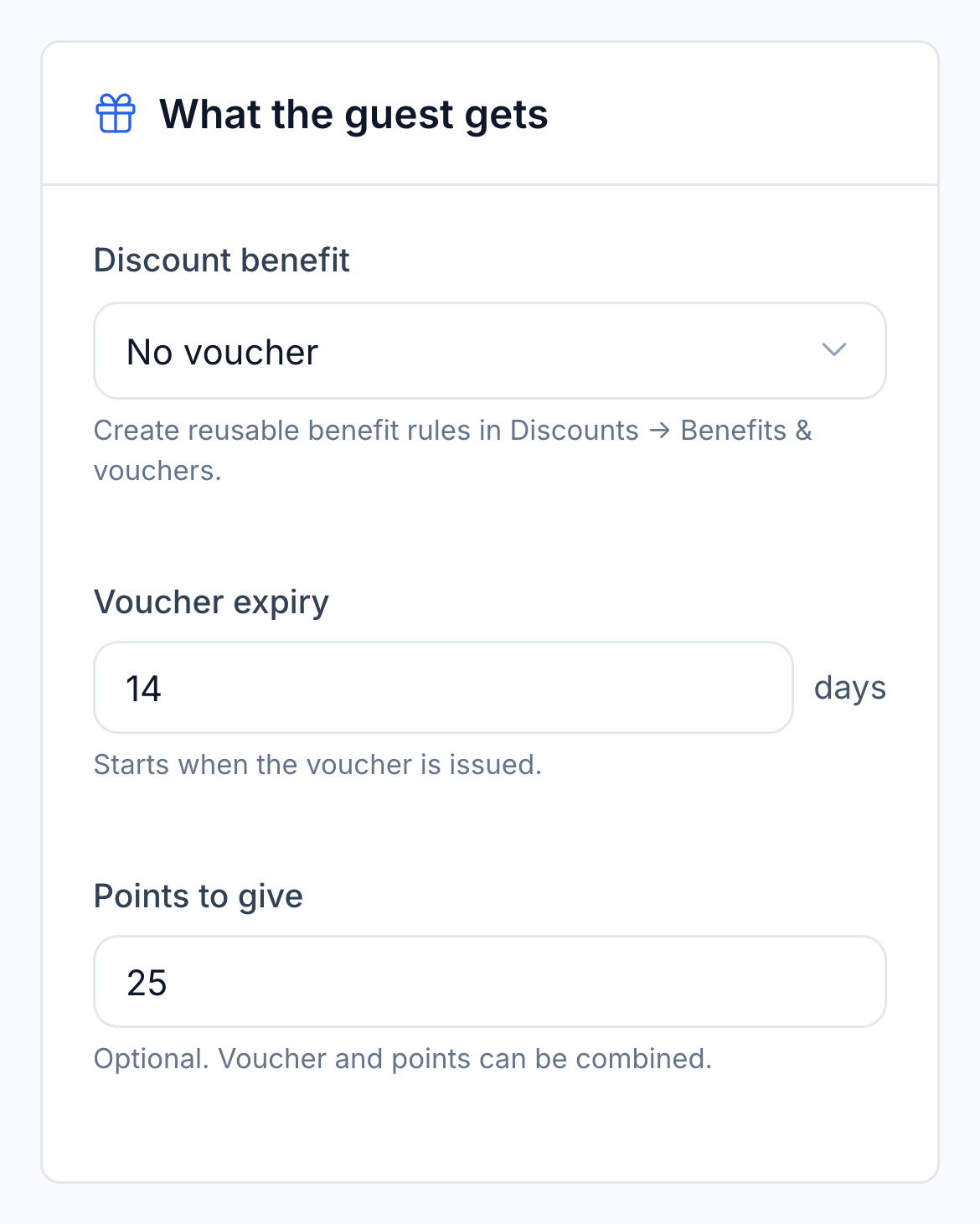
A scenario can give bonus points, issue a member-linked discount or offer a free item through your configured benefit rules. Combine a voucher with points when that fits the occasion, and choose how long the voucher remains valid.

Edit the message and sending delay. Use the channels connected to your programme: Wallet notifications, customer app push or an approved WhatsApp template. Night-time delivery waits until the programme’s quiet hours end.

  • Points, discounts and free-item benefits
  • A voucher linked to the qualifying member
  • Configurable benefit expiry
  • Message, timing and available channels
Native loyalty automation controls for a discount benefit, voucher expiry and bonus points

04 / EARNING & REDEMPTION

Cashback, spending limits and member discounts.

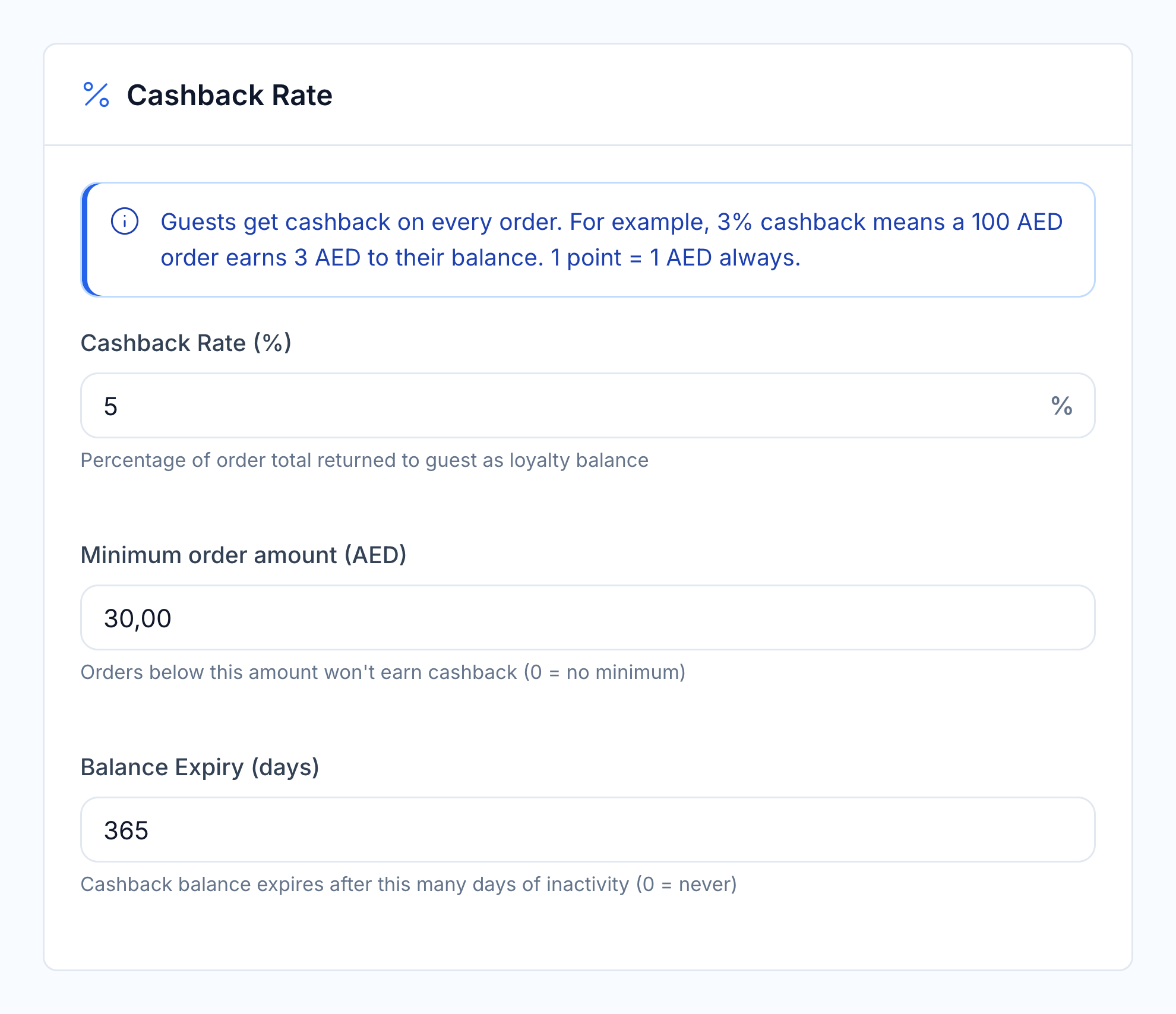
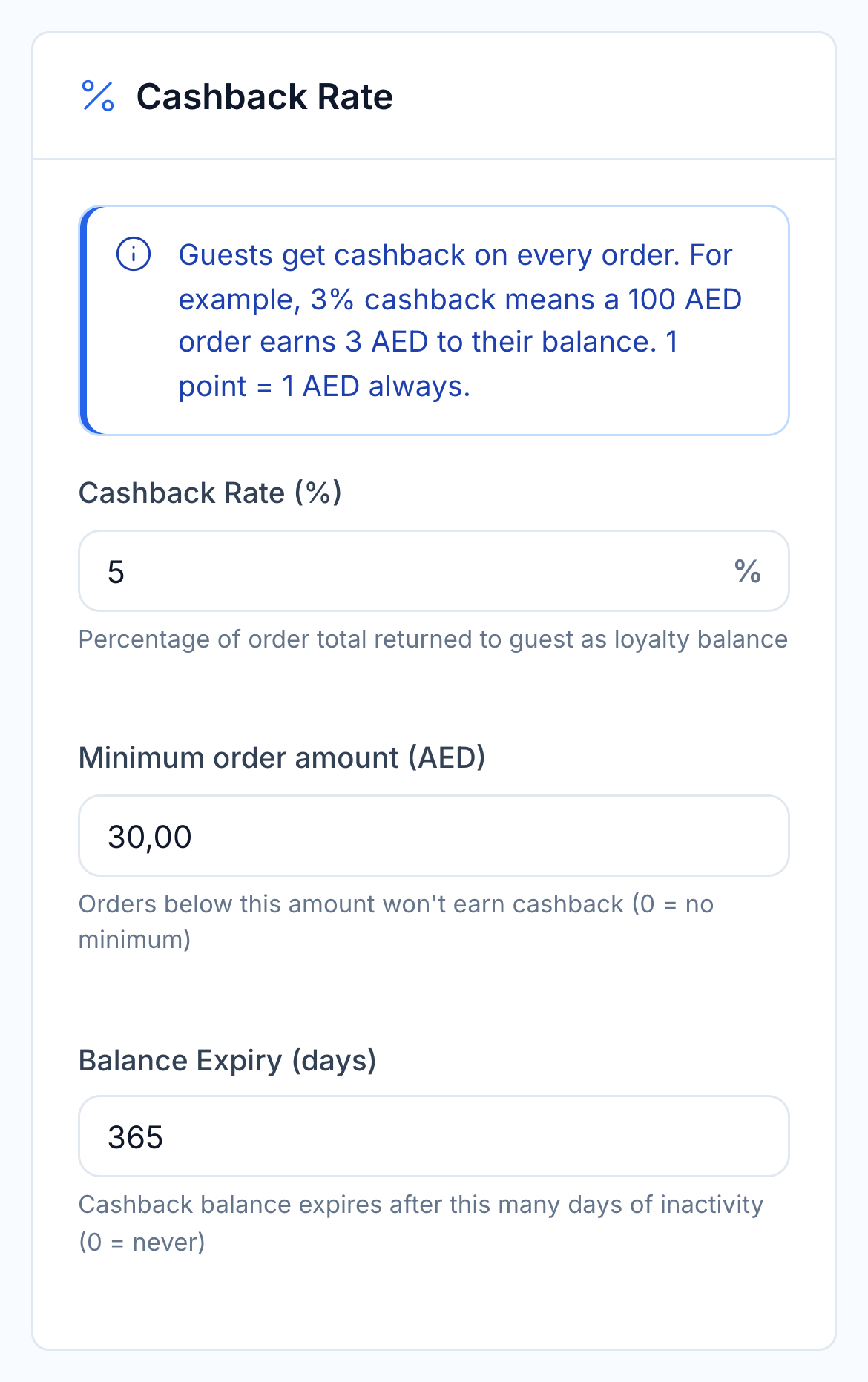
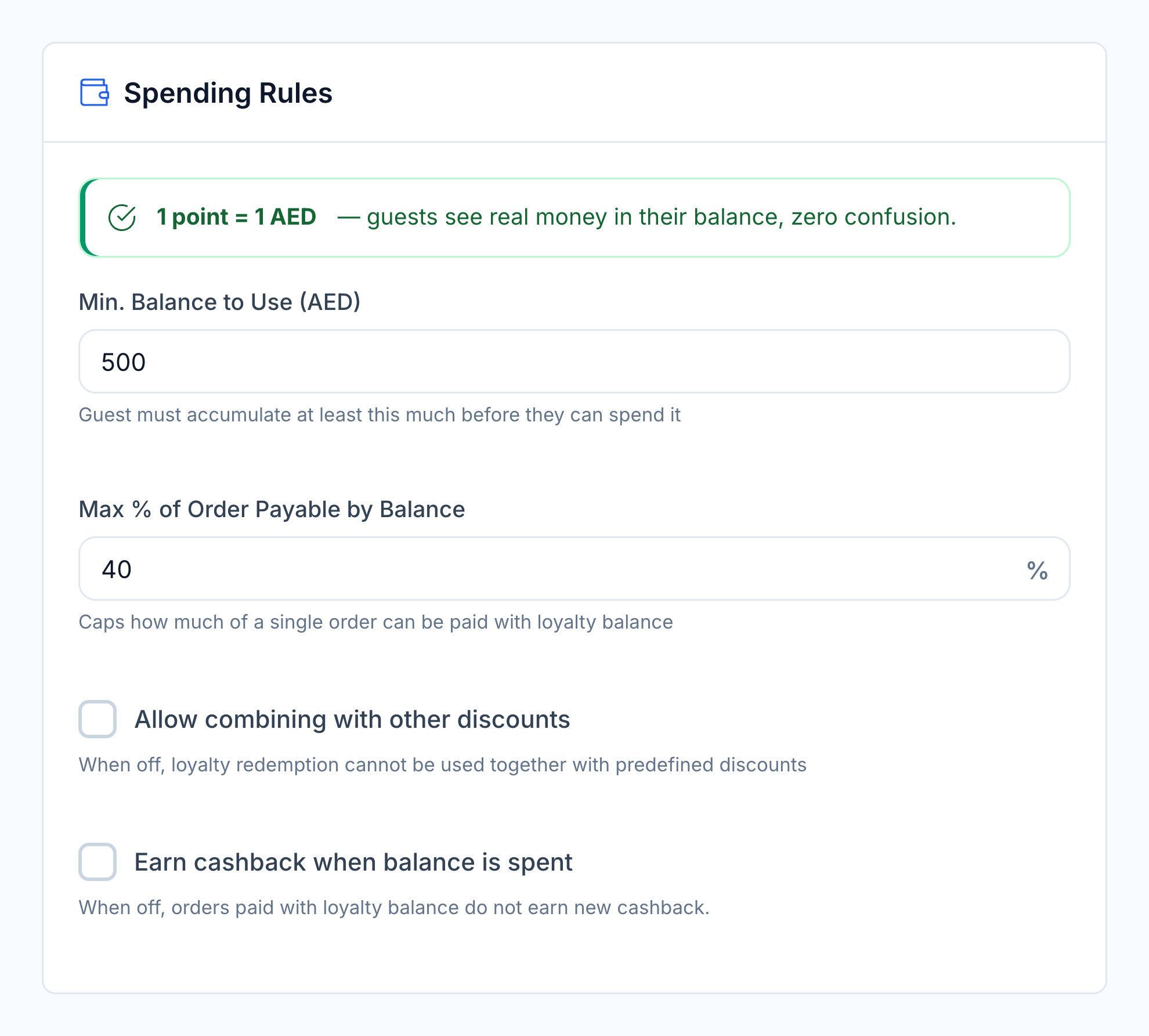
Choose the cashback rate, minimum eligible order and balance expiry. Decide how much of an order can be paid with loyalty balance, whether it combines with discounts and whether that purchase earns new cashback.

You can also offer a flat member discount and require an installed Wallet card. The team can explain the benefit before checkout, with the same rules applied to the member’s order.

  • Cashback rate and minimum order
  • Minimum balance and spending cap
  • Discount-combination rules
  • Cashback on balance-paid orders

Earning

HoreX cashback earning rate, minimum order and expiry settings

Spending

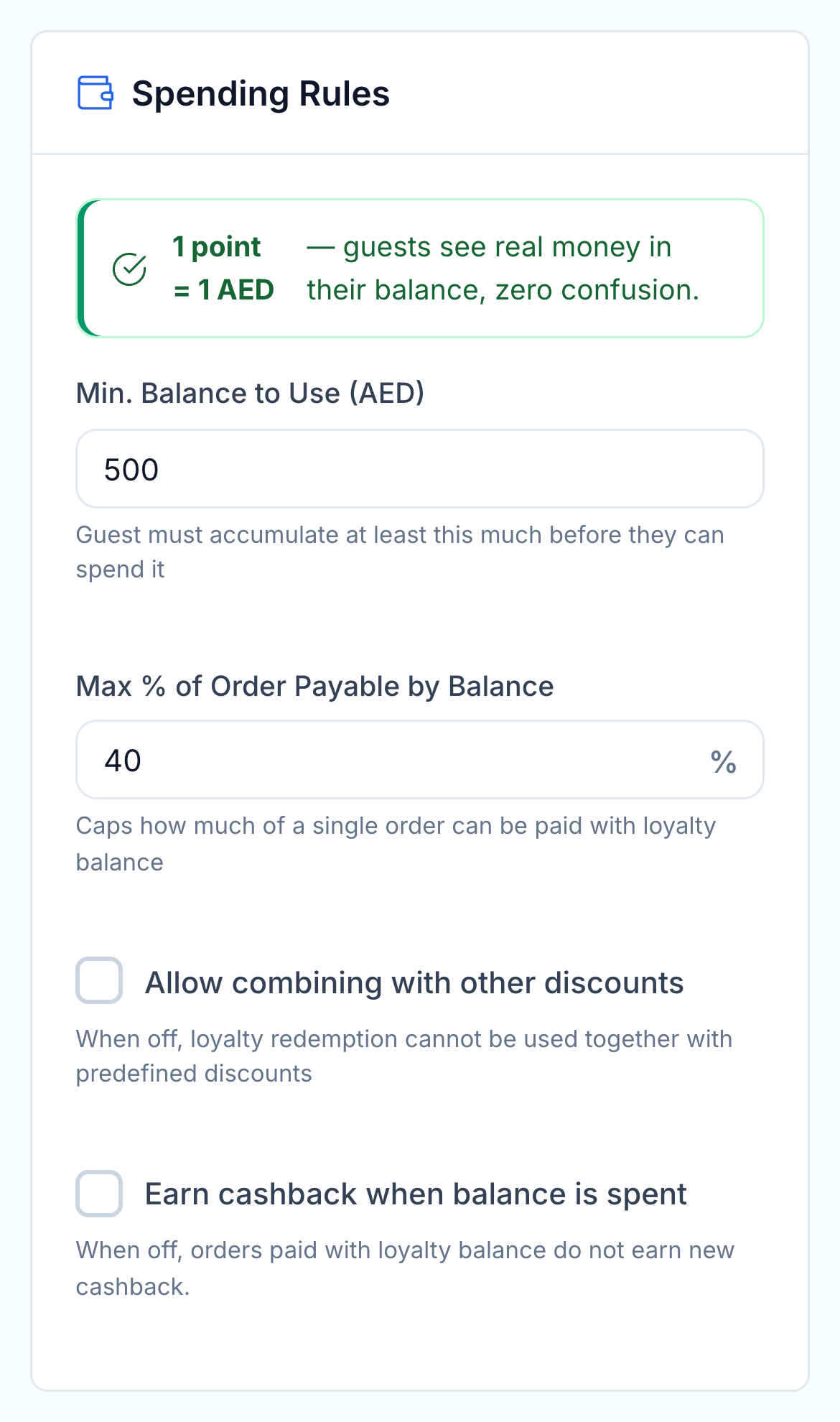
HoreX redemption limits, promotion combination and member discount settings

05 / MEMBERSHIP TIERS

Membership tiers based on spend or visits.

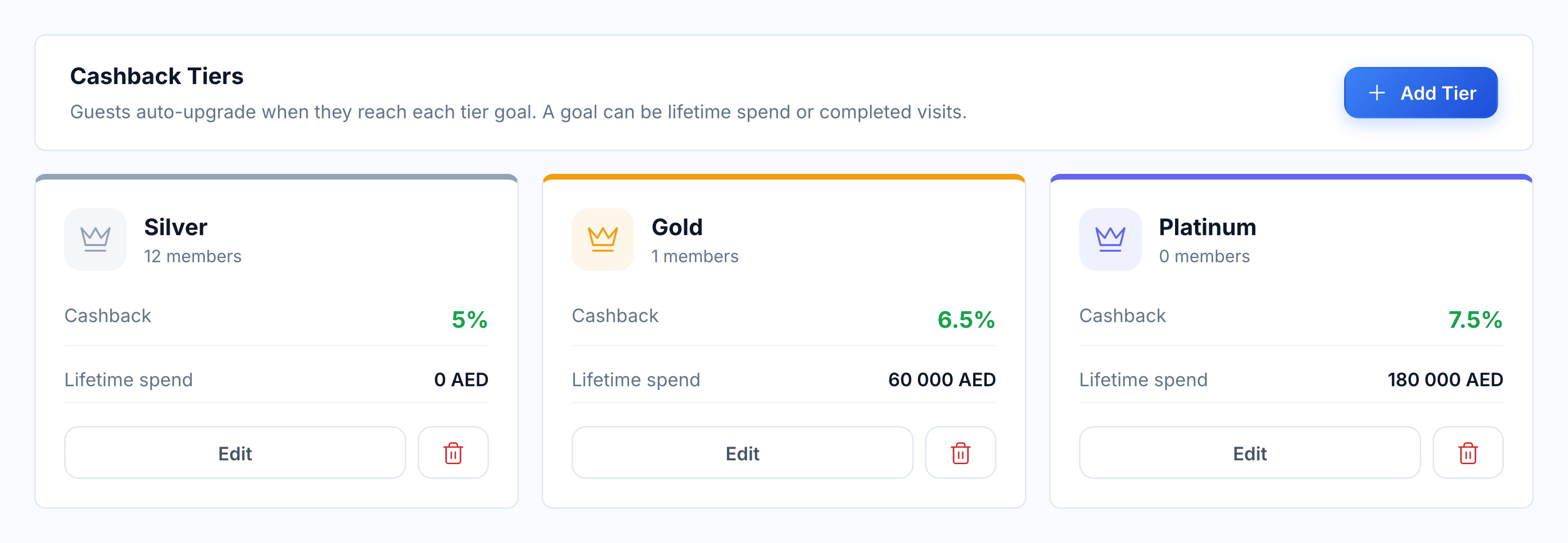
Create your own membership levels and choose a qualification goal: lifetime spend or completed visits. Set the cashback benefit for each tier, and HoreX upgrades members when their recorded activity reaches the goal.

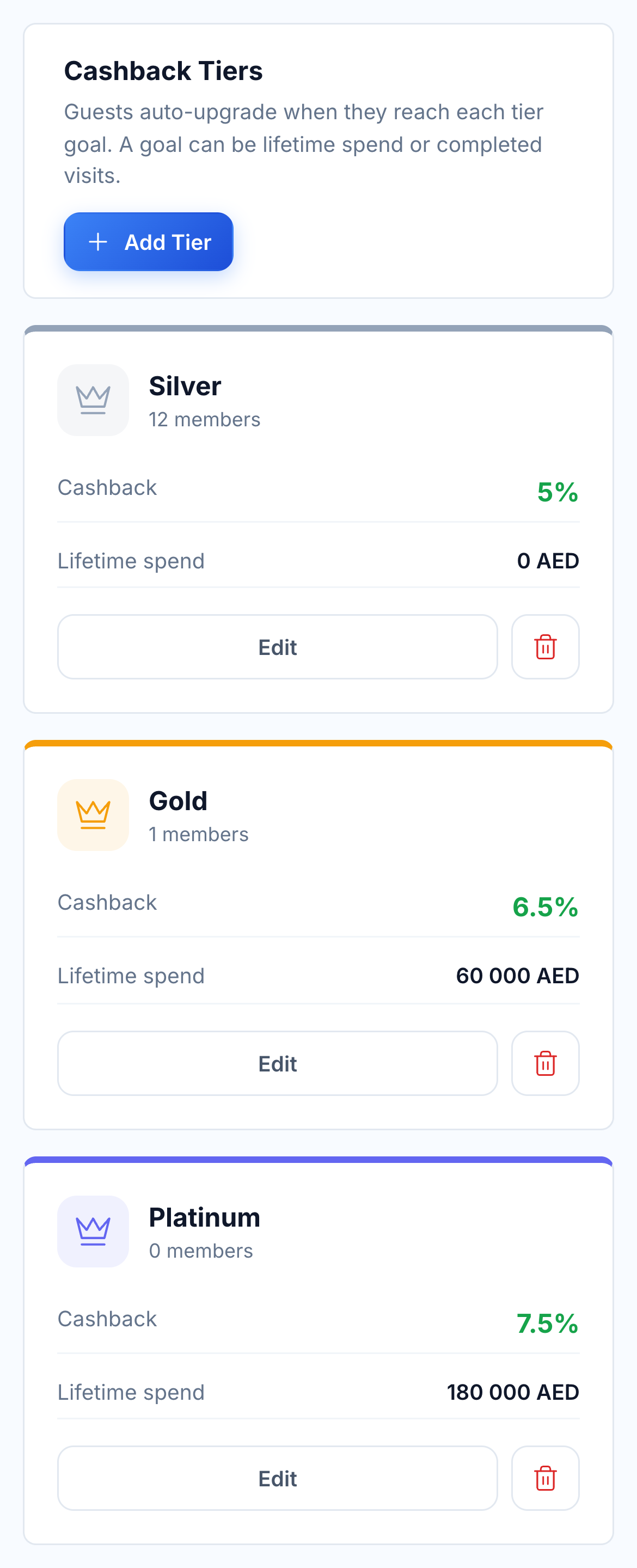
Native Silver, Gold and Platinum tier configuration with cashback and lifetime-spend thresholds

A guest close to the next tier can receive a configured reminder through the near-goal automation. Your floor team can see the member’s current level in the guest record.

  • Your tier names and benefits
  • Spend-based or visit-based goals
  • Automatic upgrades
  • Near-goal automation

06 / LOYALTY AT CHECKOUT

Put the member’s benefits in front of your team.

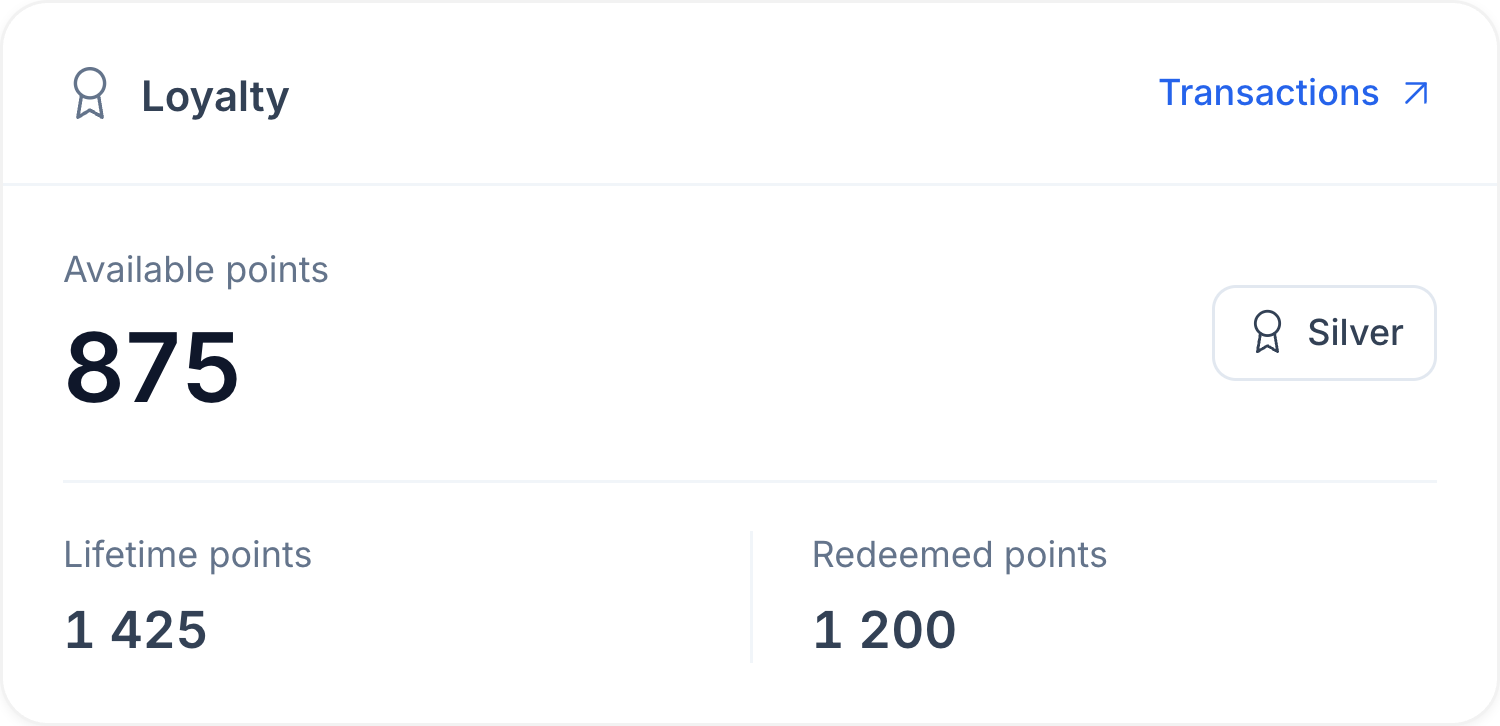
Identify the guest when they order and review their membership level, balance and eligible benefits. The cashier can apply the allowed balance or member offer as part of checkout.

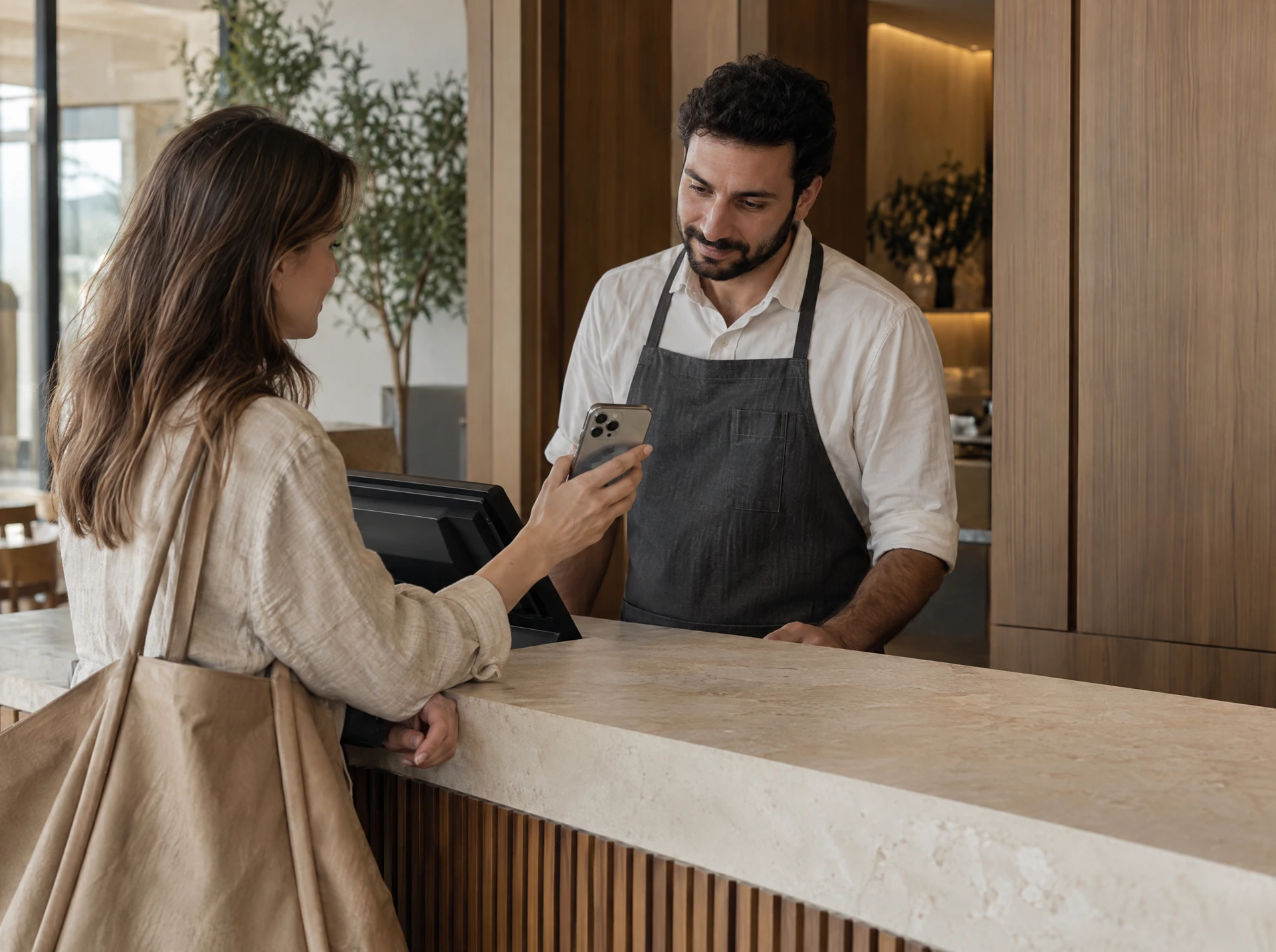
A guest presents her membership phone to a restaurant team member
Actual HoreX guest loyalty card: available points, membership level, lifetime and redeemed points
A guest presents her membership phone to a restaurant team member
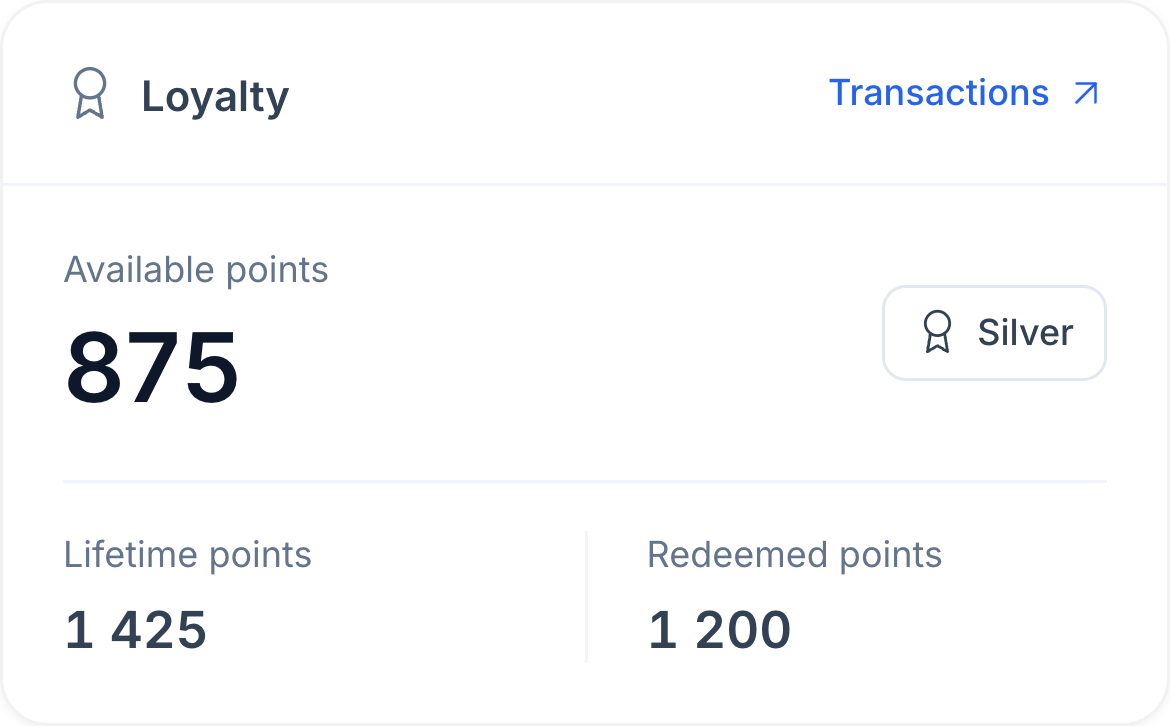
Actual HoreX guest loyalty card: available points, membership level, lifetime and redeemed points

Earning, redemption and authorised corrections remain in the loyalty record. When a guest asks about a balance, the team can open their transactions and review what changed.

  • Member identification in POS
  • Available balance and membership tier
  • Eligible offers at checkout
  • Recorded earning and redemption

07 / CONNECTED GUEST HISTORY

Loyalty and orders in one guest record.

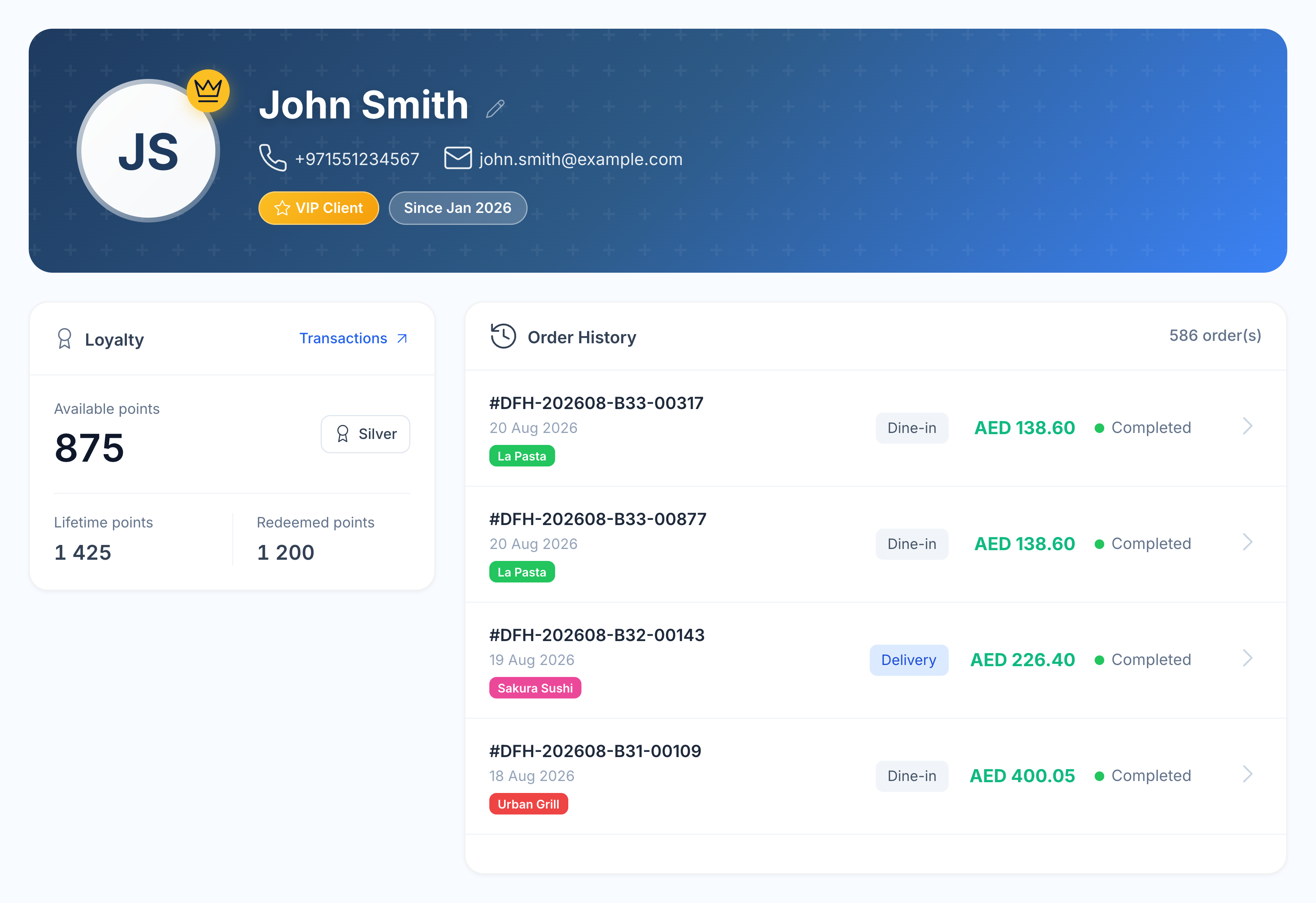
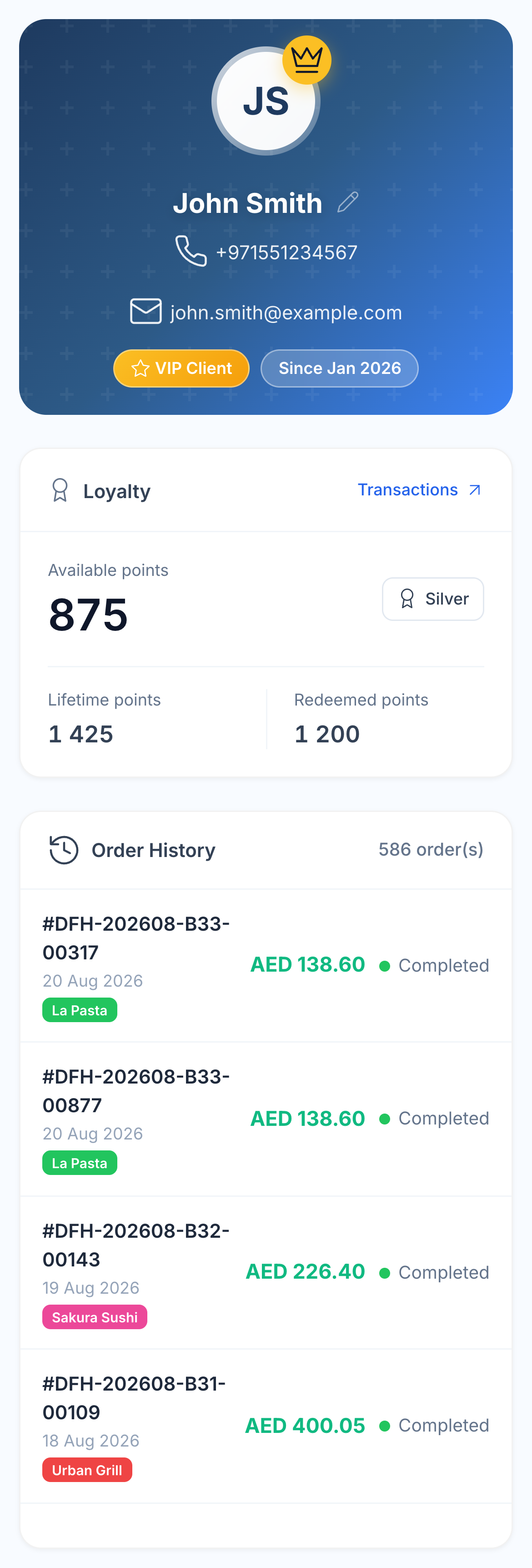
Keep the member’s loyalty record with their visits, online orders and purchase history. Open the guest profile to understand how they buy across your participating brands and branches.

HoreX guest profile showing membership and purchases across restaurant brands

Use that history to decide which behaviour to encourage next: a second visit, another purchase before a long absence, or the next membership level. Review recorded benefits and orders as you refine the programme.

  • One guest record across connected channels
  • Order history by brand and branch
  • Membership and balance history
  • A basis for relevant follow-up offers

More in Loyalty.

The rules, member tools and occasions that make up your programme.

Points on orders

Set how guests earn from their purchases.

See details

Choose an earning rate and minimum-order rules for the programme. Completed eligible purchases contribute points to the member’s balance. New rule changes apply to future orders.

  • Earning rate
  • Minimum order
  • Member balance
  • Balance expiry

Use points at checkout

Let members use an eligible balance against the bill.

See details

Configure the minimum balance and the maximum share of an order a guest can pay with loyalty. Staff can review the available balance and permitted redemption at checkout. In the AED programme, one point represents one AED.

  • Minimum balance
  • Redemption cap
  • Checkout balance

Membership tiers

Recognise guests as they return.

See details

Define your own tiers, cashback benefits and qualifying thresholds. Use lifetime spend or completed visits as the goal. HoreX evaluates recorded member activity and upgrades the member when the goal is reached.

  • Tier thresholds
  • Visit-based qualification
  • Automatic tier assignment
  • Lifetime-spend qualification
  • Cashback by tier

Apple & Google Wallet

Give guests a pass they can keep on their phone.

See details

Configure the restaurant’s Wallet card with its branding and membership details. Members can add the supported pass and return to their balance without installing a restaurant app.

  • Branded pass
  • Apple Wallet
  • Google Wallet

Member registration

Share one place to join the programme.

See details

Your loyalty link brings guests to registration and their membership information. Use it in the restaurant or your own customer communications.

  • Guest link
  • Member registration
  • Wallet access

Member balances

Keep earning and redemption in the same record.

See details

The membership balance changes as eligible points are earned and used. Staff can review the member record when a guest asks about a recent transaction.

  • Points balance
  • Earning history
  • Redemption history

Ten automation templates

Start from a guest scenario and tailor its benefit, timing and message.

See details

Choose a supported template rather than setting up every guest occasion from the beginning. Each template has a defined event; configure its benefit, message, delay and available channels before activation. Inactivity periods and near-goal thresholds can be adjusted.

  • Welcome a new loyalty member
  • Turn the first visit into a second
  • Bring guests back for visit 3
  • Celebrate visit 5
  • Thank a regular on visit 10
  • Celebrate a birthday
  • Close to a reward or tier
  • Gentle win-back reminder
  • Win back inactive guests
  • Reconnect long-inactive guests

Guest offers

Issue a benefit to the member who qualifies.

See details

Journeys can issue a guest voucher or points benefit according to their configuration. The offer stays attached to the member so the team can check eligibility when it is used.

Select a reusable discount benefit, including a configured free-item benefit, and choose its validity period. A voucher and bonus points can be combined in the same automation.

  • Member-linked offers
  • Journey triggers
  • Benefit rules

Welcome benefits

Give the first visit its own follow-up.

See details

Configure a joining or first-order journey when you want to welcome new members. Decide the benefit and message before activating the journey.

  • Joining trigger
  • First-order trigger
  • Configured benefit

Birthday benefits

Plan a birthday offer ahead of the occasion.

See details

Use the member’s recorded birthday in a configured journey. Keep the benefit, message and redemption conditions clear to the guest.

  • Recorded birthday
  • Birthday journey
  • Offer conditions

Member referrals

Reward a guest for bringing someone new.

See details

Configure a referral bonus for an existing member who brings a friend into the programme. The new member can receive the programme’s separately configured signup bonus.

  • Referring member
  • New guest bonus
  • Programme rules

Connected branches

Use the programme across participating restaurants.

See details

Membership works with the organisation’s configured loyalty programme and participating branches. Review brand or branch-specific rules so staff can explain where a benefit applies.

  • Shared membership
  • Participating branches
  • Programme scope

Balance adjustments

Correct a balance with a recorded reason.

See details

Permitted staff can adjust points when a correction is needed. The transaction record makes the change available for a later review.

  • Authorised adjustments
  • Transaction history
  • Member record

Programme rules

Set clear limits for earning and spending points.

See details

Configure minimum-order and redemption rules, including whether points can be combined with promotions. Agree on the rules before training staff or announcing the programme.

  • Minimum order
  • Redemption limit
  • Promotion combination
  • Balance expiry
  • Flat member discount
  • Cashback when loyalty balance is used

Wallet reminders

Make the membership card easier to find near a branch.

See details

The supported Wallet pass can include relevant branch locations. The phone decides whether and when to surface the card, subject to the guest’s settings.

  • Branch locations
  • Wallet pass relevance
  • Device-controlled reminders

Programme activity

Review the membership and its recorded use.

See details

See members, point balances and redemption activity in the loyalty workspace. Use the underlying records when checking a benefit or balance question.

  • Member list
  • Points issued and used
  • Programme overview

Win-back offers

Follow up after a configurable period without an order.

See details

Start with an early, regular or long-lapsed win-back template. Set the inactivity threshold, reward and message. The scenario runs once for the current inactive period.

  • Adjustable inactivity threshold
  • Three win-back templates
  • Member-linked incentive

Near-goal reminders

Encourage the next purchase as a member approaches a level.

See details

The near-goal template checks the member’s progress after a completed order. Configure the remaining-points threshold and a message or benefit appropriate to the next milestone.

  • Recorded member progress
  • Configurable remaining-points threshold
  • Message or optional benefit

Automation delivery

Choose the connected channels and timing for your guest message.

See details

Set the sending delay and available channels for the programme: Wallet, customer app push and approved WhatsApp templates. Delivery follows the programme’s channel order and quiet hours.

  • Wallet notifications
  • Connected customer app push
  • Approved WhatsApp templates
  • Sending delay and quiet hours

Wallet card branding

Make the loyalty card part of your restaurant’s identity.

See details

Choose the displayed brand name, logo, card image, background, text and label colours. Configure the balance-update message and participating branch locations.

  • Brand name and logo
  • Card image and colours
  • Balance-update message
  • Branch relevance

Questions about Loyalty

How does the loyalty program work?

Guests enrol in your programme and identify themselves when ordering. Eligible purchases earn points under your rules; members can redeem an allowed balance at checkout.

Do guests need an app?

No separate restaurant app is required for membership. Guests can use the loyalty link and add the supported pass to Apple Wallet or Google Wallet.

Can I set up tiers?

Yes. Create tiers with your own names, cashback benefits and qualification thresholds based on lifetime spend or completed visits. Members upgrade as their recorded activity reaches the goal.

Does it work across branches?

It can work across participating branches in the organisation. Programme scope and any brand or branch rules should be reviewed during setup.

Can I run bonus campaigns?

Yes. There are ten ready-made templates for new members, repeat orders, visit milestones, birthdays, near-goal reminders and win-back offers. Tailor the benefit, message, sending delay and available channels for each scenario.

Can guests see their loyalty balance?

Guests can see membership information through the loyalty link and supported Wallet pass. Staff can also look up the member balance in HoreX.

Which earning and redemption rules can I set?

Earning and redemption settings include minimum-order rules, redemption limits and promotion-combination rules. Review the rules needed for your menu during setup.

Is the programme limited to cashback?

No. Alongside cashback and redemption rules, you can configure membership tiers, a flat member discount, guest-linked vouchers, free-item benefits and automated follow-up scenarios. Choose the combination that fits your restaurant.

What can I customise in an automation?

You can configure bonus points, a discount benefit, voucher expiry, the message, sending delay and available channels. Inactivity periods and near-goal thresholds are adjustable. Templates provide the supported event types and order milestones.

How do guests receive automated offers?

Use the channels connected to your programme: Apple and Google Wallet notifications, customer app push or approved WhatsApp templates. HoreX follows the selected delivery order and quiet hours; guests need the relevant card, app or messaging eligibility.

Can I offer a free item instead of bonus points?

Yes. A journey can use a configured free-item benefit from Discounts. The issued voucher is linked to the qualifying member and follows its validity and redemption rules. You can combine it with bonus points.

Build the loyalty programme you want to offer.

See your earning rules, membership tiers and guest scenarios working together in HoreX.