
Meal plan software
for subscription kitchens.

Manage each customer’s plan, prepare the right meals for the day and keep track of packing and delivery. Menus, nutrition, stock and payments stay connected.

01 / The subscription

Customer plans

Paid days, delivery schedules and the meals each customer receives.

02 / The food

Daily menus

Plan the day’s dishes with portions, nutrition and recipe costs.

03 / The daily work

Kitchen & delivery

Prepare quantities, pack individual orders and hand them to a courier.

01 / Customer plans

A schedule for every customer.

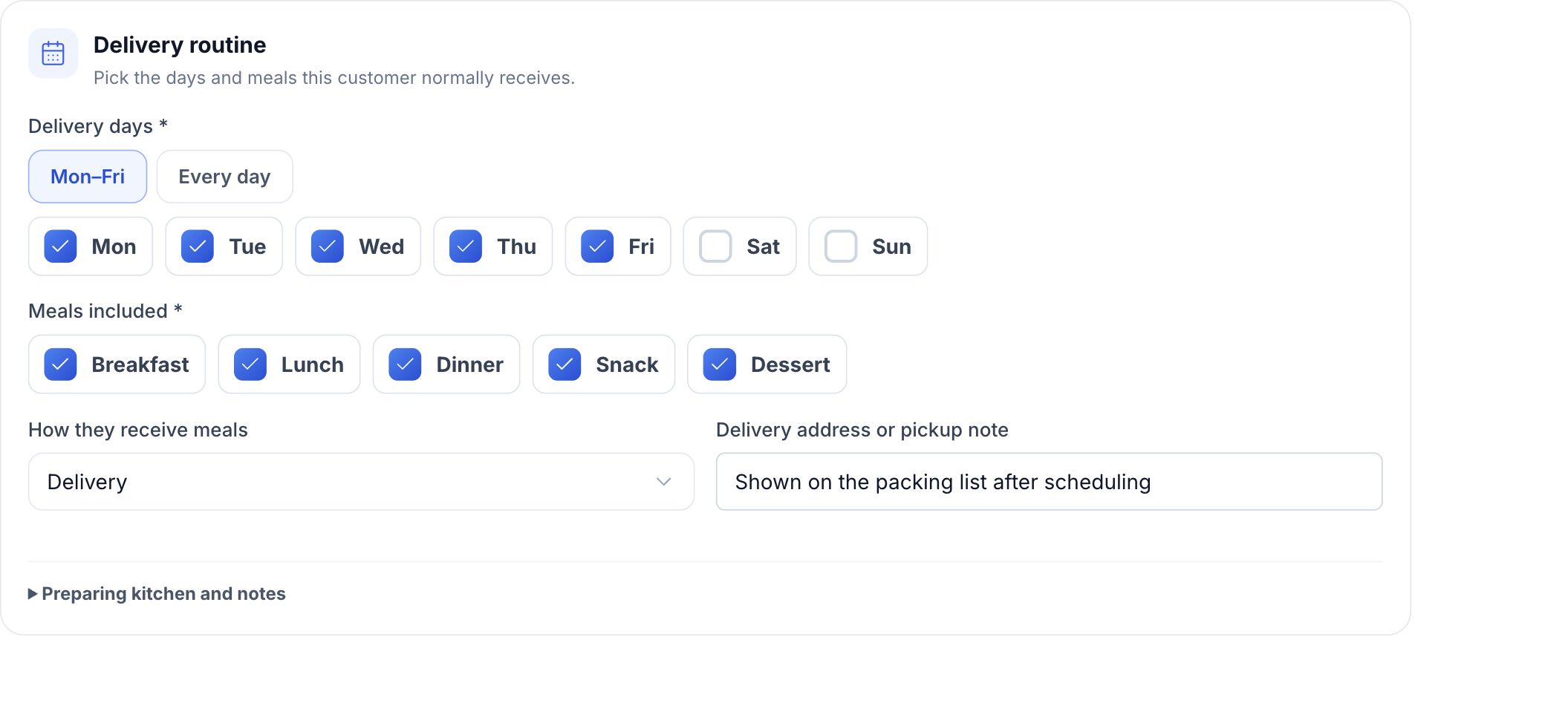
One customer receives lunch on weekdays. Another needs breakfast and dinner every day. Set their start date, delivery days and included meals, then record the package they have paid for.

HoreX Meal Plans delivery routine with weekday selection, included meals and delivery details
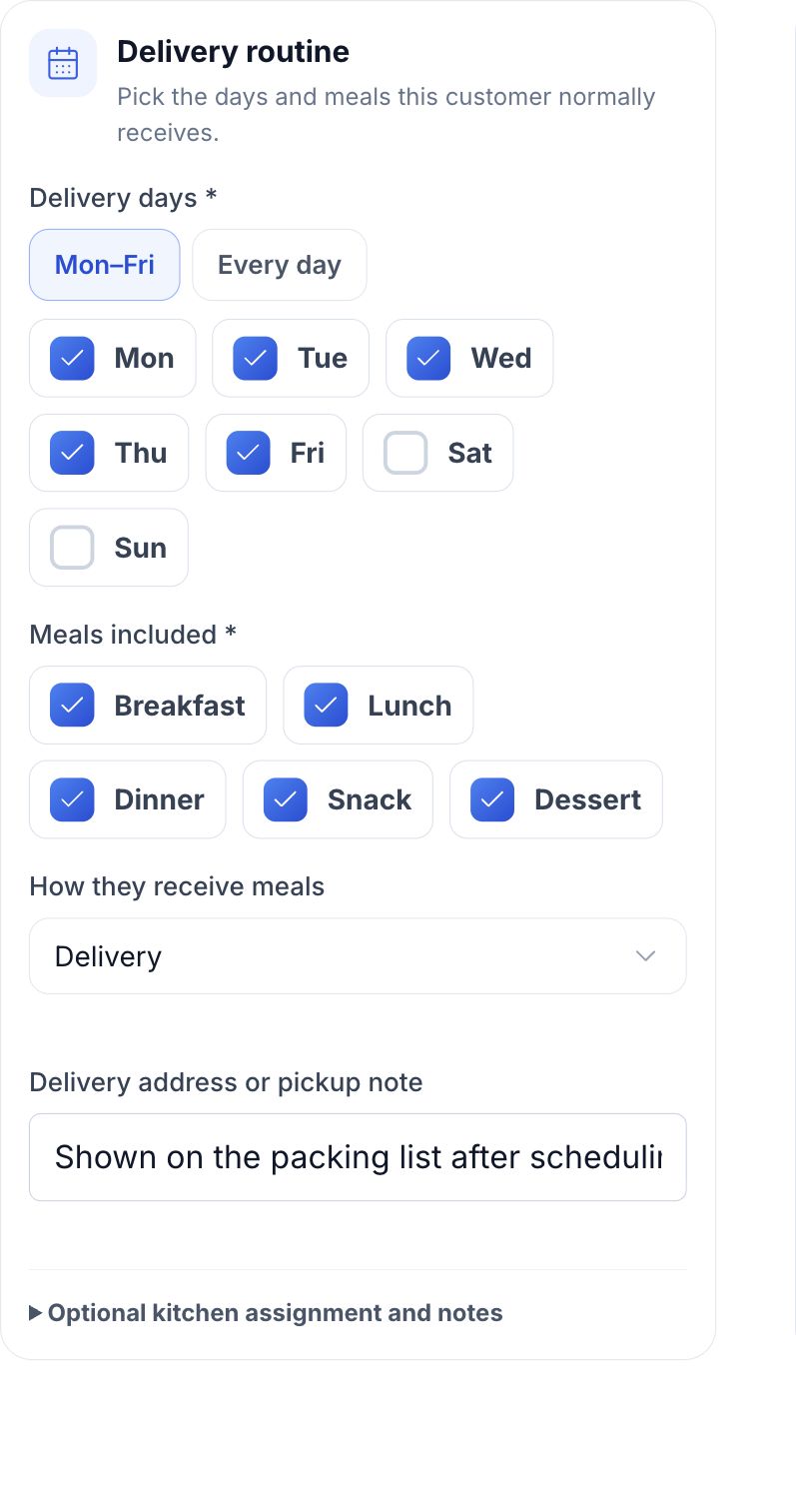
HoreX Meal Plans weekday and included meal selections on mobile

The upcoming delivery calendar follows that routine. Keep pickup or delivery details with the customer, record skips for specific dates and pause a plan when needed. Paid service days remain visible, so the team can see when a customer needs to renew.

  • Paid service-day balance
  • Weekdays and included meals
  • Dated skips and paused plans
  • Pickup or delivery details

02 / Daily menus & nutrition

Build the menu
from your recipes.

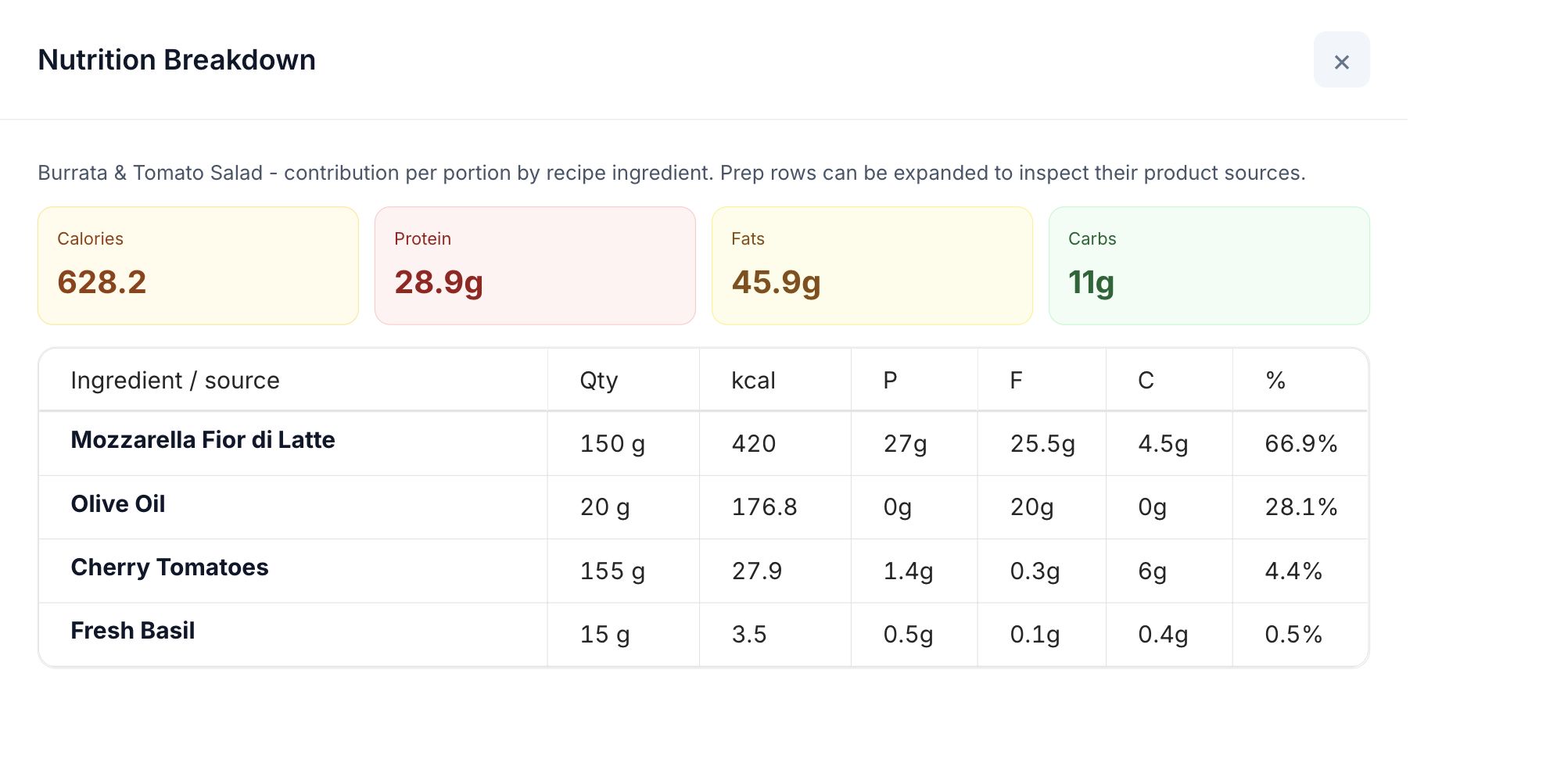
Choose the recipes for breakfast, lunch, dinner and snacks, then set portions for the daily menu. Review calories, protein, fat, carbohydrates and food cost using the same ingredient data your kitchen works with.

HoreX recipe nutrition breakdown showing calories and macros contributed by each ingredient

Reuse a daily menu or schedule a rotation across a period. Each customer’s order includes the meals covered by their plan. Recorded allergens are checked before confirmation; food preferences and dislikes stay available for your team to review.

  • Reusable daily menus
  • Nutrition per dish and daily menu
  • Recipe costs and portions
  • Allergen checks before confirmation

03 / Kitchen planning

Turn the day’s plans into kitchen quantities.

The kitchen needs totals by dish. The packing team needs an order for each customer. HoreX keeps both views connected.

  1. Review who is eating

    Choose a date and menu. Check eligible customers, their included meals, skips and any allergen conflicts before confirming.

  2. Prepare the day’s quantities

    Use the Day Sheet for dish totals and ingredient demand. The printable Shift Plan separates finished dishes, prep work and release times.

  3. Send orders to the kitchen

    Release confirmed orders to KDS when work should start. The All Day view groups dish quantities, while each customer keeps an individual order.

04 / Packing & delivery

Pack by customer.
Send to the right address.

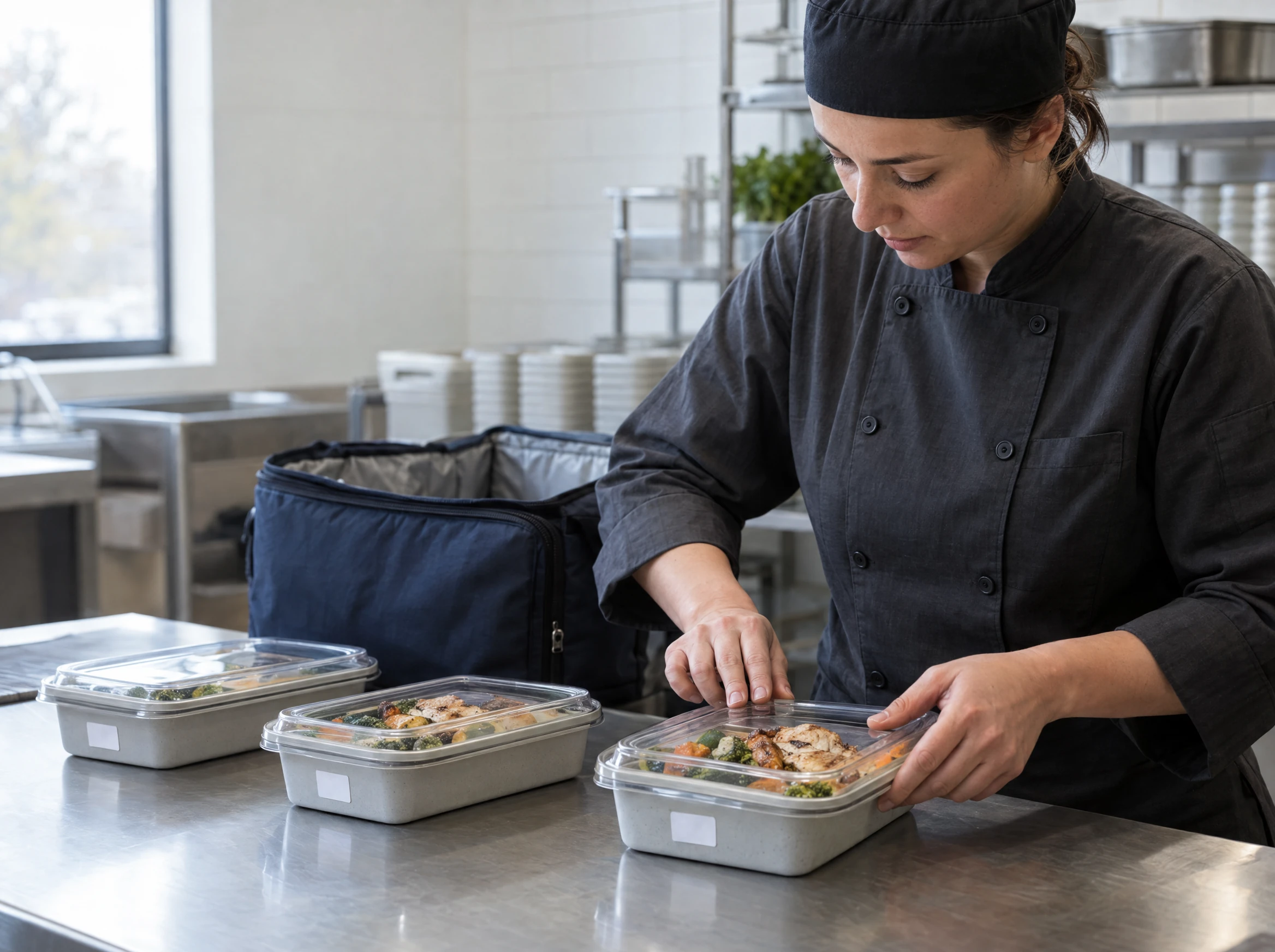
Keep each customer’s meals together as orders move from the kitchen to packing. Print labels with the meal, date, nutrition and allergens, plus weight and storage details from the recipe.

Pickup orders stay separate from courier deliveries. Delivery orders continue into dispatch with the address recorded for that day, so the team can follow them through to completion.

  • An individual order per customer
  • Meal and nutrition labels
  • Recipe storage and shelf-life details
  • Pickup and courier workflows
Kitchen worker sealing a customer’s meal containers beside an insulated delivery bag

05 / Payments, stock & costs

Follow the package payment
through to each meal.

Record the customer’s package payment and track how many service days remain. Each completed meal order carries its share of the package revenue and its recipe cost.

Planning tomorrow’s menu does not deduct ingredients. Stock and food cost are posted as customer orders are completed, keeping kitchen planning separate from what has actually been served. Review the results in the same inventory and finance records used by the rest of your business.

  • Package payments and paid days
  • Revenue allocated to meal orders
  • Recipe-based stock deductions
  • Costs linked to completed orders

Meal Plans in detail

The tools behind the daily routine.

Open a feature to see how it works for your team.

Customer enrolment

Set up the customer’s package, dates and delivery routine.

See details

Use an existing customer profile, set the first delivery date and select the weekdays and meal slots included in the plan. Choose the preparing kitchen and record pickup or delivery details.

  • Existing guest profile
  • Start date and weekdays
  • Included meals
  • Preparing kitchen and delivery address

Paid days & renewals

See how many service days the customer has left.

See details

Record the number of paid days and the amount received. HoreX calculates the price per service day and shows the upcoming schedule. Your team can track the remaining balance and arrange the next package with the customer.

  • Paid-day balance
  • Package amount and payment method
  • Calculated daily price
  • Upcoming delivery calendar

Skips & pauses

Record the dates when a customer will not need meals.

See details

Add a skip or hold for a specific date, or pause the customer’s plan. These changes are taken into account when preparing future schedules. Cancelling a confirmed order before kitchen work restores its service day; later changes follow the order’s cancellation or refund process.

Daily menu rotation

Reuse menus and schedule them across a period.

See details

Build a Daily Menu from finished recipes, assigning each dish to a meal slot and portion quantity. Schedule one date or rotate menus across a period. Customers receive the slots included in their own plan.

  • Reusable recipe selection
  • Meal slots and portions
  • Single-day scheduling
  • Menu rotation across dates

Nutrition & allergens

Review the recipe data behind the day’s meals.

See details

Daily Menus use the calories, protein, fat, carbohydrates and allergens recorded in their recipes and ingredients. Compare the menu with the customer’s recorded allergens before confirming. An allergen conflict prevents confirmation until it is resolved; free-text dislikes and preferences require a team review.

Day Sheet & Shift Plan

Give the kitchen dish totals, prep work and ingredient demand.

See details

The Day Sheet consolidates finished-dish quantities and the ingredients needed for the date, with draft and confirmed work identified separately. Print the Shift Plan for finished outputs, prep tasks, ingredient requirements and release times.

Kitchen release & KDS

Start preparation at the right time and follow order status.

See details

Confirmation creates individual prepaid customer orders. Send them to the kitchen when preparation should start. The KDS All Day view groups quantities by dish, while individual orders remain available for packing. Separate breakfast and lunch releases can serve the same customer without duplicating their meal slots.

Packing & meal labels

Keep meals identifiable through packing and handover.

See details

Pack against each customer’s order. Labels can include meal slot, service date, nutrition, allergens, weight, shelf life and storage information. Label content comes from the recipe data saved with the confirmed order, so later menu edits do not silently change it.

Delivery & pickup

Continue into the same order and courier workflow.

See details

The customer’s fulfillment choice and address are recorded with the day’s order. Keep pickup orders separate and pass delivery orders into the existing courier dispatch workflow. Follow delivery progress without creating a second order.

Recipe cost & stock

Connect completed meals to the ingredients they use.

See details

Review the cost of the recipes before scheduling. Confirming a plan does not consume stock. Completed meal orders post the ingredient deductions and food cost through HoreX inventory, with linked records for review.

Package revenue

Track upfront payment separately from meals served.

See details

The customer pays for a package in advance. Each fulfilled meal day uses its allocated value, with food cost attached to the completed order. This keeps the package payment and the revenue from fulfilled orders from being counted twice.

Changes after confirmation

Keep the agreed menu and delivery details with the order.

See details

Confirmation preserves the customer’s menu, quantities, price, nutrition and address for that service. Later edits to a recipe or customer profile do not rewrite the confirmed order. Handle cancellations and corrections through the order workflow so the team can trace what changed.

Meal plan questions.

Who is HoreX Meal Plans for?

It is for businesses that prepare and deliver meals on a recurring schedule: subscription kitchens, meal prep companies and food businesses offering prepaid daily menus. It connects customer plans to recipes, kitchen quantities, packing, delivery and financial records.

Can customers have different days and meals in the same menu plan?

Yes. Each customer can have their own start date, delivery weekdays and included meal slots. One customer might receive weekday lunches while another receives breakfast and dinner every day. Scheduling uses those settings to prepare each customer’s order.

How do skips, pauses and paid days work?

Your team records the customer’s paid package, delivery routine and any dated skips or holds. The schedule takes these into account, and the remaining paid days stay visible. A plan can also be paused. Cancellation before kitchen work restores the service day; later corrections use the order cancellation or refund workflow.

Does the menu include nutrition and allergen information?

Yes. Daily Menus use the nutrition and allergens recorded in recipes and their ingredients. You can review calories, protein, fat and carbohydrates. Recorded customer allergens are checked before confirming a schedule; food preferences and free-text dislikes still need your team’s review.

Can the kitchen cook in batches while packing individual orders?

Yes. The Day Sheet and KDS All Day view consolidate quantities by dish. Each customer still has an individual order for packing, labels and delivery. Orders can be released to the kitchen in separate waves, such as breakfast and lunch.

When are ingredients deducted from stock?

Planning a menu or confirming a schedule does not deduct ingredients. Completed customer orders post the stock deductions and recipe costs. This keeps planned demand separate from the stock actually used for fulfilled orders.

How is this different from catering software?

Meal Plans focuses on recurring customer packages, paid service days and daily delivery routines. Catering focuses on events, quotations and event-specific production. Both can use the same recipes, stock and financial records in HoreX.

See your meal plan workflow in HoreX.

Walk through customer packages, daily menus, kitchen preparation and delivery with our team.