
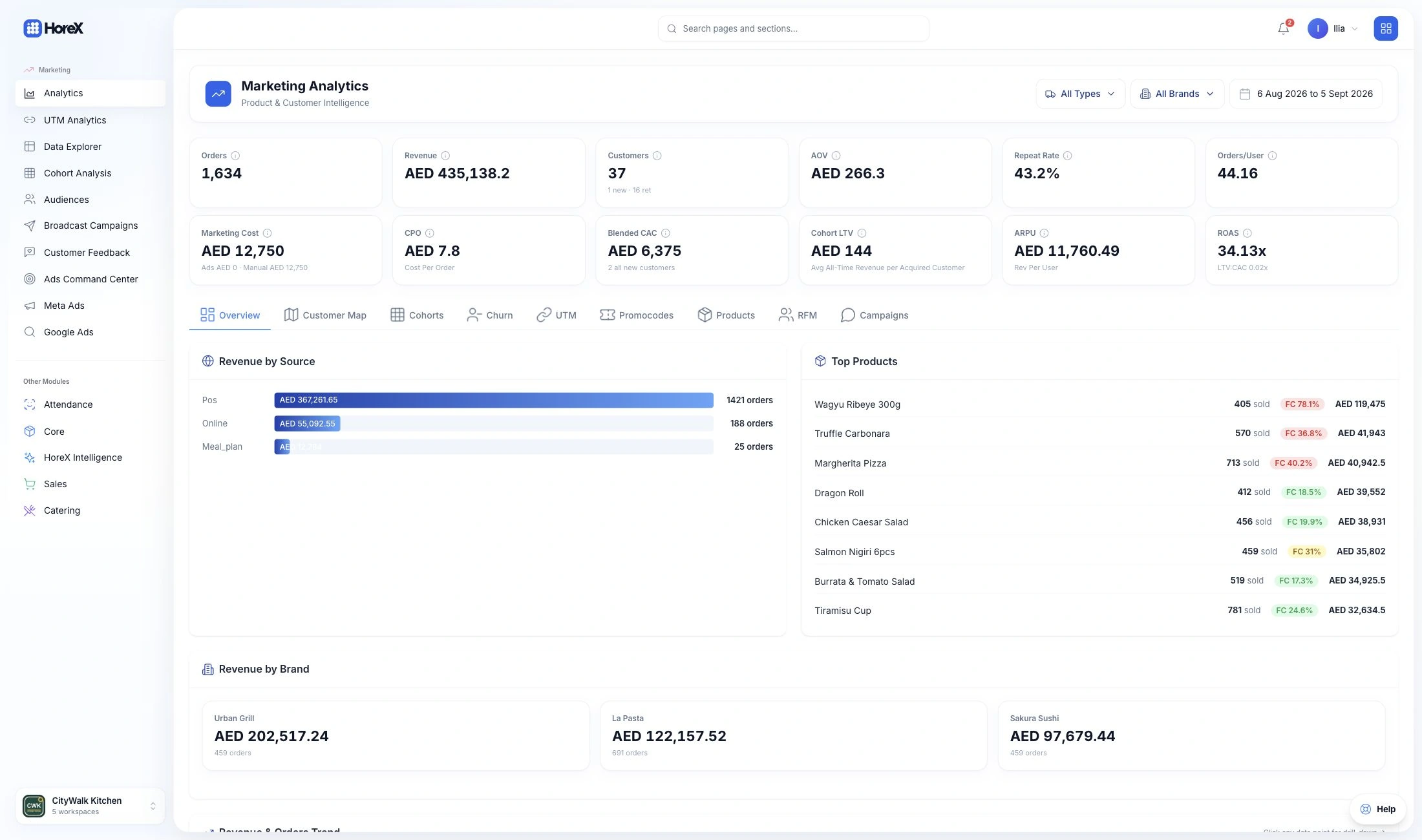




Guest CRM for restaurants.

Bring restaurant visits, online orders, reservations and guest preferences together. Know what each guest has ordered, where they visited and which benefits they used, so your team can make the next interaction more personal.

01 / KNOW YOUR GUESTS

Guest records

Visits, reservations, preferences and loyalty in a shared guest record.

02 / PICK UP THE CONVERSATION

Order history

Dishes, payments and discounts, with the brand and branch behind each order.

03 / FOLLOW UP

Guest audiences

Turn purchase history and visit patterns into relevant follow-up audiences.

Explore all features

01 / GUEST PROFILES

The guest behind every visit and order.

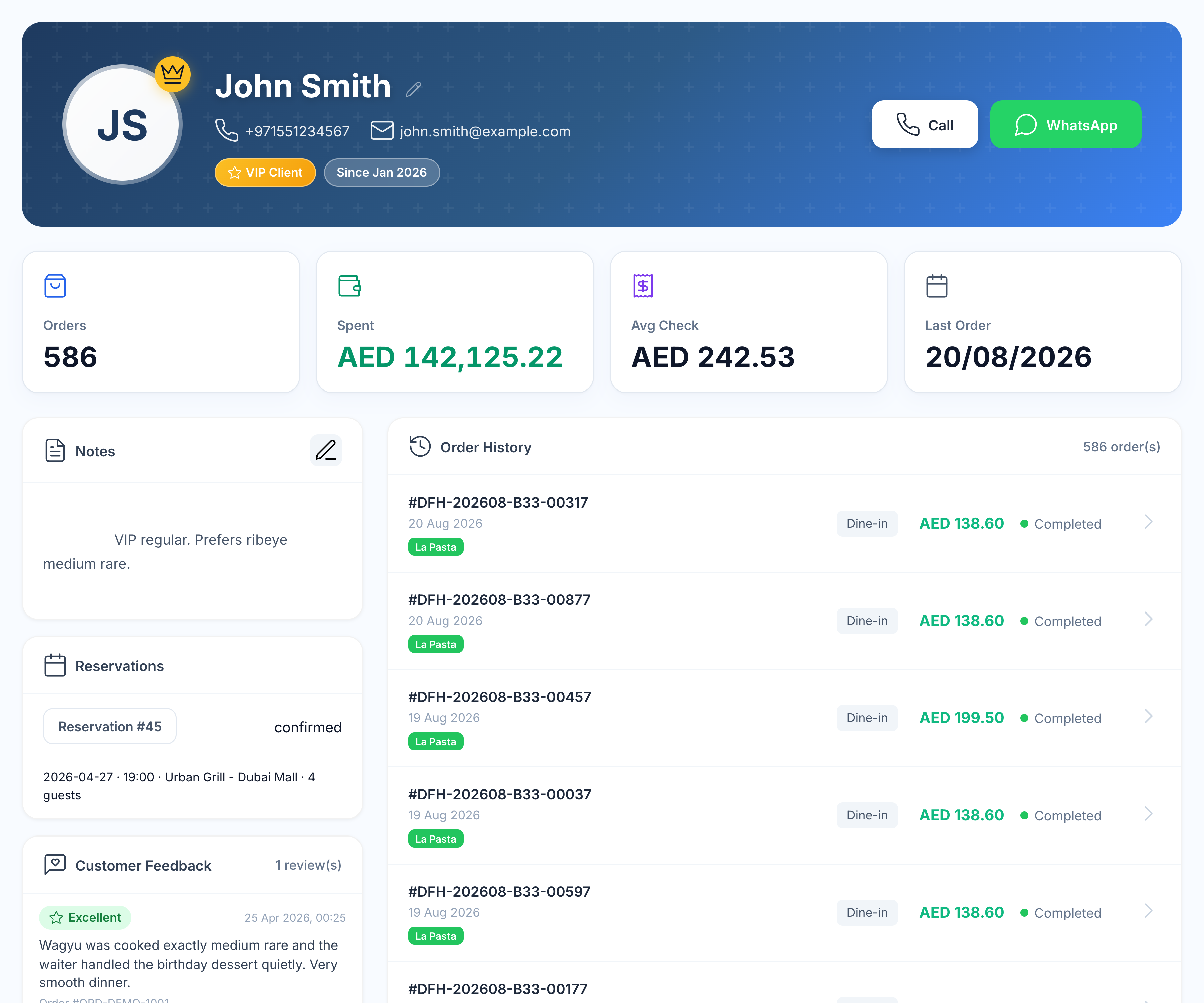
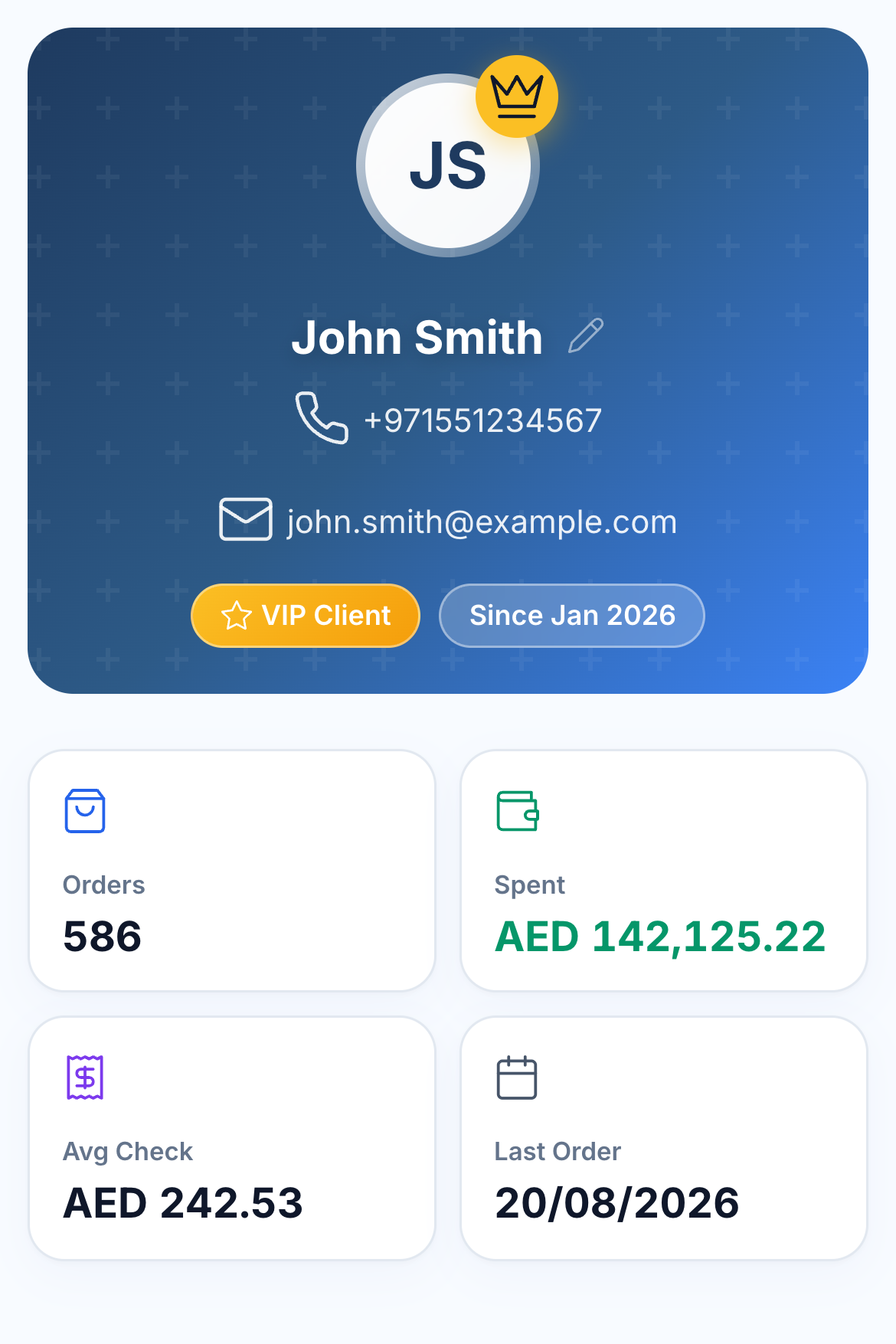
Look up a guest by phone and see their relationship with your restaurant: previous orders, spending, last purchase, reservations, service notes and loyalty. The team has useful context before taking the next order or answering a question.

Identified orders from POS, your ordering website and customer app connect to the guest record. Saved delivery addresses, feedback and purchases stay available when the guest returns through another channel.

  • Restaurant and online order history
  • Reservations linked to the guest
  • Spending, average check and last order
  • Notes, addresses, feedback and loyalty
John Smith’s guest profile with purchase totals, notes, reservation, feedback, loyalty and order history

02 / ORDERS, BRANDS & BRANCHES

See what they ordered.
And where they ordered it.

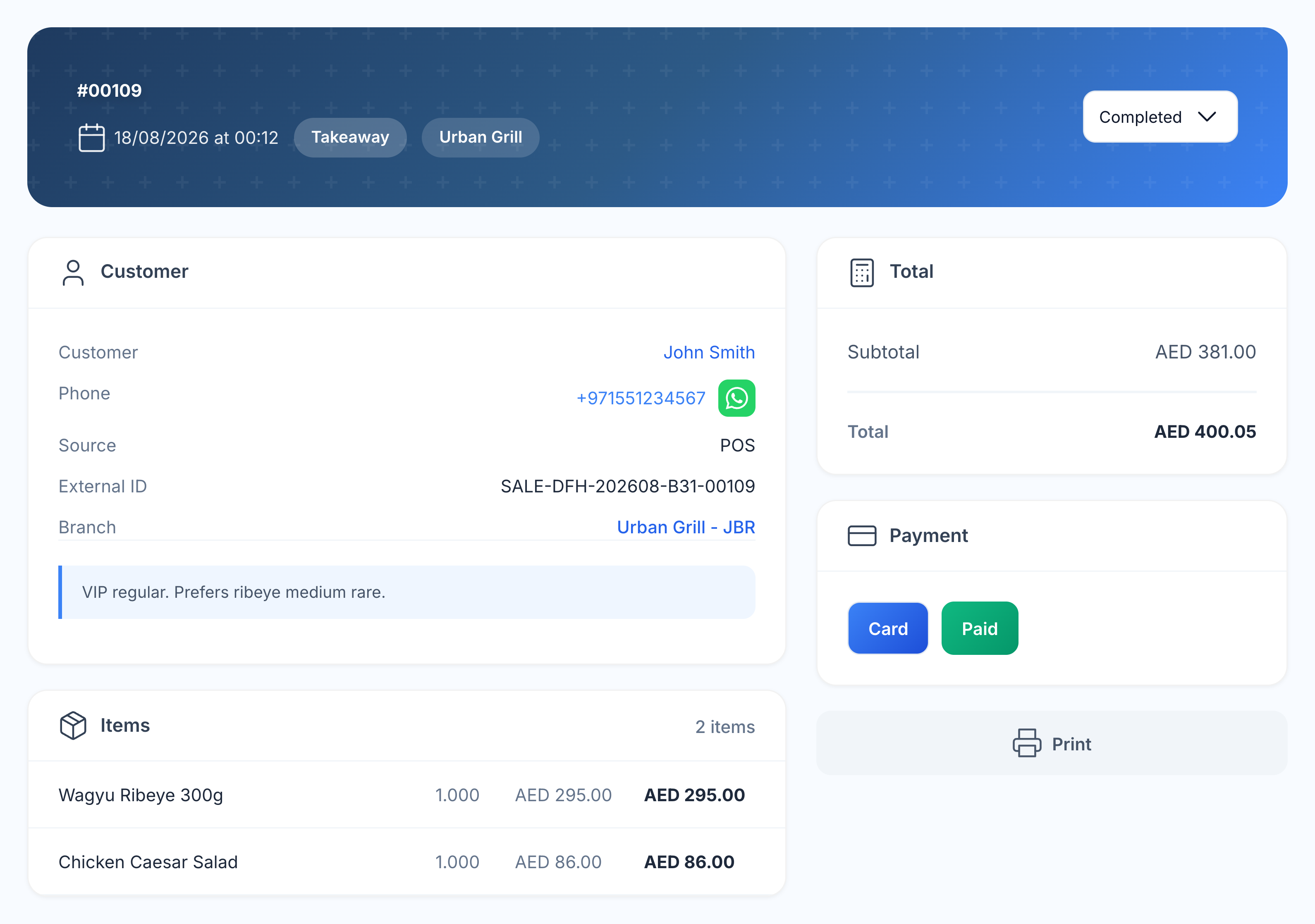
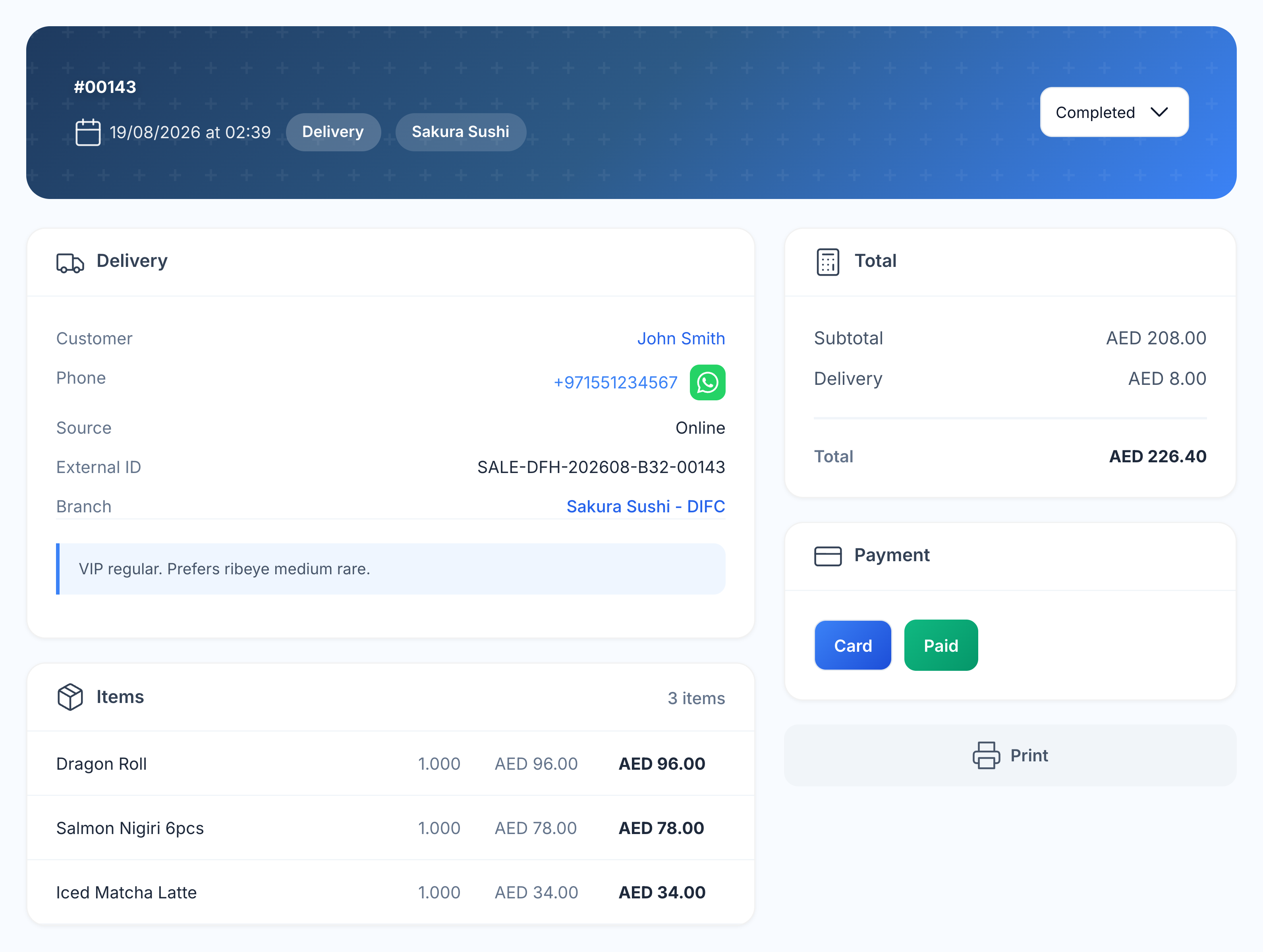
For a restaurant group, the guest history spans your connected brands and branches. Open an order to see the brand, the exact location and whether it came through restaurant service or an online channel.

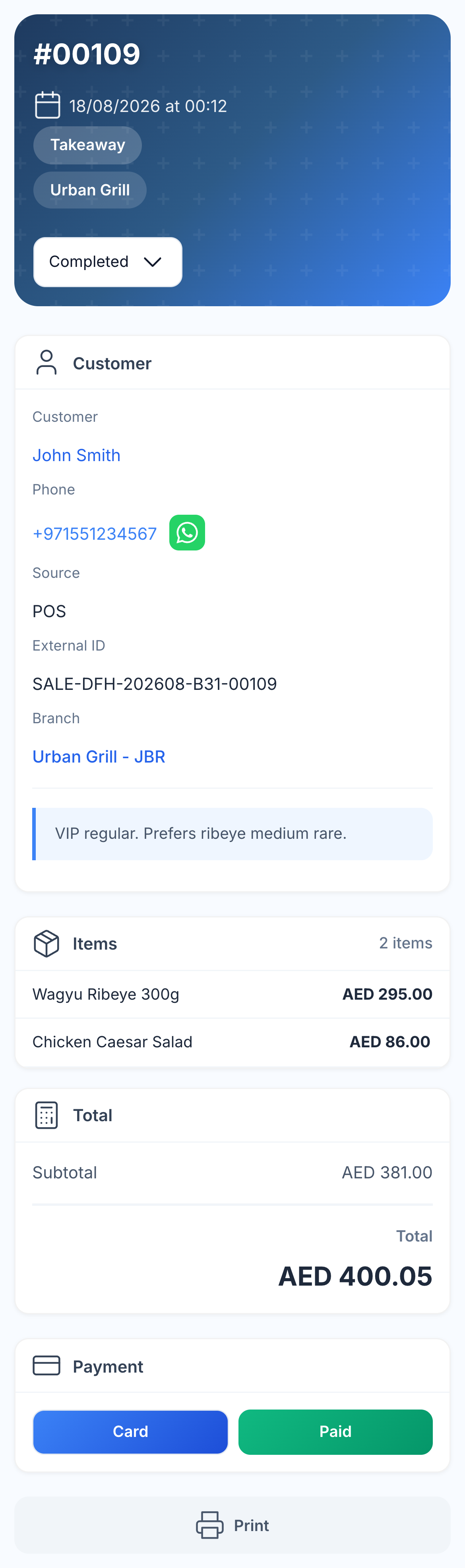
Urban Grill · JBR

John Smith’s Urban Grill JBR order with restaurant source, dishes and payment

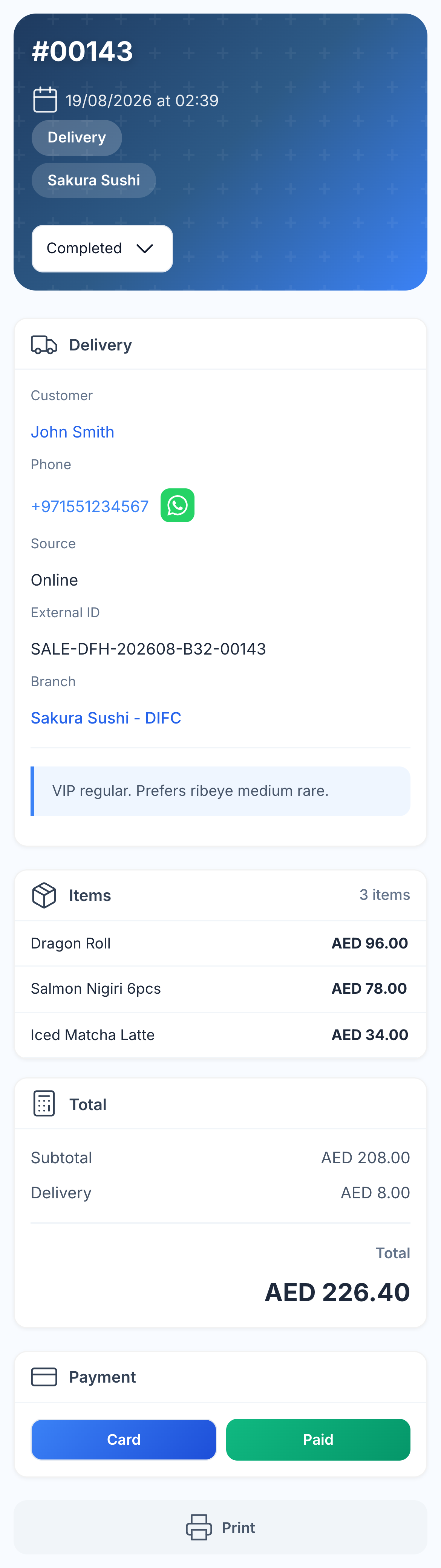
Sakura Sushi · DIFC

The same guest’s Sakura Sushi DIFC delivery order with Online source, dishes and payment

Read the dishes, quantities, selected options, service notes, payment and total behind that visit. It helps the team find a previous choice, answer a question about a charge or serve a familiar guest at a different location.

  • Brand and branch on the order
  • Restaurant, delivery and pickup orders
  • Dishes, quantities and modifiers
  • Payment method and paid total

03 / RESERVATIONS & ARRIVAL

Prepare for the guest before they arrive.

A reservation belongs to a guest with a history. Check the date, party size, table, branch and occasion alongside the context already recorded about them. The host can prepare for an anniversary, recognise a returning guest or pass a useful request to the service team.

A hostess welcomes a couple at the restaurant reception
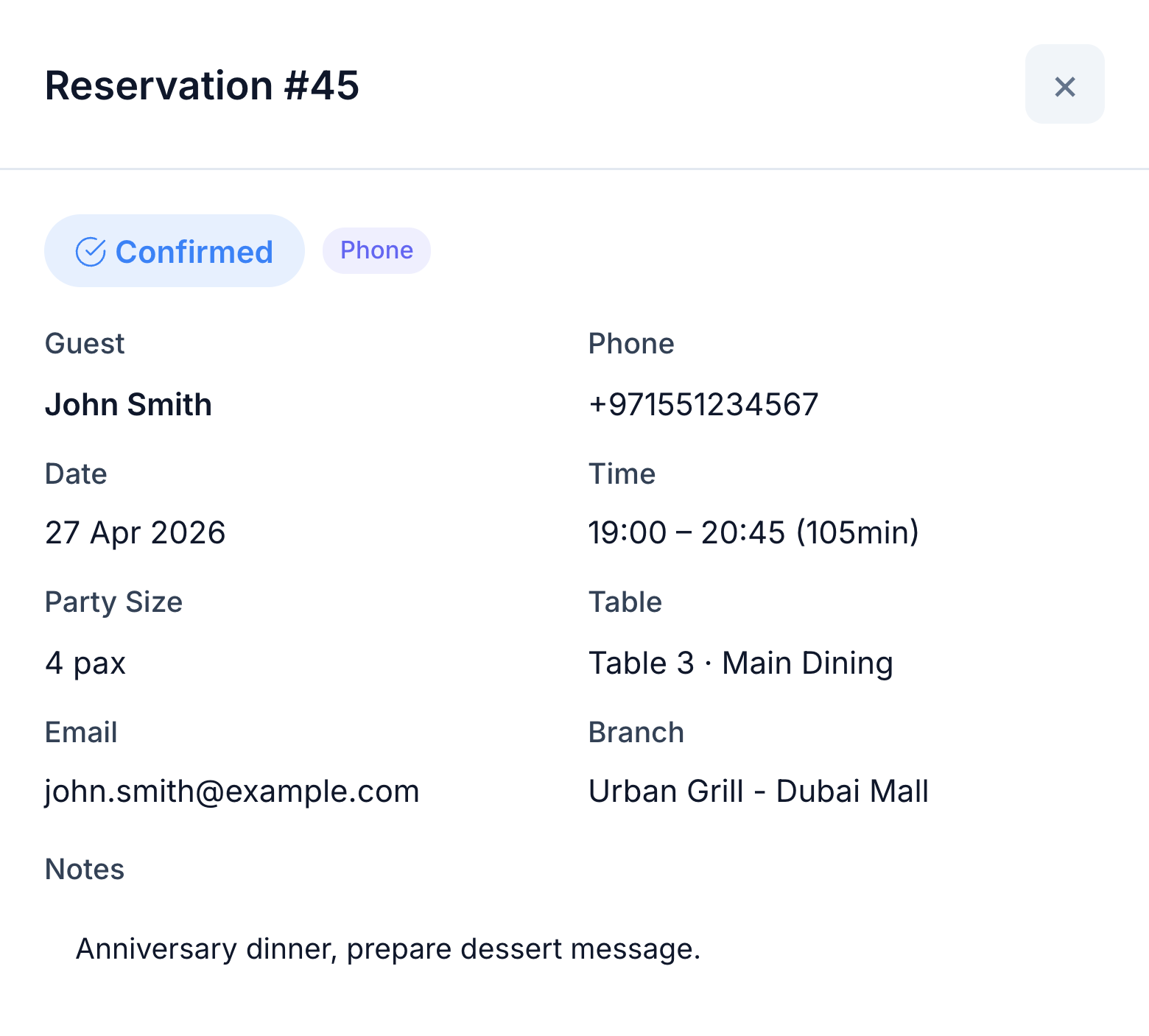
Reservation 45 for John Smith: confirmed, four guests, Table 3 at Urban Grill Dubai Mall, with an anniversary dinner note
A hostess welcomes a couple at the restaurant reception
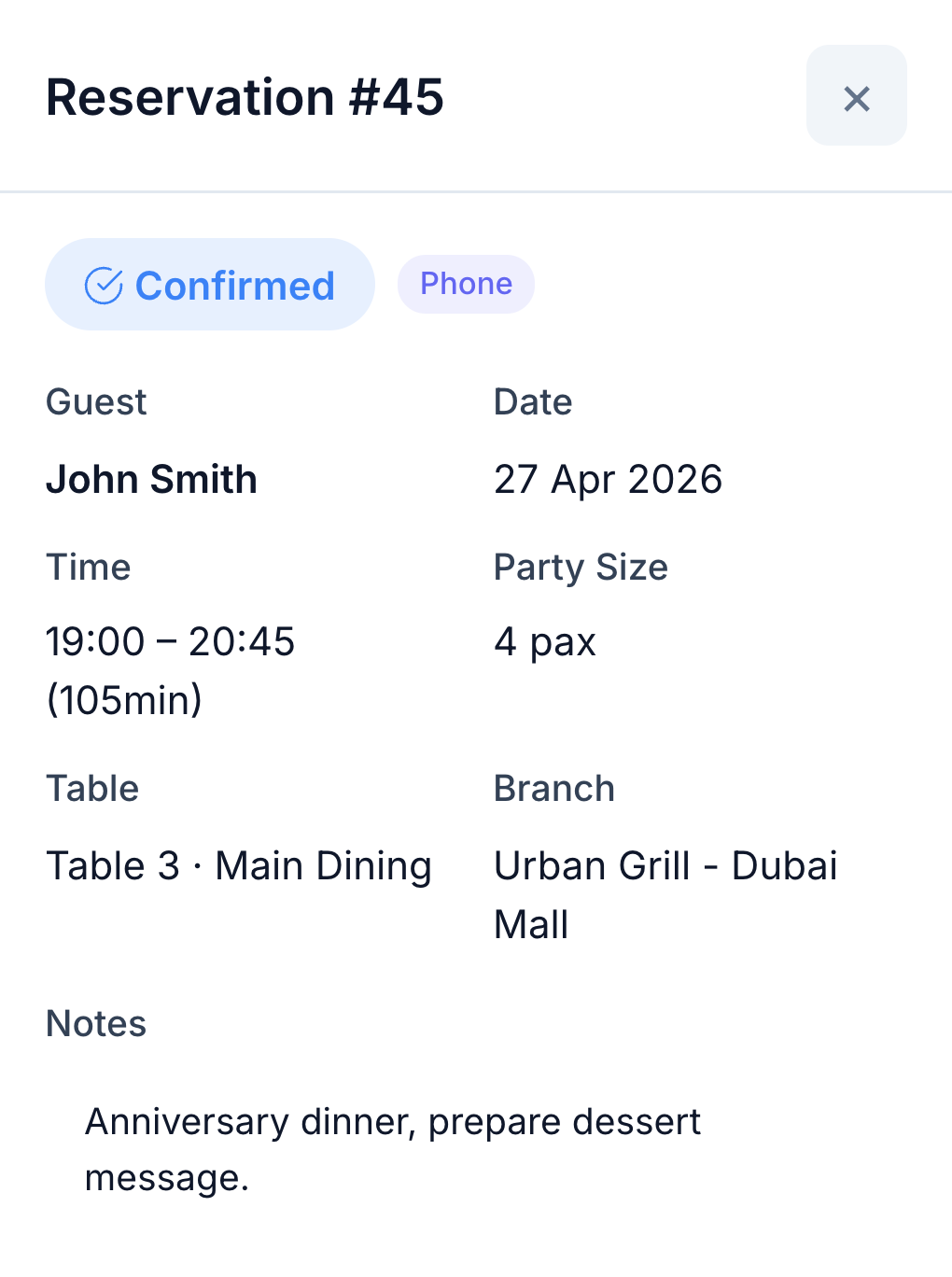
Reservation 45 for John Smith: confirmed, four guests, Table 3 at Urban Grill Dubai Mall, with an anniversary dinner note

Open the booking from the guest profile. When the host seats the party, the linked POS order keeps the guest identity, so the visit continues in the same restaurant history.

  • Bookings in the guest record
  • Date, party size, table and branch
  • Occasions and reservation notes
  • Guest identity carried into POS

04 / PREFERENCES & FEEDBACK

Remember the details that matter to the guest.

Keep useful service notes with the guest: a preferred preparation, a special occasion or a request the team should remember. Check earlier dishes and modifiers before making a recommendation.

Read feedback with its order reference before calling back. The next person handling the guest can understand what happened and respond with context. Saved addresses are there for the next delivery, too.

  • Guest notes and VIP status
  • Past dish choices and requests
  • Order-linked ratings and comments
  • Saved delivery addresses
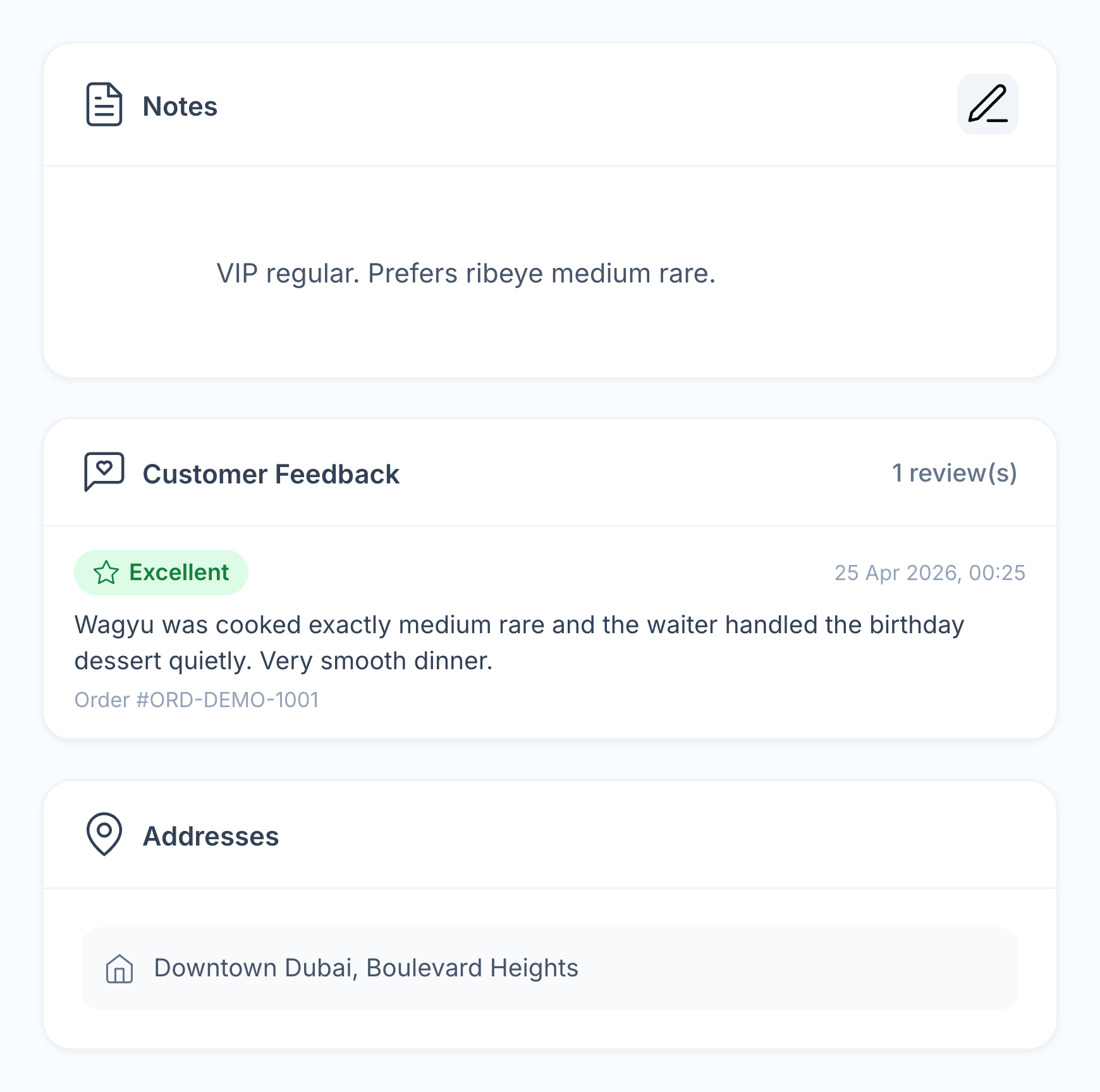
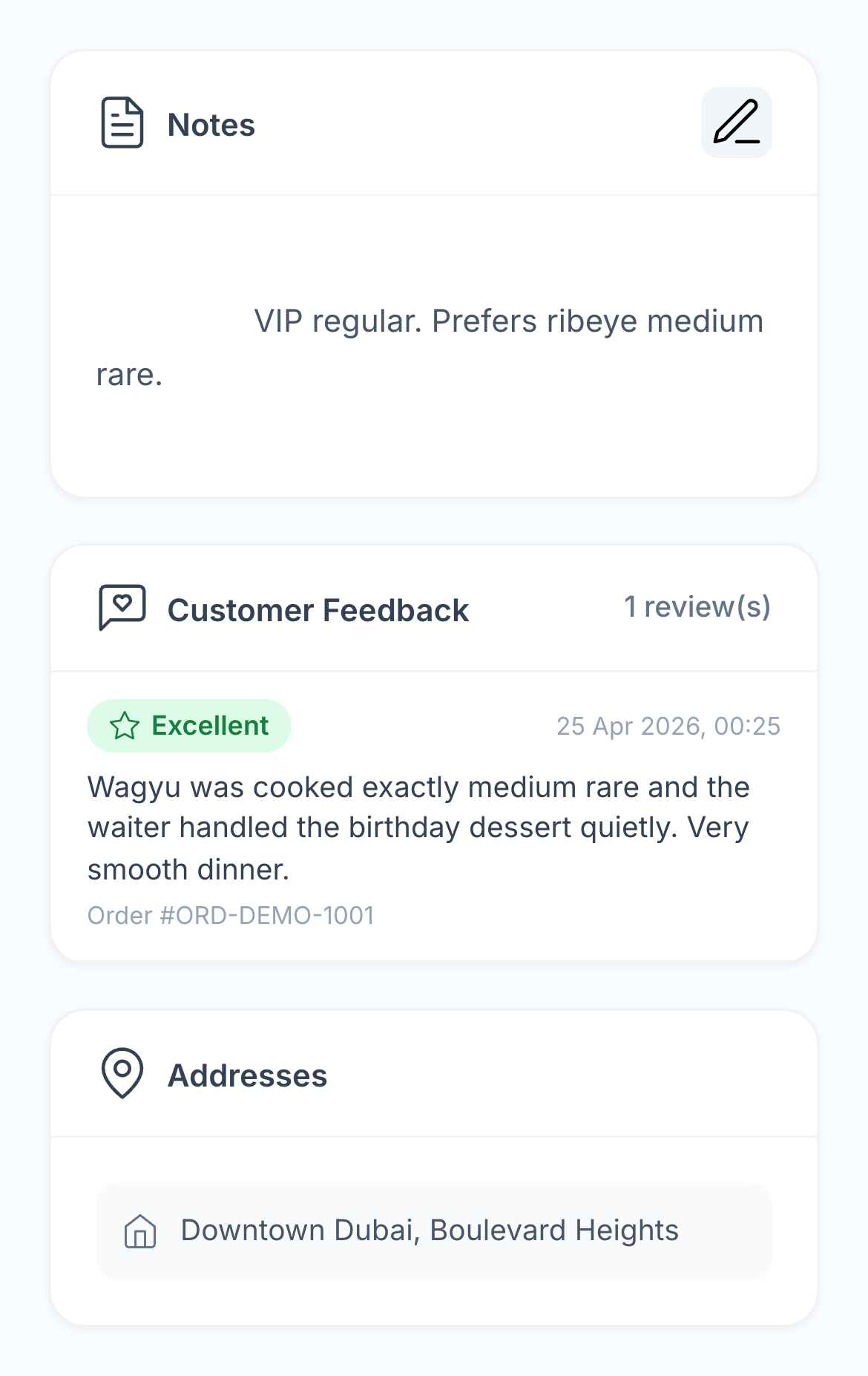
Native guest notes, order-linked feedback and a saved delivery address for John Smith

05 / DISCOUNTS & LOYALTY

Know the benefits already used.
And what remains available.

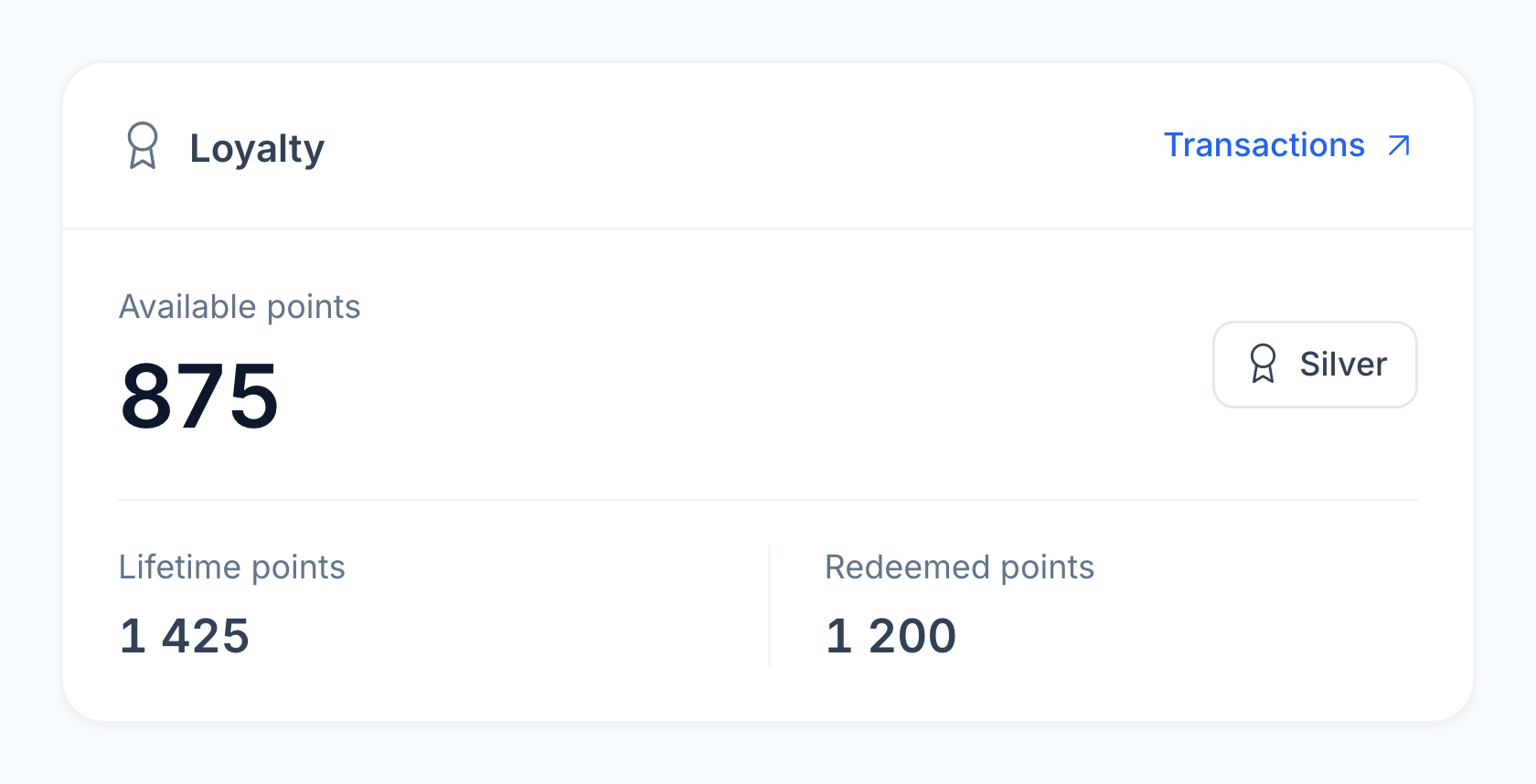
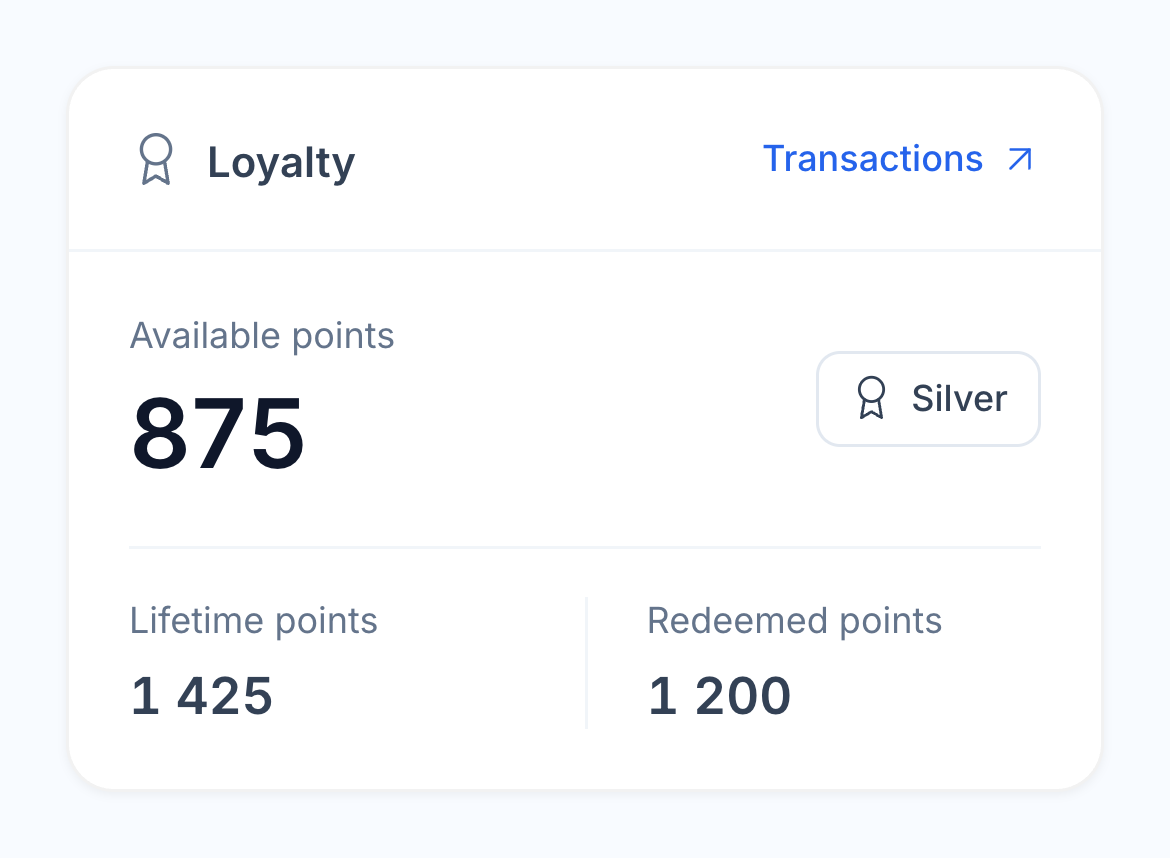
The guest record shows loyalty membership, tier and points, with a link to the transaction history. Your team can check the balance and understand previous earning and redemption activity before explaining the next reward.

For a question about a previous bill, open its order details. Applied promotions, POS discounts and loyalty redemptions remain part of the check, alongside the final amount and payment. The next conversation starts with what actually happened.

  • Loyalty membership and tier
  • Points balance and transactions
  • Discounts and promotions on the check
  • Redemptions and the final paid amount
John Smith’s native CRM loyalty card with points balance, lifetime points, redeemed points and Silver tier

06 / ACQUISITION & REPEAT VISITS

Follow the relationship beyond the first order.

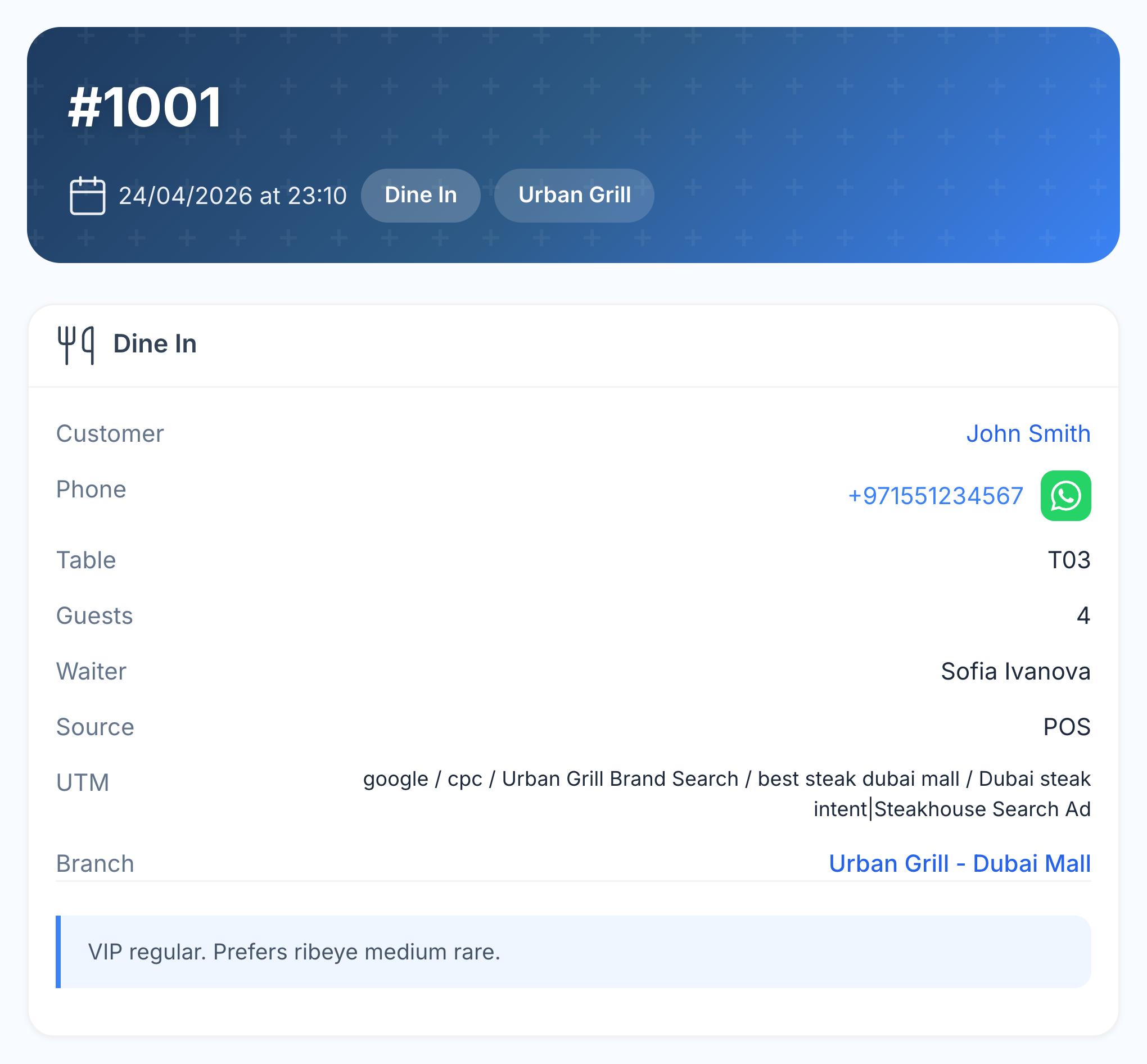
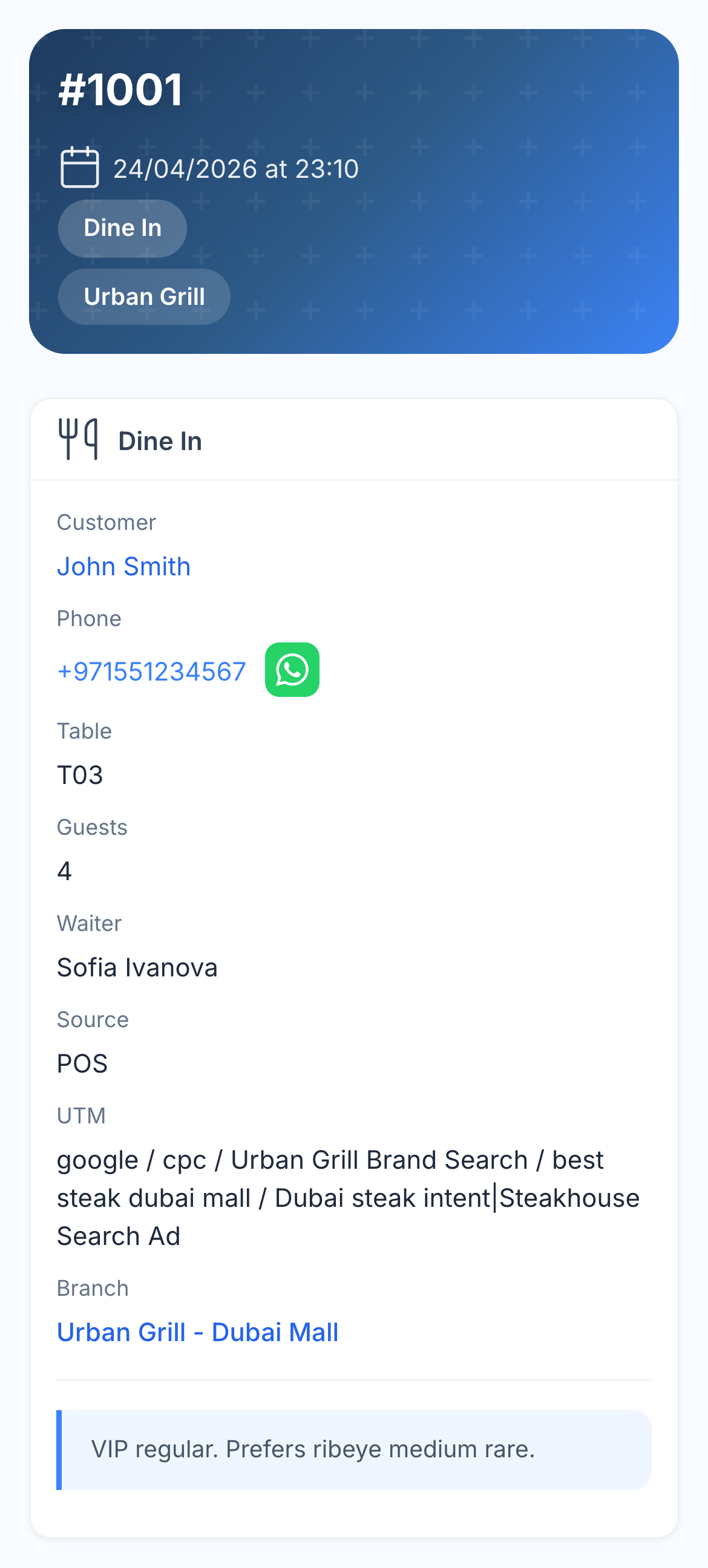
See recorded acquisition sources and campaign details alongside guest purchases. An order can retain the source, campaign, restaurant and branch, helping your team understand how the guest first found you and where they ordered afterwards.

Use order count, total spending, average check and the last purchase to recognise regulars and changes in their buying pattern. Connected marketing reports add repeat-purchase and campaign analysis when you need to look across the guest base.

  • Recorded acquisition and campaign sources
  • Order dates, frequency and spending
  • Purchases across connected locations
  • Links to marketing and retention analysis
Actual Urban Grill order for John Smith showing Google campaign attribution, table, waiter and Dubai Mall branch

07 / GUEST AUDIENCES

Choose the follow-up from their actual history.

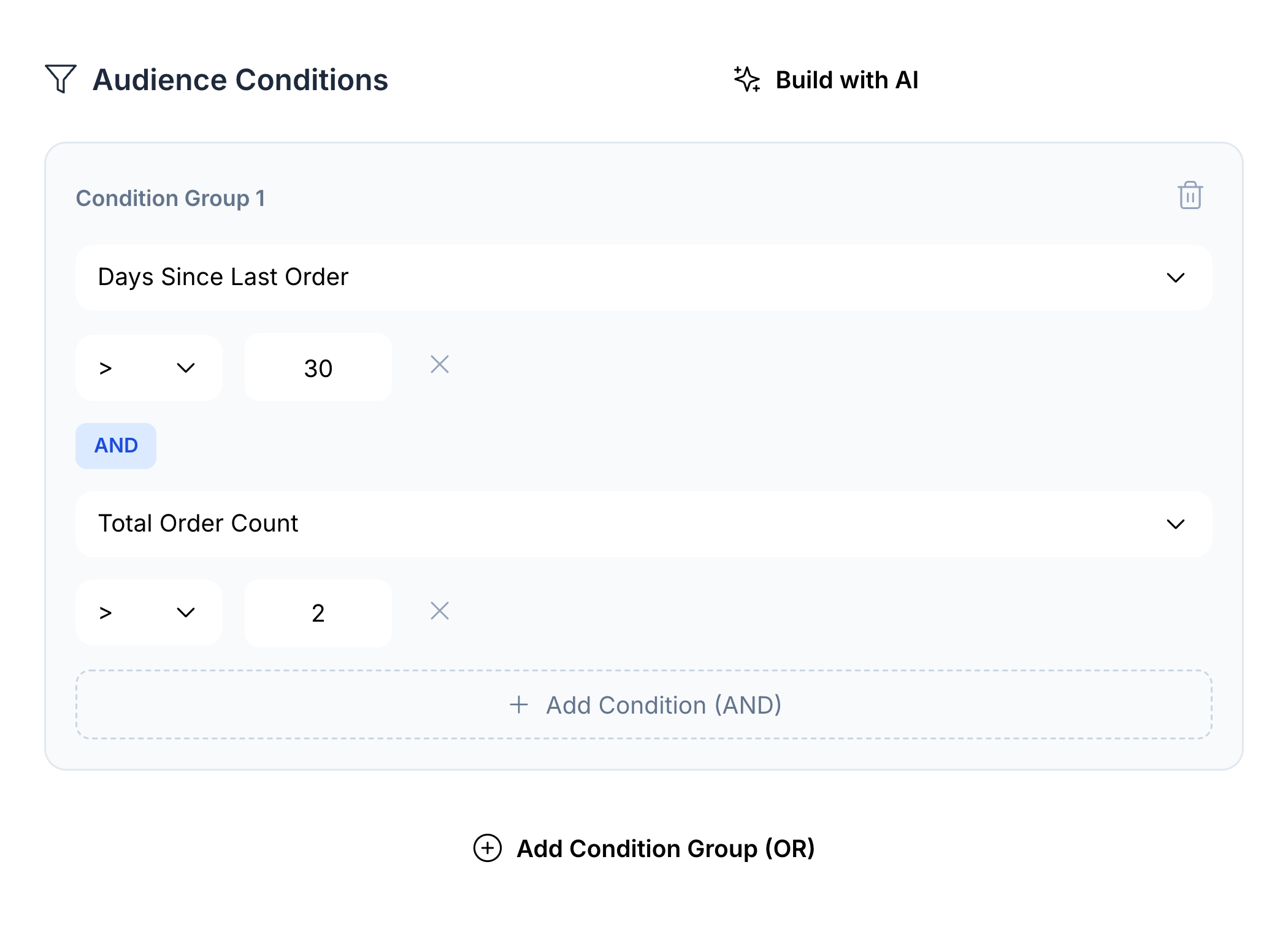
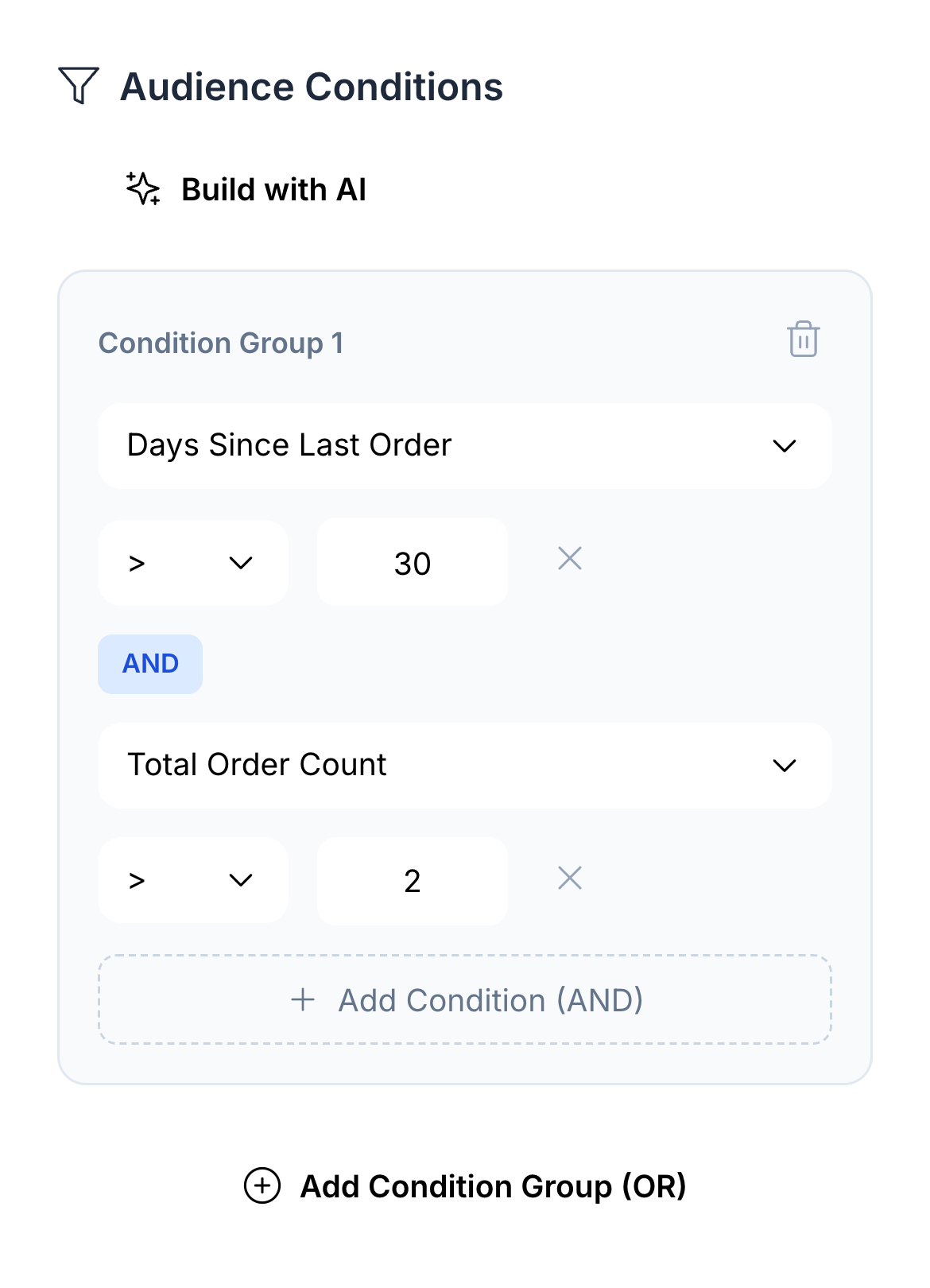
Build an audience from the way guests buy: their last order, visit frequency, spending, dishes, brand or branch. Combine conditions and check the group before using it in a campaign.

Native audience builder combining more than 30 days since last order with more than two orders

For example, follow up with repeat customers who have not ordered for more than 30 days. Or choose guests who bought a particular dish at one of your locations. Connected WhatsApp campaigns and loyalty journeys give the group a relevant reason to return; marketing reports let you review what happened afterwards.

  • Purchase, recency and spending conditions
  • Dishes, brands and branches
  • Combined rules and audience preview
  • Connected campaigns and loyalty journeys

IMPLEMENTATION & DATA TRANSFER

Bring your guest history to HoreX.

Our team helps you move guest records, past orders and the history available from your current systems. Keep the context your team has built over time, so returning guests are familiar from the first day in HoreX.

We review your available exports with you and agree what can be carried over before the switch — including order details, discounts and booking records where available.

More in Guest CRM.

Guest history, restaurant service, multi-branch context and the information behind a relevant follow-up.

Guest profiles

Find a returning guest by their phone number.

See details

Orders with an identified guest build on the same customer record. Staff can open their contact details and previous purchases when taking the next order.

  • Phone-based identification
  • Contact details
  • Linked orders

Order history

Return to the order behind a guest’s question.

See details

See dates, restaurants, order types, amounts and order status. Open an order to review its items instead of asking the guest to remember what they bought.

  • Previous orders
  • Order amounts and status
  • Branch context

Guest spending

See what a guest has spent with you.

See details

The profile brings together total spending, order count, average check and the last order date. These figures describe recorded purchases; they are not a forecast of future value.

  • Total spending
  • Average check
  • Last order

Guest audiences

Choose guests by their actual orders.

See details

Build audiences using visit dates, order count, spending and items purchased. Combine conditions to make a list that fits the offer you plan to send.

  • Order-based conditions
  • AND and OR groups
  • Audience size preview

WhatsApp connection

Use guest audiences in your restaurant’s campaigns.

See details

Send a relevant offer through the connected WhatsApp Business workflow. Approved templates, messaging permissions and provider delivery status remain part of the campaign setup.

  • Guest audiences
  • Approved templates
  • Delivery and read status

Items ordered

Check previous choices before making a suggestion.

See details

Order details show the dishes and modifiers the guest selected. Item-based audience filters also help you find people who have ordered a particular dish or category.

  • Purchased dishes
  • Modifier details
  • Item-based audiences

Guests across branches

Keep a shared guest history within your business.

See details

Connected branches use the organisation’s guest records. Staff see the information allowed by their access, and order history retains the restaurant behind each visit.

  • Shared guest identity
  • Branch-labelled orders
  • Staff access controls

VIP status

Make an important service detail easy to find.

See details

Mark a guest as VIP and add useful notes to their profile. Keep notes specific, current and appropriate for the team that will use them.

  • VIP marker
  • Profile notes
  • Editable guest details

Birthday occasions

Include birthdays in your loyalty programme.

See details

A recorded birthday can be used by the configured loyalty journey. Choose the guest benefit and message in the loyalty workflow, then review how it fits your service.

  • Recorded birthday
  • Loyalty journeys
  • Guest offers

Repeat visits

See when the guest last ordered.

See details

Use order count and last-order date to understand how often a guest returns. Marketing reports add cohort and repeat-customer views when you need to compare groups.

  • Last-order date
  • Order count
  • Repeat-customer analysis

Guests who have not returned

Build a follow-up list from time since the last order.

See details

Marketing analytics groups inactive guests by elapsed time, including 30, 60 and 90-day bands. Review the guest’s history and your restaurant’s usual visit pattern before choosing an offer.

  • Recency bands
  • Guest history
  • Re-engagement audiences

Service notes

Keep useful context with the guest.

See details

Record preferences or a service issue in the profile notes so the next colleague can pick up the conversation. Update the note when the situation changes.

  • Profile notes
  • Staff context
  • Guest record

Delivery addresses

Find the address used for a guest’s delivery.

See details

The guest record keeps saved delivery addresses and their details. Check the selected address and any instructions with the customer when taking a new order.

  • Saved addresses
  • Delivery details
  • Guest contact

Guest feedback

Read a review with the order in view.

See details

Feedback linked to a guest appears with their profile. Check the associated visit and follow up through your service process when a guest reports a problem.

  • Guest-linked reviews
  • Order context
  • Service follow-up

Dietary requirements

Record what the guest tells your team.

See details

Keep relevant dietary information in the guest record and confirm it when taking an order. Staff should still communicate the requirement to the kitchen for that meal.

  • Guest information
  • Order confirmation
  • Kitchen communication

Loyalty referrals

Connect an invitation to the member who made it.

See details

Configured loyalty referrals can credit the referring member and the new guest. Review referral and bonus rules in the loyalty programme before using them in a campaign.

  • Member referrals
  • Configured bonuses
  • Loyalty history

Guest identity

Check the phone number before making a second profile.

See details

Phone-based matching helps staff find an existing guest. If records need correction, review the contact details and linked orders first; ask support about duplicate records that need consolidation.

  • Phone lookup
  • Contact review
  • Linked-order checks

Audience and report exports

Take a selected guest analysis into a spreadsheet.

See details

Export the supported audience or marketing report when your team needs to review the data elsewhere. Choose the relevant guests and fields, and limit access to people who need that information.

  • Audience exports
  • Marketing reports
  • Selected guest groups

Guest reservations

Prepare for an arrival using the guest’s existing context.

See details

Open a linked reservation from the guest record to review its date, party size, table, branch and notes. Hostess connects booking and seating with the same guest identity in POS. Booking states also help the team understand cancellations and no-shows.

Discounts and benefits used

See the promotion or reward behind the paid check.

See details

Open a previous order to review its applied promotion, named POS discount, manual discount or loyalty redemption. Check the final amount and payment alongside the dishes rather than treating a discount as an isolated guest attribute.

Acquisition sources

Keep the source of a guest’s relationship in view.

See details

View recorded acquisition sources and order campaign data with the guest context. Where captured, source, medium and campaign remain available alongside the order. Staff can also record a known source without replacing existing order attribution.

Assisted history transfer

Bring available guest and purchase history with you.

See details

The HoreX implementation team helps review exports from the current systems and agree the history to transfer. Available guest records, past orders, dish details, discounts and booking records can be assessed together. The transfer scope follows the records and exports the previous systems provide.

Questions about Guest CRM

How are guest profiles created?

When an order identifies the guest, HoreX matches or creates the customer record using their phone number. Staff can also manage contact details in the guest directory.

Can I segment guests for campaigns?

Yes. Audiences can use order dates, count, spending and purchased items. Combine conditions and preview the matching group before using it in a campaign.

Does it work across branches?

Connected branches within the organisation share guest records. Order history keeps the branch context, and staff access controls determine which information is available.

Can I track guest lifetime value?

The profile shows recorded spending, order count and average check. This is historical guest value, not a prediction of future spending or profit.

Is CRM connected to loyalty?

Yes. The guest record connects to membership, points and tier information. Loyalty earning, redemption and guest journeys are configured in the loyalty programme.

How does churn detection work?

Inactive-guest views use time since the last order, including 30, 60 and 90-day bands. They help build a follow-up list; they do not predict whether an individual guest will leave.

Can I merge duplicate guest profiles?

Phone matching helps avoid creating a second record. Review the contact details and linked orders when you find duplicates, and ask support about records that need consolidation.

Is guest data exportable?

Supported audiences and marketing reports can be exported for further analysis. Select the relevant data and share it only with the people who need it.

Can I see which brand and branch a guest ordered from?

Yes. The guest history links to orders across your connected restaurant brands and branches. Each order retains its brand and specific branch, so staff can see the location behind the purchase.

Are reservations connected to the guest profile?

Yes. Linked bookings can be opened from the guest record, with the date, party size, table, branch and reservation notes. Seating through Hostess retains the guest identity on the linked POS order.

Can you help transfer our existing guest history?

Yes. Our implementation team reviews the available records and exports with you and agrees the transfer scope. This can include guest records, past orders and available details such as dishes, discounts and booking records, depending on what your current systems provide.

See the guest journey in HoreX.

Explore guest history, orders across brands, reservations, loyalty and follow-up audiences with your team.