


Restaurant management for chains and groups.

Compare branches, share menu standards and follow stock and purchasing across the group. Give each local team the records it needs to run service.

01 / THE GROUP

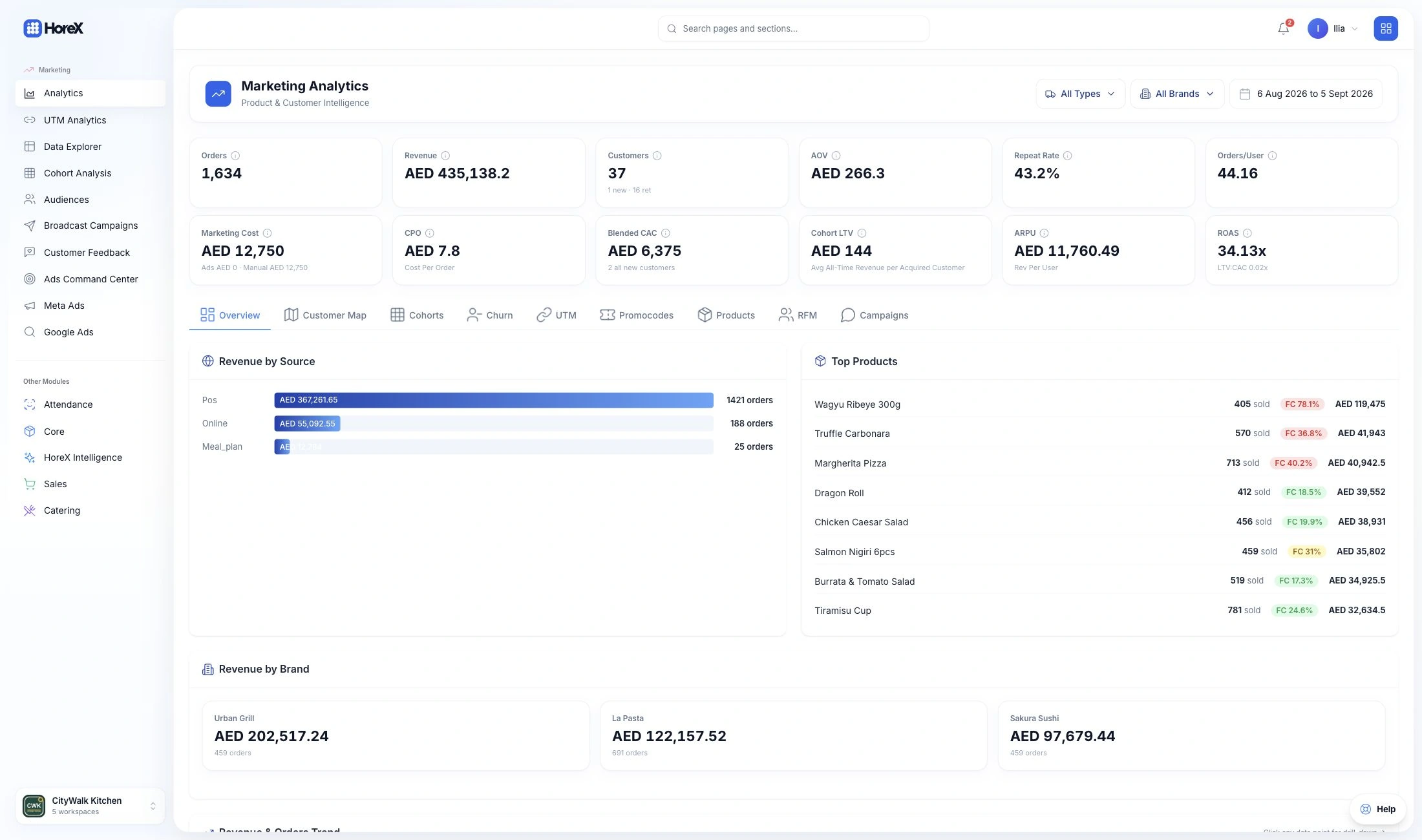
Branch performance

Compare sales and costs across your locations.

02 / THE MENU

Menu standards

Share recipes while managing local prices.

03 / THE SUPPLY

Branch purchasing

Connect supplier orders and stock at each outlet.

Explore the setup

01 / HQ & BRANCHES

Start with the same numbers for every location.

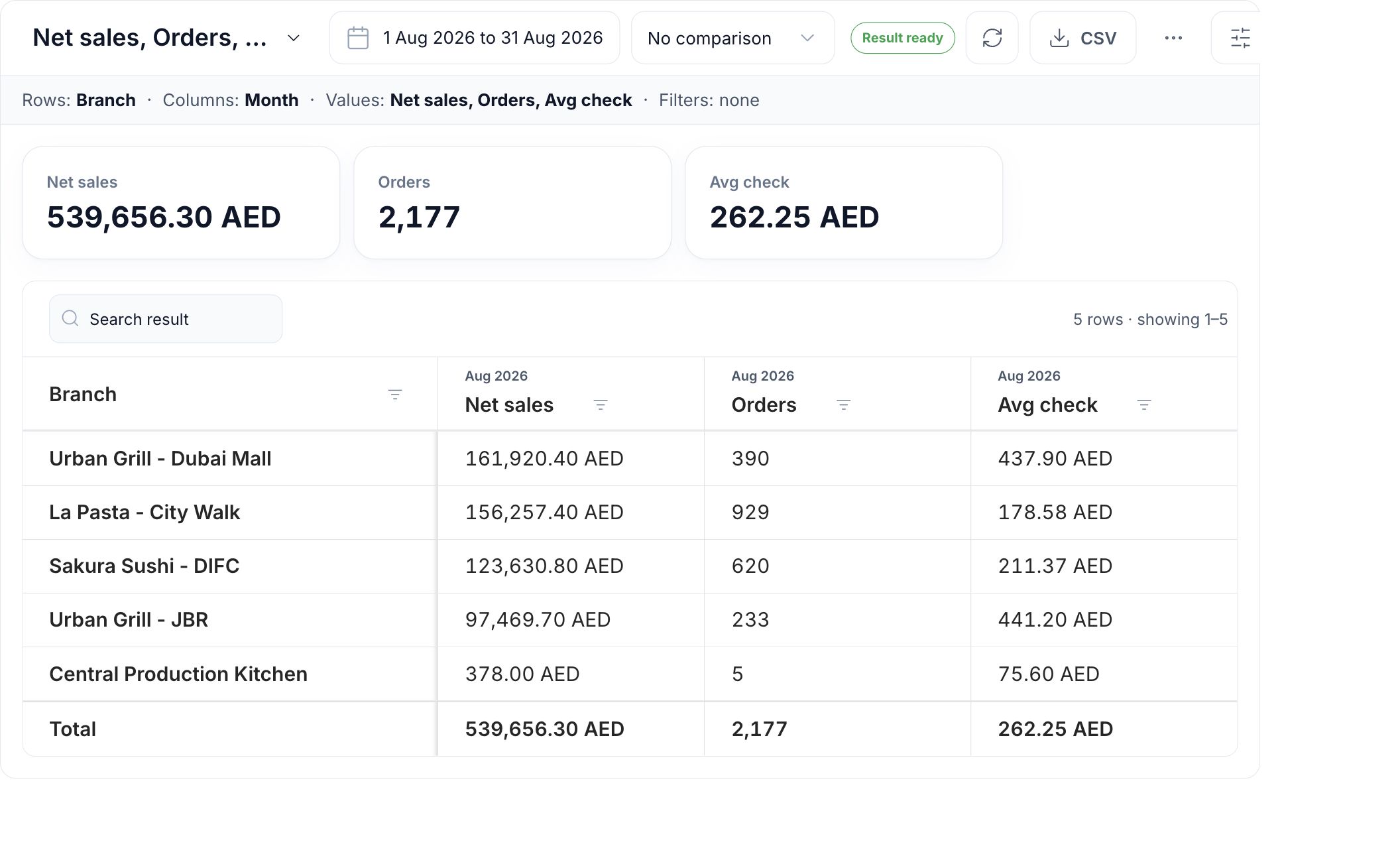
Compare branches for the same period: sales, order count and average check. Choose the measures that answer the question, then open the relevant report to investigate a difference.

Use P&L alongside the sales comparison to review ingredient costs and recorded expenses. A branch with more sales may still need attention on purchasing, waste or payroll.

  • Branch comparison
  • Selected periods
  • Sales and average check
  • Source records
HoreX Analytics Builder comparing August net sales, orders and average check across five demo branches
Actual August net sales by restaurant branch in HoreX Analytics Builder

02 / MENU & PRICES

One dish catalog. Prices that fit each branch.

Keep the dish and its recipe in the shared catalog. Set a different selling price for a location or sales flow without creating another copy of the dish.

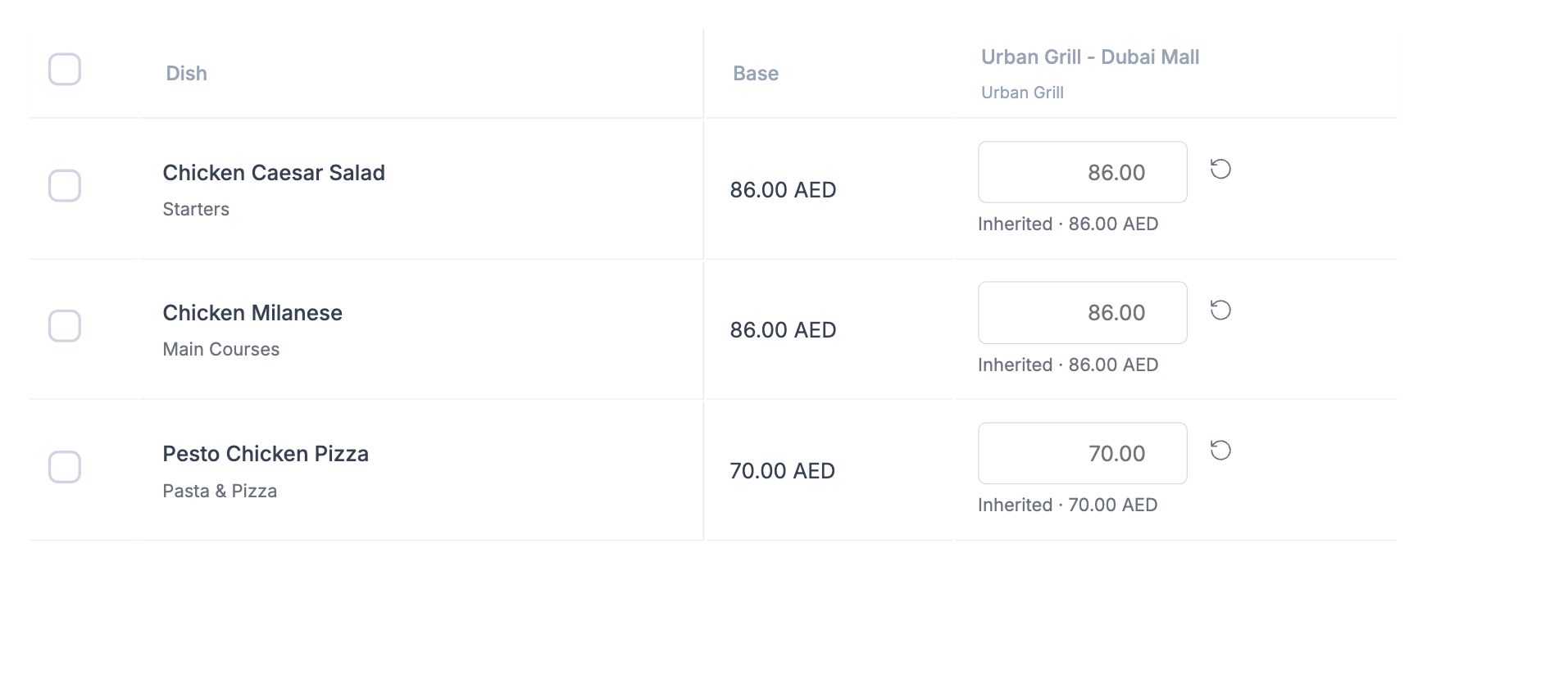
The price matrix shows the base price and the amount each branch inherits or overrides. Review the changes before saving. Price history keeps the author and before-and-after amounts.

  • Shared recipes
  • Branch overrides
  • Channel prices
  • Price history
HoreX selling-price matrix for dishes at Urban Grill Dubai Mall
Base and branch selling prices at Urban Grill Dubai Mall in HoreX

03 / LOCAL TEAMS

Give the branch manager a useful view of their restaurant.

The branch team needs the orders, stock, shifts and documents for the location they run. HQ needs a wider comparison. Roles and branch access let both teams work from the same records.

Keep menu standards and sensitive financial actions with the people responsible for them. Use the recorded transactions when reviewing a branch with its manager.

  • Branch access
  • Role permissions
  • Local operations
  • Group reporting
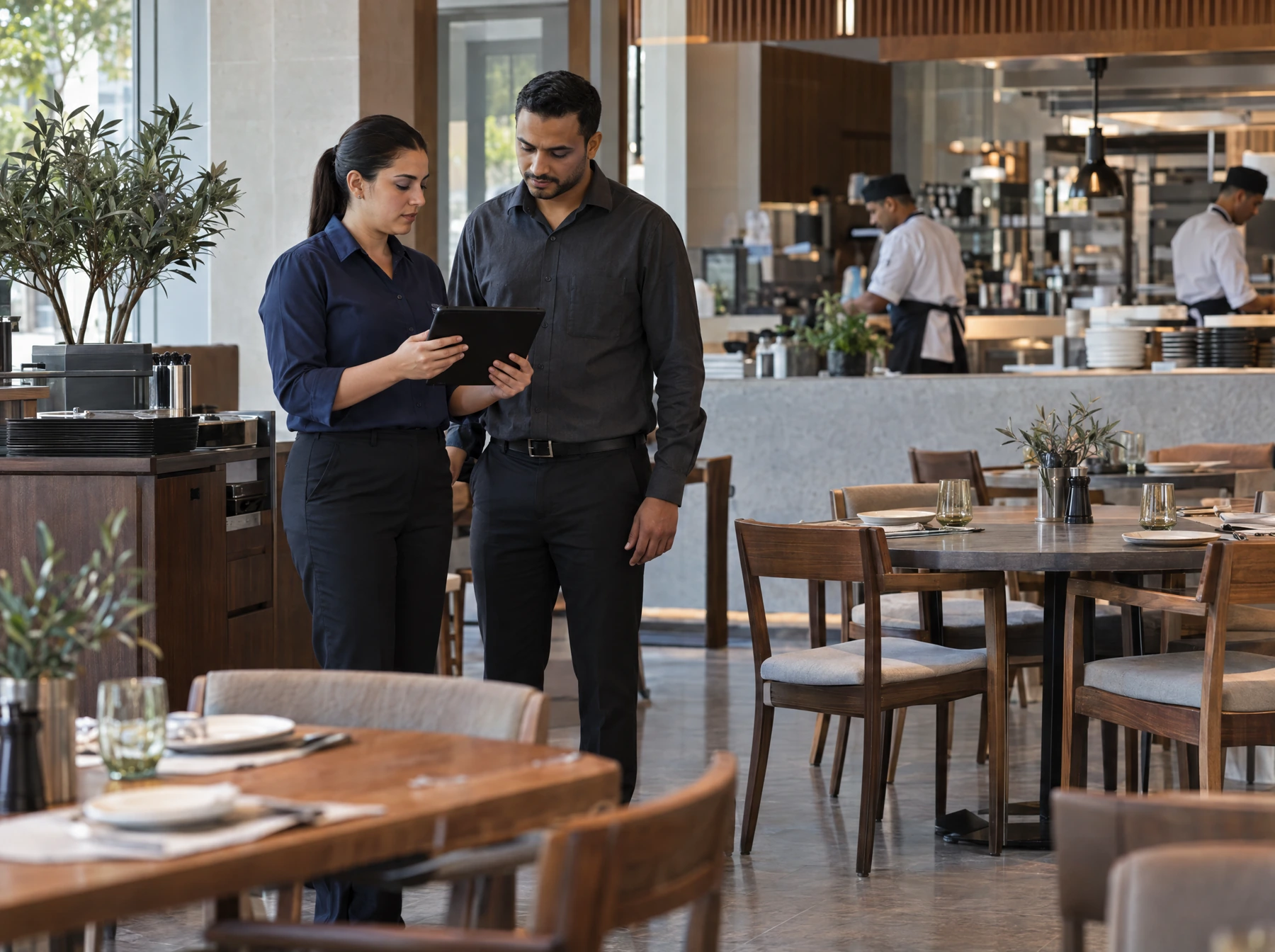
An area manager and restaurant manager review a tablet during a branch visit

04 / PURCHASING & STOCK

Keep the supplier shared and the stock location clear.

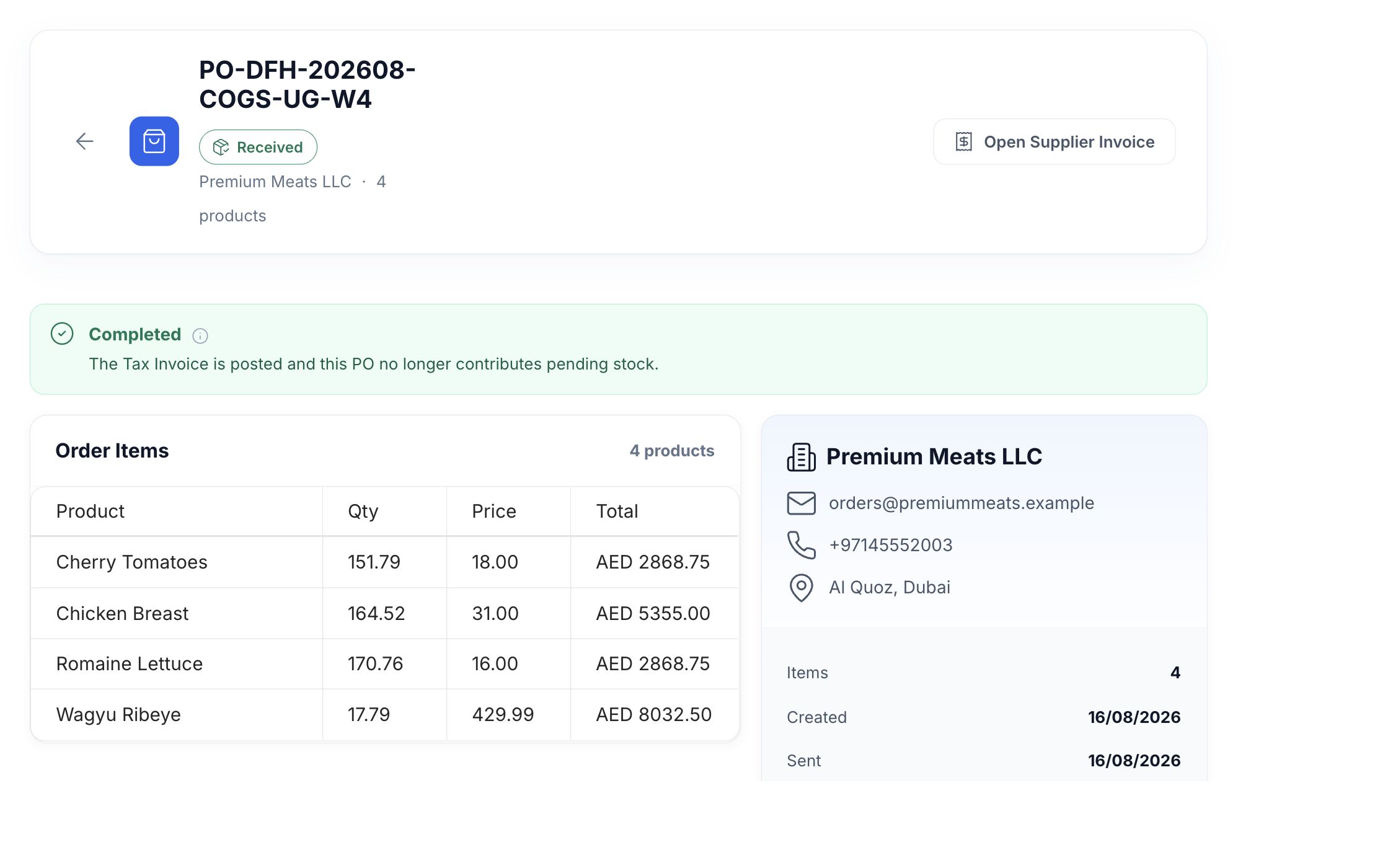
Branches order through the same supplier and product catalog. Each purchase order keeps its destination, quantities and delivery history so purchasing can follow the request through to receipt.

Record transfers from a central kitchen to the outlets. Review counts, waste and ingredient use at each branch before deciding what it needs next.

  • Branch purchase orders
  • Supplier price history
  • Inter-branch transfers
  • Stock counts
Received purchase order with supplier, ordered products and a link to the posted invoice

Bring the next branch into the same working setup.

  1. Set up the branch

    Set its stock locations, staff access and the company that issues its invoices.

  2. Review its menu

    Confirm the shared dishes, local prices, availability and kitchen stations.

  3. Check the first service

    Test devices and printing, record opening stock and review the first shift.

What your team can use.

Choose the modules and controls that fit your operation.

HQ reporting

Compare branches using the same measures.

See details

Choose the period, branches and measures in Analytics Builder. Compare sales, orders and average check, then inspect the underlying report when a number needs explaining. Branch and document permissions determine the records available to each user.

  • Branch comparison
  • Date ranges
  • Saved reports
  • Source records

Shared menu catalog

Keep the same dish recognisable across the group.

See details

Maintain dish names, categories, ingredients and recipe quantities centrally. The branches use that common catalog while retaining the location and sales context of each transaction. Restrict catalog editing to the staff responsible for menu standards.

  • Shared dishes
  • Recipe base
  • Menu categories
  • Editing permissions

Branch and channel prices

Change a selling price without copying the dish.

See details

Start with the dish’s base price, then enter overrides for a branch, order type or connected sales source. Review the changes before saving. New order lines use the resolved price; existing sales keep the amount originally recorded.

  • Price matrix
  • Branch overrides
  • Sales flows
  • Price history

Named price lists

Prepare one price set for several locations.

See details

Use a named list when branches should share a set of prices. Prepare a draft, review its assignments and publish it for the intended dates. The menu preview shows the price and configured availability for a chosen branch and sales flow.

  • Draft and publish
  • Branch assignments
  • Start and end dates
  • Menu preview

Branch P&L

Read revenue and recorded costs together.

See details

Use the branch and period filters to review sales, cost of goods and operating expenses. Follow report values to their source records and check incomplete purchasing or expense entries before comparing margins.

  • Revenue and COGS
  • Operating expenses
  • Branch filters
  • Source documents

Shared purchasing

Keep suppliers and branch demand connected.

See details

Maintain the supplier and product catalog for the organisation. Branch purchase orders retain the destination and requested quantities. The procurement team can compare price history and delivery records before placing the next order.

  • Supplier catalog
  • Branch purchase orders
  • Price history
  • Receiving records

Branch stock

Know which location holds the ingredients.

See details

Purchases, transfers, prep production, sales, waste and counts create the movements behind each branch balance. Use transfer records when stock moves between the central kitchen and an outlet; a change of location is not a sale.

  • Branch balances
  • Transfers
  • Prep production
  • Counts and waste

Local access

Give each manager the right working scope.

See details

Combine role permissions with branch access. A floor manager can work with their location while HQ staff review the branches in their remit. Sensitive reports and actions remain controlled by the relevant permissions.

  • Roles and positions
  • Branch access
  • Action permissions
  • Financial visibility

Shared guest history

Recognise repeat visits across participating branches.

See details

Guest records can hold linked orders across the organisation. Loyalty participation and redemption follow the programme’s branch and eligibility rules. Configure those rules before promising that a reward can be used at every location.

  • Guest profiles
  • Linked orders
  • Programme eligibility
  • Participating branches

Questions about Restaurant chains and groups

Can I manage all my branches from one dashboard?

Yes. HQ can compare permitted branches in Analytics Builder and open the relevant sales, stock or financial report. Select the same period and measures for a useful comparison. The view follows your branch and document access.

Can branches have different prices?

Yes. Dishes keep a shared base price, with overrides for branches and sales flows. You can also prepare a named price list for several branches and dates. Review saved prices and availability in the menu preview before service.

How does HoreX standardize recipes across branches?

The organisation maintains a shared recipe and ingredient catalog. Authorised staff update quantities, yields and preparation information centrally. Branch sales use the assigned recipe; local prices do not require duplicate recipes.

Can I compare financial performance between branches?

Yes. Review sales and order measures across branches, then use branch P&L for revenue, ingredient costs and recorded operating expenses. Check that supplier invoices, stock movements and expenses are up to date before drawing conclusions about margins.

How are user roles and permissions managed?

Roles control the reports and actions a person can use; branch access determines the locations in their scope. Set the relevant financial and management permissions for HQ, area managers and local staff.

Can I centralize procurement across branches?

Yes. The organisation can use a shared supplier catalog while purchase orders retain their branch destination. Procurement can inspect quantities, price history and delivery records. Transfers record goods moving from a central kitchen to outlets.

How easy is it to add a new branch?

A new branch needs its locations, staff access, menu availability, prices, stations, devices and opening stock. Shared catalogs reduce repeated setup, but the branch’s payment and service workflow should still be checked before opening.

Does the loyalty program work across branches?

Guest records can span participating branches in the same organisation. Points, stamps, benefits and redemption depend on the configured programme and branch eligibility. Review the intended guest journey across locations during setup.

Review your group with your branch managers.

Walk through one shared menu, two branches and the reports your team uses.